


Instant Messaging, Blog
Top 25 Group Chat Apps: Benefits and Expert Tips for Choosing the Perfect Fit
- By Vinod Kumar VR
- No Comments


- Published on
- 20 min read
Group chat apps have become indispensable tools for modern workplaces, facilitating seamless communication and collaboration among team members. These applications, commonly referred to as group chat apps or group messaging apps, enable real-time interaction regardless of geographical barriers, allowing teams to stay connected and productive. With the rise of remote and distributed teams, the demand for effective group chat solutions has surged, leading to a diverse array of options in the market.
Statistics reveal the growing significance of group chat apps in today’s organizational landscape. According to a recent survey by Statista, the global enterprise collaboration market is projected to reach $74.1 billion by 2026, driven by the increasing adoption of digital communication tools. Additionally, research from Gartner indicates that by 2023, 60% of enterprise IT organizations will prioritize investment in collaboration and communication tools as a critical component of their digital transformation strategies.
A group chat app serves as a central hub for team communication, offering features such as instant messaging, file sharing, video conferencing, and integrations with other productivity tools. Effective utilization of these group messaging apps can enhance team collaboration, streamline workflows, and foster a sense of cohesion among team members. However, with numerous options available, selecting the right team chat app can be challenging.
In this blog, we will delve into the benefits and intricacies of group chat apps, providing expert insights and practical tips for choosing the perfect fit for your team. Whether you’re seeking to improve remote collaboration, streamline project management, or enhance communication efficiency, understanding the key considerations in selecting a group chat app is crucial.
From small startups to large enterprises, organizations across industries are leveraging group chat apps to drive productivity and innovation. By exploring the top 25 group chat apps and analyzing their features, functionalities, and suitability, teams can make informed decisions that align with their unique requirements and objectives.
What is a group chat app?
A group chat app, also called a team messaging app or group messaging app, is software made to help teams talk and work together in real time. It gives one place where team members can send messages, share files, make voice calls, and work on tasks together.
Most apps for group chat include features like group chats, one-on-one messaging, file sharing, alerts, search tools, and links to other work apps. These group messaging apps keep everything in one place, making it easier to stay on top of conversations and updates.
By using these tools, teams can connect quickly, share ideas, and manage projects without confusion. Popular apps for group chat include Clariti, Slack, and Microsoft Teams, which all help teams stay connected and work smoothly.
List of Group Chat Apps for Businesses in 2026
1. Clariti
Group Chat App for Contextual Conversations.
Clariti stands out as the premier group chat app for contextual conversations, primarily due to its integration of artificial intelligence (AI) technology. By harnessing AI capabilities, Clariti transforms the way teams communicate and collaborate within group settings.
At the core of Clariti’s effectiveness is its AI-driven approach to combining various communication channels seamlessly. By aggregating emails, chats, documents, calendar events, and feeds related to the same topic, Clariti creates rich, context-based hybrid Conversations that keep communication focused and organized.
Clariti’s unique machine learning algorithm plays a pivotal role in this process, as it identifies, collects, and establishes deep connections with relevant contexts from all forms of communication. This intelligent analysis enhances users’ ability to understand the underlying context of discussions, facilitating more informed decision-making and streamlined collaboration.
Furthermore, Clariti’s AI-powered communication capabilities go beyond mere data aggregation. They provide users with valuable insights into the ” who said what, when & why ” behind conversations, enabling teams to grasp the rationale behind decisions and actions without disrupting their workflow.
Pros
- Unified communication.
- Contextual organization.
- Great collaborative features.
Cons
- No mobile app.
- Learning curve for users who are new to hybrid conversations.
Why did we choose this tool
- Contextual Hybrid Conversations: Combines emails, chats, and documents into a single, organized conversation for clarity.
- AI-Driven Insights: Automatically adds context, allowing users to track communication history easily.
- Integrated Collaboration: Features voice calling, screen sharing, and task management for seamless teamwork.
Pricing Plans
- Basic version is free.
- Premium pricing starts from: $9.

2. Microsoft Teams
Group Chat App for Integrated Office 365 Collaboration

Microsoft Teams, one of the best chat apps for business, brings together everything a team needs chat and threaded conversations, meetings & video chat, calling, content collaboration with the power of Microsoft 365 applications, and the ability to create and integrate apps and workflows that your business relies on.
Using Microsoft Teams, you can easily move between your work and personal account to stay organized throughout the day. Whether you’re sprinting towards a deadline or helping your kids with their homework, Teams can help you achieve more. Using Microsoft Teams you can do direct chat, group chat or create dedicated channels to communicate with the entire team. You can make HD audio and video chat for scheduled face-to-face meetings from almost anywhere.
Pros
- Seamless integration with Microsoft Office.
- Extensive collaboration features.
- Robust security measures.
Cons
- Occasional performance issues.
- Limite customization options.
Why did we choose this tool
- Office Integration: Seamlessly integrates with Office 365 for easy access to files and collaborative editing.
- Channel Organization: Channels allow for specific conversations by project or team, improving focus.
- Comprehensive Features: Offers built-in video conferencing, file sharing, and task tracking.
Pricing Plans
- Basic version is free.
- Premium pricing starts from: $6.99.
3. Chanty
Group Chat App for Efficient Team Communication

Chanty is a cloud-based chat app for business that combines communication, project management, and automation to help teams work together more effectively. Chanty helps teams improve productivity and business communication. Unlimited message history, task management, file sharing and powerful notifications organize and save your day. Chanty helps you to collaborate and communicate effectively in one place.
Chanty helps you to chat with your team members; communicate using group & 1 on 1 audio/ video chat and share your screen; Share instant messages, files or any other content you like; Create, assign, set deadlines and discuss tasks directly in Chanty; Integrate messaging with a variety of apps such as Google Drive, Dropbox, Trello, GitHub, Zapier, Jira, Asana and many others;
Pros
- Simple and intuitive interface.
- Affordable pricing.
- Built-in task management features.
Cons
- Occasional bugs or glitches.
- Lacks advanced customization options.
Why did we choose this tool
- AI-Powered Search: Efficient search helps users find conversations and files quickly.
- Unlimited Messaging: Provides unlimited message history, even in the free plan.
- Task Management: Converts messages into tasks, allowing teams to track to-dos directly in the app.
Pricing Plans
- Basic version is free.
- Premium pricing starts from: $3.
4. Slack
Group Chat App for Simplified Team Collaboration
Slack is one of the best group chat apps that brings team communication into one place so you can get more work done, whether you belong to a large enterprise or a small business. Tick off your to-do list and make progress on your projects by bringing the right people, conversations, tools and information you need together.
Slack is available on any device, so you can find and access your team and your work whether you’re at your desk or on the go. You can use Slack to communicate with your team and organize your conversations by topic, project or anything else that matters to your work.
Pros
- Robust integrations.
- Customizable notifications.
- Extensive app ecosystem.
Cons
- Can be overwhelming for new users.
- Expensive for larger teams.
Why did we choose this tool
- Extensive Integrations: Supports thousands of integrations, including Google Drive and Trello, for enhanced functionality.
- Customizable Channels: Channels can be organized by topic, team, or project for streamlined communication.
- Powerful Search: Advanced search options make it easy to retrieve past messages and files.
Pricing Plans
- Basic version is free.
- Premium pricing starts from: $2.67.
5. Google Chat
Group Chat App for G Suite Collaboration

Google Chat is a chat app for business that is built for teams. From direct messages to chat rooms, Google Chat provides an integrated platform that makes team communication easy and efficient. The current version is for Google Workspace customers only.
Google Chat’s main selling point is how deeply it’s integrated with other Google Suite products, like Gmail and Google Calendar, which are commonly used across industries. It revolves around creating “rooms”, which users can then join to discuss various topics.
Pros
- Seamless integration with Google Workspace.
- Real-time collaboration on Google Docs.
- Simple interface.
Cons
- Limited customization options.
- Lacks advanced features like message scheduling.
Why did we choose this tool
- Seamless Google Workspace Integration: Works effortlessly with Google Workspace tools like Gmail and Drive.
- Threaded Conversations: Keeps discussions organized within threads, so nothing gets lost.
- Real-Time Collaboration: Google Meet integration allows for instant video calls.
Pricing Plans
- Basic version starts from: $6.
- Premium pricing starts from: $12.
6. Discord
Group Chat App for Gamers and Communities

Discord is a group chat app that is designed to help teams and individuals create communities and collaborate with members. Key features include emojis, personal profiles, video backgrounds, profile badges, custom status, live streaming, server discovery, and screen sharing.
Teams using Discord can organize servers into topic-based channels where members can share various types of media and collaborate. The platform enables users to build and interact with chat bots with Slash Commands. The desktop and browser app offers full keyboard navigation, allowing individuals to navigate through messages and jump across sections using keyboard shortcuts.
Pros
- Excellent for gaming communities.
- Robust voice chat functionality.
- Customizable server settings.
Cons
- Less suited for professional environments.
- May lack some enterprise features.
Why did we choose this tool
- Free Voice Channels: Perfect for continuous, free-flowing voice communication.
- Customizable Servers: Create and manage channels, roles, and permissions with ease.
- Engaging Community Features: Emotes, reactions, and bots enhance user interaction.
Pricing Plans
- Basic version starts from: $2.99.
- Premium pricing starts from: $9.99.
7. Rocket Chat
Group Chat App for Open-Source Collaboration
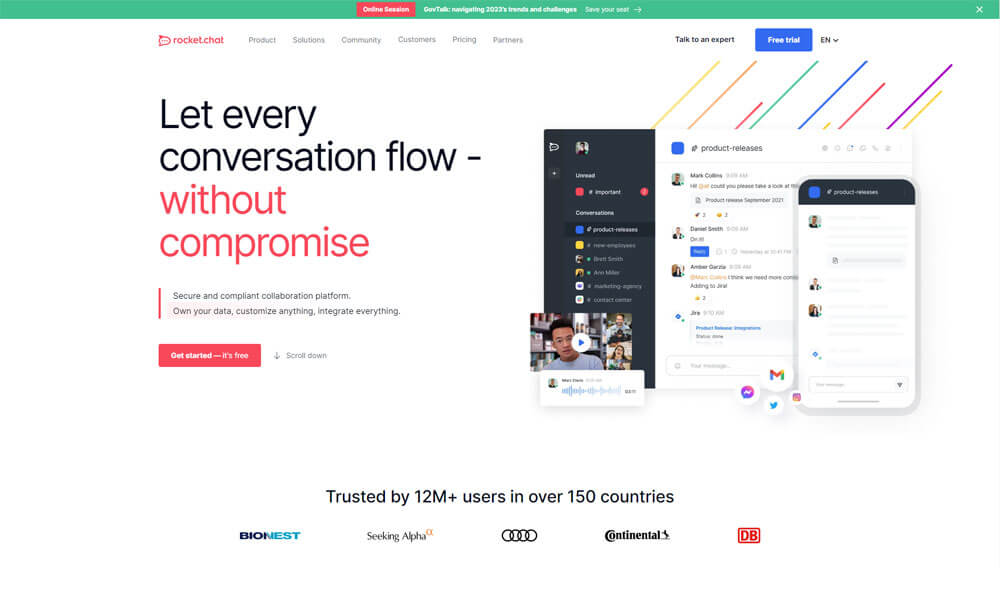
Rocket chat is one of the best chat apps for business that has security features that enable restrictions on the username and admin transparency. It is an open-source tool that allows you to share files, communicate, collaborate, switch to audio or video calls. It supports platforms like iOS, Android, Windows, and Linux. It also has a free plan.
Pros
- Self-hosted option for greater control.
- Extensive customization options.
- Supports multiple integrations.
Cons
- Requires technical expertise to set up and maintain.
- User interface can be less intuitive.
- Fewer pre-built integrations compared to other platforms.
Why did we choose this tool
- Open-Source Flexibility: Highly customizable and self-hosted for total control over data.
- Multi-Language Support: Interface available in numerous languages, making it great for global teams.
- Video Conferencing: Built-in video calls without needing external apps.
Pricing Plans
- Basic version is free.
- Premium pricing starts from: $3.
8. Ryver
Group Chat App for Seamless Conversations
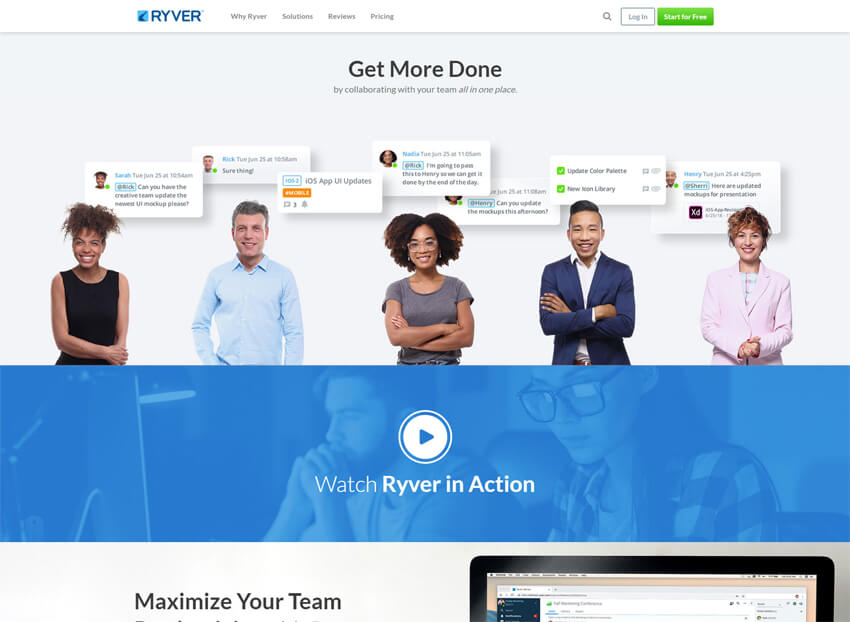
With unlimited file-sharing, messaging, calls, and more, Ryver organizes all business chat and collaboration within one group chat app. Teams can collaborate on any tasks with 1-1 and group messaging and voice/video calling. Features include group messaging, voice/video conferencing, screen sharing, task management, SSO, topic discussion channels, file sharing, search functionality, and more.
With Ryver chat application teams can create custom channels to open topic-related discussions among the team. Users can communicate and collaborate on tasks via chat messaging with file-sharing or through voice and video calls with screen sharing. Ryver also integrates with other third-party software such as Asana, Basecamp, Box, Salesforce, and more. Users can access Ryver through mobile devices with iOS and Android apps.
Pros
- Combines team communication with task management.
- Unlimited users on free plan.
- Supports voice and video calls.
Cons
- Limited integrations.
- Lacks advanced features like message scheduling.
- User interface could be more intuitive.
Why did we choose this tool
- Task and Workflow Integration: Combines chat with task management, offering a unified work hub.
- Unlimited File Sharing: No file size limitations, so teams can share large documents without issues.
- Team Organization: Channels, forums, and private chat options support a wide range of communication needs.
Pricing Plans
- Basic version starts from: $69.
- Premium pricing starts from: $129.
9. Flock
Group Chat App for Streamlined Communication

Flock is one of the best business chat apps. Flock packs more features under chat and channels and it is relatively more affordable when compared with bigger counterparts like Slack. It supports some of the features like shared notes, reminders, to-dos, polls etc.
You can also make audio and video calls and share your screen with your remote team. Flock is available in all formats like web, desktop and mobile. One of the most distinguishable features of Flock is it supports the app in 4 different languages.
Pros
- Feature-rich with built-in productivity tools.
- Supports polls and shared to-dos.
- Customizable channels and groups.
Cons
- Can feel cluttered with too many features.
- Desktop apps can be resource intensive.
- Limited integrations compared to some competitors.
Why did we choose this tool
- Actionable Chat: Turn messages into tasks, polls, or notes directly in chat for real-time productivity.
- Comprehensive Search: Find messages, files, or links across channels quickly.
- Integrations: Connects with apps like Asana and Mailchimp, expanding its capabilities.
Pricing Plans
- Basic version is free.
- Premium pricing starts from: $6.
10. Flowdock
Group Chat App for Integrating Teamwork and Chat
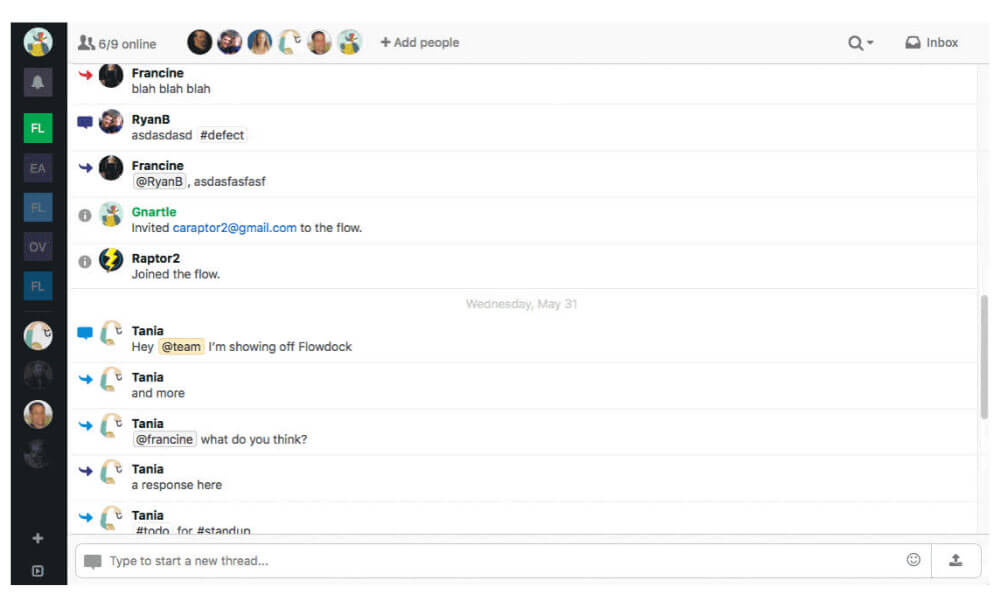
Flowdock is a real-time group chat app for teams. Flows are the heart of Flowdock, they are open spaces for teams to converse and collaborate. Since the parent of Flowdock is CA Technologies, an enterprise computer software technology provider, Flowdock’s focus is on software development companies.
The key differentiator in Flowdock is the integration of third-party apps. Integrations are available for project management, software version control, customer support, and software deployment monitoring among other applications commonly used by software development companies.
Pros
- Integrates seamlessly with other Atlassian products.
- Supports threaded conversations, customizable notification settings.
Cons
- Limited customization options for appearance.
- No free plan available, lacks some advanced features found in other group chat apps.
Why did we choose this tool
- Team Inboxes: Centralizes emails, notifications, and chats in one organized inbox.
- Threaded Conversations: Keeps side discussions from derailing the main chat.
- Color-Coded Tags: Helps categorize and prioritize messages for improved workflow.
Pricing Plans
- Basic version is free.
- Premium pricing starts from: $3.
11. Workplace
Group Chat App for Enterprise Connectivity

Workplace is one of the best chat apps for business that connects everyone, whether they’re behind a desk, in front of customers, or working from home. Share important updates with teams, regions, or companies in official Groups.
Send instant messages and make video chat. Hold virtual meetings with up to 50 colleagues in Rooms. Make company announcements more authentic and engaging with live video broadcasts. Workplace also integrates with existing business tools, including Office 365 and G Suite, to provide a secure and productive way for people to share knowledge, work together, and build communities.
Pros
- Familiar Facebook-like interface.
- Built-in file sharing and collaboration tools.
- Easy integration with Facebook Groups.
Cons
- Limited to organizations with Facebook accounts.
- May lack some features compared to dedicated team chat platforms.
- Concerns about data privacy and security.
Why did we choose this tool
- Familiar Interface: Facebook-like UI makes it easy to use and reduces the learning curve.
- Live Video Broadcast: Ideal for team-wide announcements and engagement.
- Groups and Rooms: Organizes discussions by department or project with custom permissions.
Pricing Plans
- Basic version is free.
- Premium pricing starts from: $4.
12. ProofHub
Group Chat App for Project Collaboration
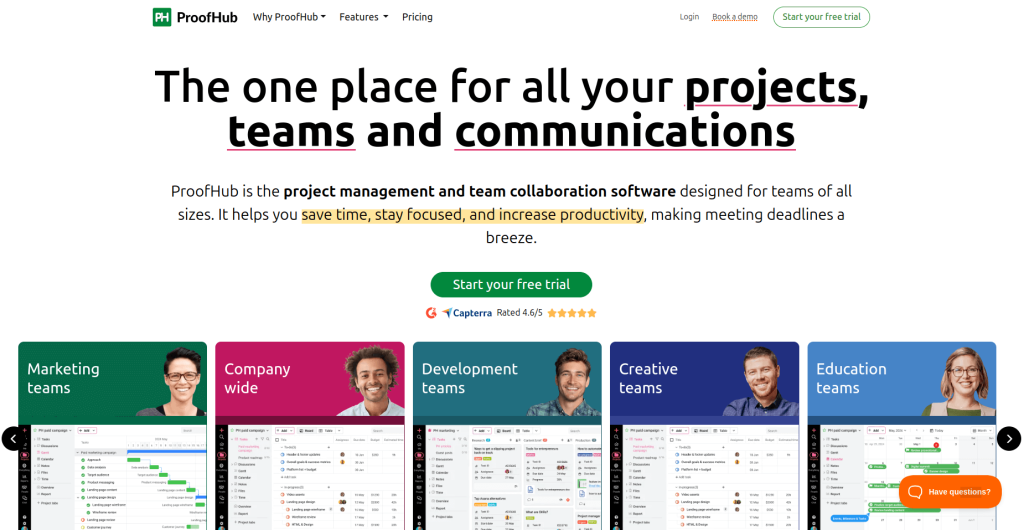
ProofHub is a cloud-based business chat app that also offers group chat, project collaboration, resource management, task management, plus more. Key features include discussions, notes, Gantt charts, to-do lists, calendaring, milestones, timesheets, and more.
ProofHub includes a reporting engine that helps project managers to generate custom reports and keep track of their resource utilization and project progress. It is also a group messaging app with features like group and one-on-one chat features, as well as a proofing tool that allows users to comment on documents and designs shared within the platform.
ProofHub includes an API feature and supports integration with Google Docs and Dropbox. The solution can also deliver content over HTTPS using custom domain names and certificates. Mobile apps are also available for iOS and Android devices.
Pros
- Combines group chat with project management.
- Supports task assignments and file sharing, intuitive user interface.
Cons
- Limited integrations with third-party apps.
- Less suited for large-scale enterprises.
- Lacks some advanced features found in specialized group chat apps.
Why did we choose this tool
- All-in-One Platform: Combines chat, task management, and project tracking in one tool.
- Advanced Reports: Provides detailed reports for productivity insights and project progress.
- Document Storage: Built-in file storage keeps all project documents accessible.
Pricing Plans
- Basic version starts from: $45.
- Premium pricing starts from: $89.
13. Wire
Group Chat App for Secure Team Messaging

Wire, one of the best group chat apps, offers messaging, audio/video conferencing, file-sharing, and external collaboration. Wire can be deployed on Wire’s Cloud, your cloud server, or your own on-premises server and all features can be used across web, mobile, and PC.
All messaging on Wire uses end-to-end encryption (E2EE), giving users a strong degree of privacy and security. Wire is 100% open source with its code available on GitHub, independently audited and ISO, CCPA, GDPR, SOX-compliant.
With Secure Messenger, you and your colleagues can share messages, share files, and call each other as you would with any other communication tool.
Pros
- Focus on security with end-to-end encryption.
- Supports voice and video calls, intuitive interface.
Cons
- Limited integrations with other tools.
- Some features restricted to paid plans.
- May not offer as many collaborations features as other platforms.
Why did we choose this tool
- End-to-End Encryption: Ensures security for sensitive business communications.
- Cross-Platform Syncing: Works seamlessly across devices for uninterrupted communication.
- Secure File Sharing: Share files with built-in encryption for enhanced data protection.
Pricing Plans
- Premium pricing start from: $5.83.
14. Trello
Group Chat App for Visual Project Management

Trello, a teamwork project management tool, also offers group chat. It is a visual tool for organizing your work. Trello has more than 35 million registered users who organize all their projects at work, at home, or anywhere in between. Whether you’re planning a website design project, vacation, or company off-site, Trello is infinitely customizable and flexible for your every need.
Similar to Asana, Trello is more focused on project management than raw communication/chatting, but it still has a great deal of flexibility built in and does allow for dynamic conversations within its tools. It’s structured around pulling different “cards” into pre-defined statuses, e.g., “in planning”, “in progress”, “done”, which leads to a sleek, simple, flexible UI.
Pros
- Highly visual and intuitive task management.
- Customizable boards and cards.
- Integrates with many third-party apps.
Cons
- Not primarily a group chat app.
- Limited communication features compared to dedicated messaging platforms.
- May not suit teams that rely heavily on real-time chat.
Why did we choose this tool
- Visual Task Management: Kanban-style boards make task tracking intuitive and organized.
- Customizable Workflows: Flexible boards, lists, and cards adapt to various team needs.
- Integration Options: Connects with apps like Slack and Google Drive to extend functionality.
Pricing Plans
- Basic version is free.
- Premium pricing starts from: $5.
15. Twist
Group Chat App for Organized Team Communication
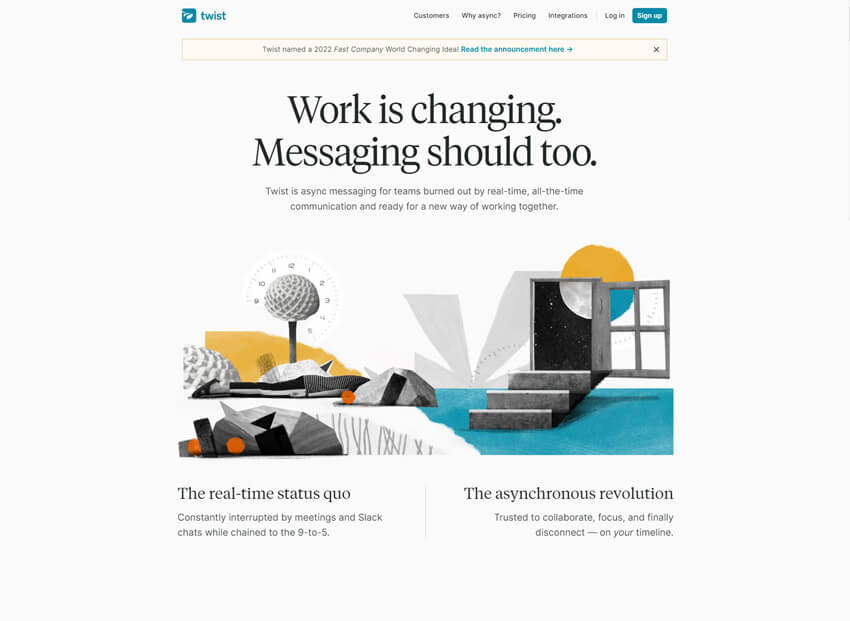
Twist, one of the best group chat apps, focuses on providing a distraction-free space where teams can balance focused work with collaborative conversations. Twist eliminates the team’s need to spread discussions across email and chat apps by keeping information organized and transparent in Twist.
Team discussions can be structured in topic-specific channels. However, where Twist is different than other channel-type chat apps is that it provides the ability to create side-bar conversations in group channels. These conversations are called Threads. While everyone in the channel can read the thread contents, only the team members invited to participate in the thread can respond.
Pros
- Threaded conversations for organized communication.
- Focus on asynchronous communication.
- Supports file sharing and integration with other tools.
Cons
- Not as widely adopted as some competitors.
- May require adjustment for teams accustomed to real-time chat.
- Limited customization options.
Why did we choose this tool
- Threaded Conversations: Each discussion has a clear topic, reducing noise and improving focus.
- Asynchronous Communication: Ideal for remote teams with different time zones.
- No Real-Time Pressure: Encourages thoughtful replies over instant responses.
Pricing Plans
- Basic version is free.
- Premium pricing starts from: $5.
16. Troop Messenger
Group Chat App for Quick and Secure Messaging

Troop Messenger is a group chat app that enables businesses to communicate and collaborate in real-time. With Troop Messenger, teams can easily share messages, photos and videos, and participate in group discussions. This group chat app supports voice and video calls, screen sharing, and whiteboard functionality, making it a versatile tool for remote collaboration.
Troop Messenger also offers features such as message recall, which allows users to delete messages sent in error, and message reminders, which help ensure that important messages are not missed. Overall, Troop Messenger is designed to streamline communication and collaboration within teams, enabling businesses to work more efficiently and effectively.
Pros
- Feature-rich with built-in collaboration tools.
- Supports voice and video calls.
- Customizable chat themes.
Cons
- User interface could be more intuitive.
- Limited integrations compared to some competitors.
- Some advanced features restricted to paid plans.
Why did we choose this tool
- Secure Communication: Features like self-destructing messages enhance security.
- Rich Media Support: Share videos, images, and files easily within chats.
- Integration Capabilities: Supports integrations with Dropbox, Google Drive, and more.
Pricing Plans
- Basic version is free.
- Premium pricing starts from: $10.99.
17. Chatwork
Group Chat App for Efficient Business Communication
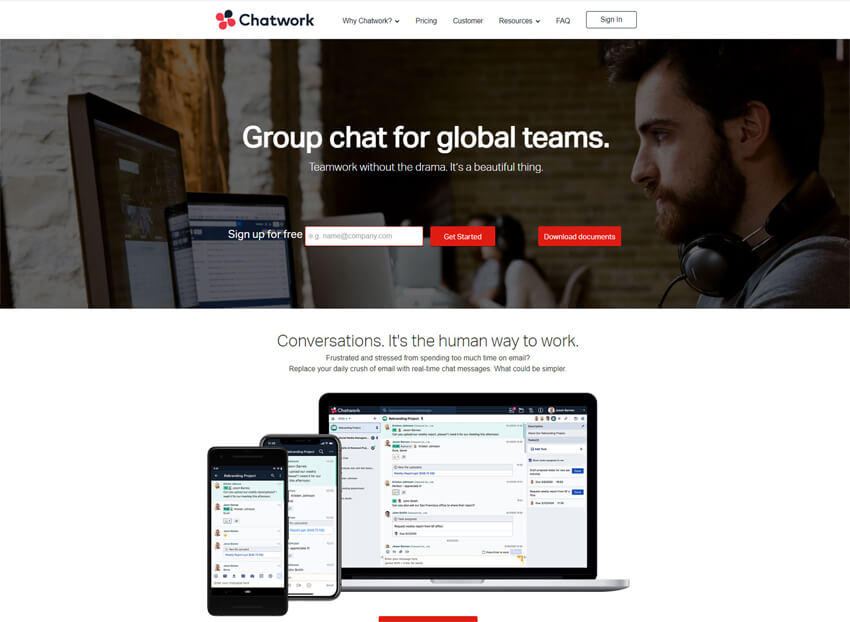
Chatwork is designed specifically for group chat, so you get all the features you need to stay connected with your team. Chatwork is highly configurable, so you can customize it to fit your team’s needs.
Chatwork integrates with a variety of other apps and services, so you can use it to stay connected with all your team’s work. Chatwork has a lot to offer teams looking for a chat app. So, if you’re looking for the best team chat app, Chatwork is definitely worth considering.
Pros
- Supports task management and file sharing alongside messaging.
- Unlimited chat history.
- Integrations with popular business tools.
Cons
- Less widely known than some competitors.
- User interface could be modernized.
- Lacks some advanced features found in other group chat apps.
Why did we choose this tool
- Built-In Task Management: Assign and track tasks directly from chat for efficiency.
- Client Communication: Create guest accounts for secure client chats.
- File Sharing and Storage: Easily share files with teams or clients, stored for easy retrieval.
Pricing Plans
- Basic version is free.
- Premium pricing starts from: $5.
18. RingCentral
Group Chat App for Unified Business Communication
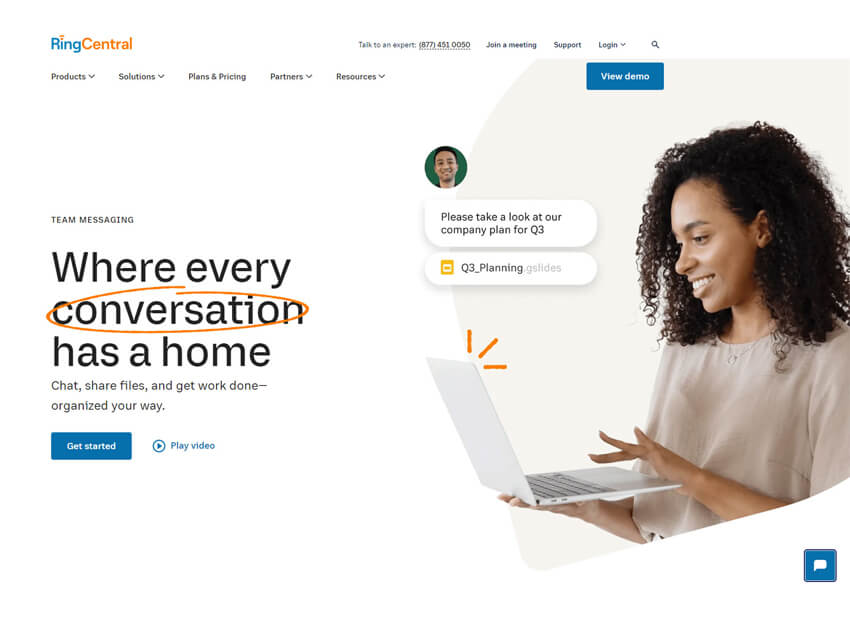
RingCentral is a great team chat app for small businesses or teams who need basic features without all the bells and whistles. RingCentral is designed specifically for team collaboration. It includes features such as team messaging, video conferencing, and file sharing that make it easy for team members to stay connected and work together effectively.
RingCentral integrates with a variety of other business applications. RingCentral is very user-friendly. It has a sleek interface that is easy to navigate, and team members can get started using it quickly and easily.
Pros
- Offers a unified communication platform with group chat, video conferencing, and phone system.
- Robust security features.
- Integrates with other business tools.
Cons
- User interface can be overwhelming for new users.
- May be more expensive than some standalone group chat apps.
- Limited customization options.
Why did we choose this tool
- All-in-One Communication: Combines chat, video, and phone calls in a single app.
- Business-Grade Security: Robust security features for compliance and data protection.
- Integration Options: Supports integration with Salesforce, Microsoft Teams, and more.
Pricing Plans
- Basic version starts from: $20.
- Premium pricing starts from: $25.
19. Zoho Cliq
Group Chat App for Business Collaboration Hub

Zoho Cliq is another excellent business team chat app with a focus on simplicity and ease of use. It offers a range of features to help teams stay connected and collaborate effectively. This group chat app includes features such as team chat, photos and videos, and task management. Zoho Cliq also offers a variety of integrations with other Zoho apps and third-party apps such as Google Drive, Dropbox, and GitHub.
Pros
- Offers extensive features beyond messaging.
- Including audio and video calls, supports bots and automation.
- Integrates with other Zoho apps.
Cons
- Interface can feel cluttered.
- Learning curve for new users.
- May not offer as many integrations with third-party tools compared to other platforms.
Why did we choose this tool
- Zoho Ecosystem Integration: Perfect for teams using other Zoho apps.
- Quick Commands: Slash commands allow fast access to key features.
- Role-Based Access Control: Secure communication with customizable permissions.
Pricing Plans
- Basic version is free.
- Premium pricing starts from: $1.
20. Fleep
Group Chat App for Conversational Project Management

Fleep is an interesting team chat that allows you to send messages to people outside of your organization. Fleep offers true chat, which means all your conversations are organized by team, project, or client. This makes it easy to keep track of discussions and make sure everyone is on the same page.
Fleep integrates with all your existing tools and platforms, so you can continue using the apps you’re already familiar with. Fleep is secure and compliant with all the latest data privacy regulations.
Pros
- Seamlessly integrates messaging and task management.
- Supports external guest access.
- Allows pinning important messages for easy reference.
Cons
- Limited customization options for appearance and functionality.
- Interface can be cluttered with information.
- May not offer as many integrations with third-party tools as some competitors.
Why did we choose this tool
- Email Integration: Email outside contacts directly within Fleep, consolidating communication.
- Pinboard Feature: Keep important messages at the top for easy access.
- Task List Integration: Built-in task lists help teams stay organized.
Pricing Plans
- Basic version is free.
- Premium pricing starts from: $5.72.
21. Brosix
Secure Group Chat App for Team Collaboration

Brosix is a secure instant messaging platform designed for businesses that want private team communication. Unlike open chat apps, Brosix gives organizations their own closed team network, ensuring conversations and file sharing remain fully protected. It includes text chat, voice and video calls, file transfers, screenshots, screen sharing, and broadcast messages. Administrators have full control over user accounts and features, making it a good fit for companies with strict compliance requirements. It’s widely used by small to mid-sized businesses that value both simplicity and enterprise-grade security.
Pros
- Strong security and admin management.
- Rich features (chat, calls, screen share).
- Free and paid plans.
Cons
- Costs rise for advanced features.
- Requires admin setup for full control.
Why did we choose this tool
- Security and privacy are robust.
- All-in-one communication features.
- Scales with team growth.
Pricing
- Free plan available.
- Premium ~$6–8/user/month.
22. Zangi
Encrypted Messaging App for Business Communication
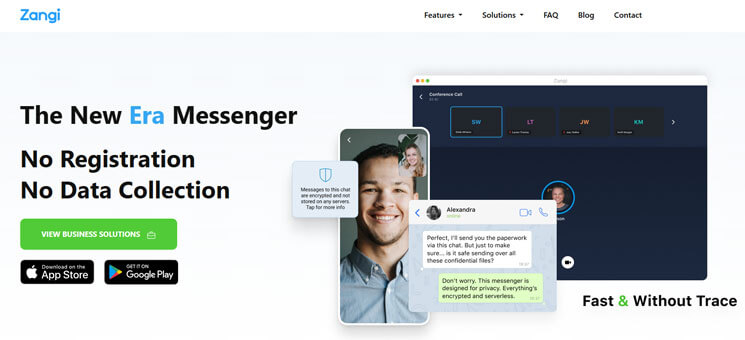
Zangi is a next-generation secure messenger that stands out for its lightweight performance and privacy-first design. It uses peer-to-peer technology, meaning no central servers store user data, and all messages are fully encrypted. One of its unique strengths is how well it works on weak internet connections, making it suitable for remote regions or mobile workers. Businesses can also opt for Zangi’s white-label solution to launch a fully branded communication app with their logo and domain. This makes it especially attractive to organizations wanting both secure messaging and brand identity in one.
Pros
- End-to-end encryption.
- Works on weak networks.
- Customizable/white-label.
Cons
- Limited integrations.
- Premium can be costly for larger teams.
Why did we choose this tool
- Data security focus.
- Reliable even on poor connections.
- Suitable for branded/private apps.
Pricing
- Free app version.
- Business plan ~$6/user/month (varies with size).
23. Hive Chat
Team Chat App for Seamless Project Collaboration
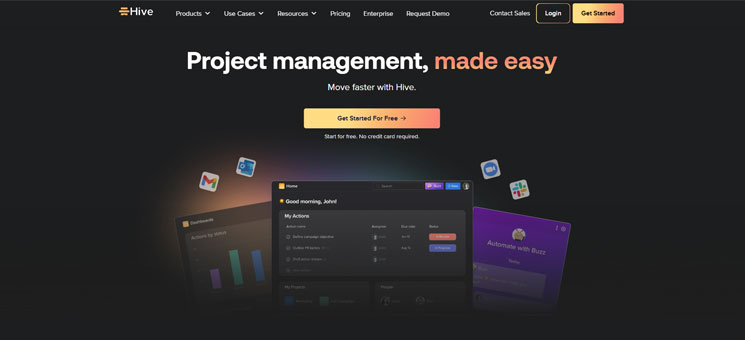
Hive Chat is a built-in communication tool within Hive, a popular project management platform. Instead of relying on separate chat apps, Hive Chat integrates directly into project boards, tasks, and workflows. Team members can message each other in real time while simultaneously tracking project progress. It also supports group chat, file sharing, and mentions, keeping discussions tied to tasks. For teams already using Hive for project tracking, Hive Chat reduces the need to jump between apps, offering a seamless mix of communication and project execution.
Pros
- Integrated with project tasks/workflows.
- Supports both casual and project chat.
- Built-in analytics and time tracking.
Cons
- Overkill if you just need chat.
- Less customizable chat experience.
Why did we choose this tool
- Combines messaging + projects.
- Keeps workflows and chats aligned.
- Scales well with Hive platform.
Pricing
- Free trial available.
- Paid plans from $12/user/month.
24. Samepage
Collaborative Messaging App for Project Management
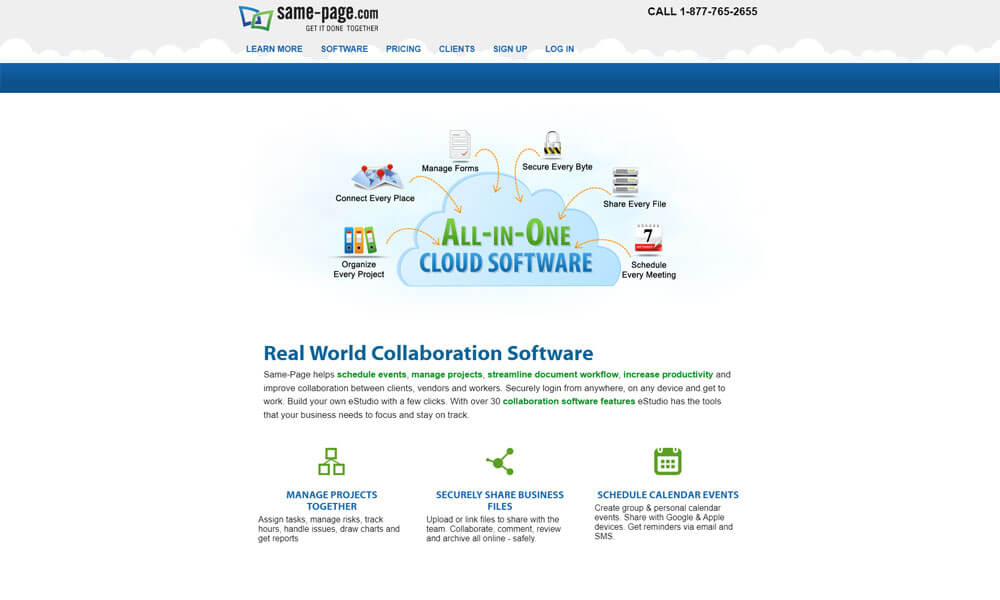
Samepage is a collaboration tool that blends team chat, project management, file sharing, calendars, and document co-editing. It allows teams to communicate in real time while also managing their daily tasks and content in one place. Unlike standalone chat tools, Samepage integrates communication with productivity by supporting wikis, task lists, and collaborative pages. Teams can host video calls, share files, and edit documents together without switching to another platform. This makes it especially useful for smaller teams that prefer a single all-in-one hub over juggling multiple apps.
Pros
- Chat + docs + tasks in one app.
- Shared calendars/project planning.
- Good for small teams.
Cons
- Less modern UI compared to newer apps.
- Fewer integrations.
Why did we choose this tool
- All-in-one collaboration workspace.
- Reduces tool switching.
- Useful for document-heavy teams.
Pricing
- Free plan (limited).
- Paid tiers historically $7–8/user/month.
25. Workzone Chat
Integrated Chat App for Workplace Coordination
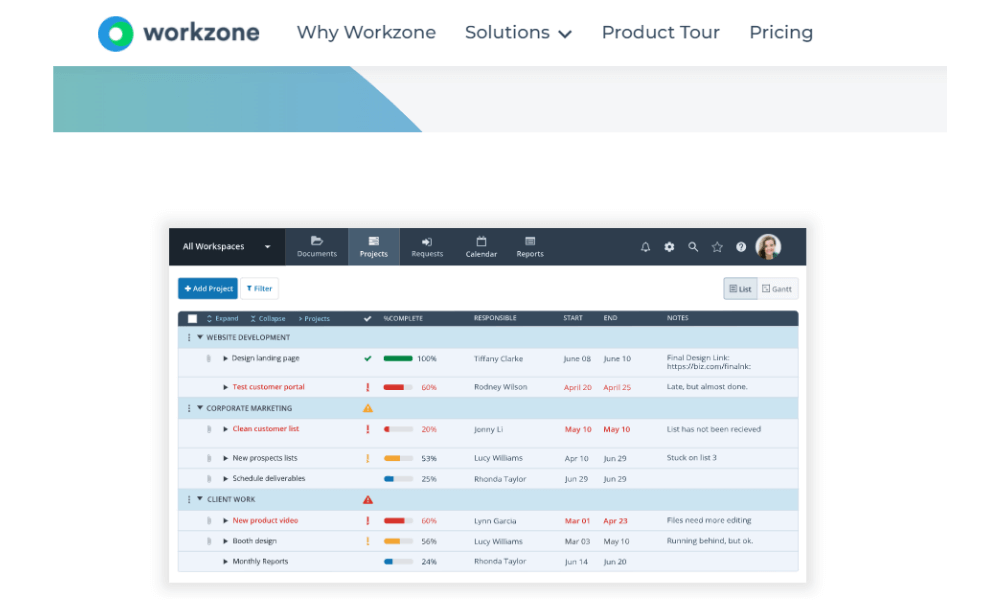
Workzone Chat is the messaging feature inside Workzone, a project management system designed for marketing teams, agencies, and enterprises. Instead of using an external chat platform, Workzone Chat keeps discussions within the same platform where tasks, projects, and files are managed. Conversations can be linked directly to specific tasks, helping teams track progress and accountability. While it’s not as feature-rich as dedicated chat apps, its strength lies in being tightly integrated with project workflows, making it a natural fit for teams that prioritize structured collaboration.
Pros
- Conversations linked to tasks.
- Simplifies tool use for Workzone users.
- Notifications tied to workflows.
Cons
- Chat is less feature-rich than dedicated apps.
- Pricing only via PM plans (no standalone chat).
Why did we choose this tool
- Keeps chat in project context.
- Useful for existing Workzone customers.
- Improves accountability with task-linked messages.
Pricing
- No free tier.
- Paid plans usually $24–34/user/month.
How to choose the right group chat app for your organization?
As of 2026, to be very frank, there are no ‘plan vanilla’ group chat apps in the market. They have all upgraded into collaboration tools as work is not just limited to chats. Today’s chat apps also include emails, phone calls, shared documents, to-dos, work items and integrations with third-party apps. In short, they have become ‘work hubs’ to satisfy all the communication and collaboration needs of an organization.
Though Slack was a pioneer in the workplace chat application, today, Microsoft Teams is leading the pack with over 145 million daily active users. In the last couple of years, many new tools have joined the bandwagon, and they are giving these giant team chat apps a run for their money.
Choosing the right workplace chat app for your organization is one of the most important decisions you can make. Not only does it influence collaboration and communication but also directly impacts business productivity. For that reason, you need to take care of all the vital factors to be sure that you are choosing the right group chat app.
A tool such as Clariti, which is one of the most popular messaging apps of 2026, is well-designed and can be customized to meet your organization’s specific needs. It gives you access to a wide range of features, including email, to-do, call, chat, and documents.
All you have to do is assess your organization and choose the ones that work for you. The overall design of Clariti makes it ideal for small businesses. Here are some factors to keep in mind when choosing team communication app for your organization:
1. Chat with context
Since Clariti, an office chat software, allows you to chat from virtually any other mode of communication such as a group chat, an email, a cloud document etc, there is no need to worry about maintaining context when referring to those items in a chat.
How Clariti maintains context in all your conversations
Clariti revolutionizes the way teams communicate by maintaining context in all conversations. In the dynamic realm of collaboration, where information often scatters across various channels, Clariti acts as a unified hub, ensuring that context remains seamlessly woven into every interaction. Its unique approach of threading conversations allows team members to effortlessly follow discussions, eliminating the need to navigate through scattered messages.
Contextual Workspaces provide dedicated environments for projects, preserving the relevance of discussions, files, and tasks in one consolidated space. With Clariti, users can bid farewell to the disjointed nature of traditional communication tools, as it masterfully preserves the flow of context, enabling teams to stay focused, organized, and consistently productive.
2. Avoid noisy chats
A common grouse against Slack and other business chat platforms is you can get stuck in long and never-ending group chats that demand your attention 24/7. A study points out that on average, each Slack user sends more than 200 messages per week and there are power users who send 1,000 messages per day.
Not only does it put pressure on you to be online & available all the time, but you can also have a hard time concentrating on your work due to all the noise from pings from group chats that may or may not be relevant.
How Clariti handles the noise
When you use Clariti, one of the best group chat apps, you can start a group chat with multiple Clariti users on a specific topic. However, unlike channels Clariti group chats are not rigid. Group members can be added and removed on-the-fly.
Consequently, group members only get chat alerts on issues that are important to them. This helps you avoid unwanted messages from multiple groups. So, you are not overloaded with too much unnecessary information.
3. Stop getting lost in chat channels
Most of the app users use high level channels and not specific topics. Because of this, over time context gets lost and information gets buried. Later, when you want to search for some information, you will have to search in multiple channels. This is highly inefficient and there are more opportunities for information leakage or things falling through the cracks.
How Clariti avoids getting lost in channels
Unlike other office chat software, in Clariti there are no chat channels. There is no need to constantly track all the chats in the channels. Whenever you want to start a group chat, you can go to the relevant subject-chat and start a chat.
When you do this, all the communication from that chat and other items referencing that chat will be automatically stored inside the subject-chat. Later, you don’t have to search for information in multiple places. All you must do is remember the name of the subject-chat and look inside it.
4. Avoid information silos
While chat apps bring other communications like emails, online documents and social media in chat channels, all the related communications are not connected. Consequently, all your communication remains in silos and later, if you want to refer to a specific conversation or files, you will have to search in multiple channels or chat rooms within the same tool or remember all the information in memory to visualize the big picture.
How Clariti helps you to connect all related communication using contextual conversations
Clariti empowers users to connect all related communication seamlessly through the power of context. By intelligently linking emails, chats, calls, documents, and to-dos within dedicated contextual hybrid conversations, Clariti ensures that every piece of information is organically interconnected. This contextual approach allows team members to effortlessly trace the evolution of discussions and decisions, eliminating the need to sift through disjointed conversations.
With Clariti, the user experience transcends conventional communication tools, offering a unified and holistic view of project-related interactions. This innovative feature not only enhances collaboration efficiency but also cultivates a shared understanding among team members, fostering a collaborative environment where everyone is aligned and informed. Clariti’s commitment to context-driven communication redefines how teams connect, collaborate, and ultimately achieve their goals.
5. Rich group-chat features
It is not enough if your app supports chat only. It should have all the features that are needed for your team to collaborate effectively.
Clariti group-chat offers
- Ability to add or remove participants on-the-go. This flexibility cannot be there in other apps that are channel-based.
- You can move any group chat to a subject-chat where other related communication is stored.
- You can create a to-do directly from the chat. Later, when the to-do is triggered, you will understand the context.
- You can compose a mail with chat as reference.
- You can share one chat as reference and begin another chat.
- You can choose to pin any chat for future and quick reference.
6. Ease of use
When introducing an app in your organization, it is crucial to keep in mind that the tool must be easy to use. Otherwise, it will be resisted by employees, or you may have to introduce a training program, which is costly and time-consuming. So, you should make sure that the tool that you are using is user-friendly and doesn’t require any formal training.
Clariti is easy to use
Clariti is a web-based best team app that can be accessed from anywhere. All you need is an internet connection. Since Clariti is cloud-based, no installation or download is required. Clariti is built with small businesses in mind.
That means it is easy to use, and your employees can get started with it in the shortest time possible. Furthermore, all your employees will have an easy time onboarding and training is not needed.
7. Other non-chat features
As discussed above, chat apps are not about chatting only and your team will need other features like calls, to-dos, screen sharing etc. for effective collaboration. So, you need to make sure that the tool you are selecting has all the features that are needed for modern collaboration or remote working.
Clariti is comprehensive
Organizations implementing unified communication software solution like Clariti will enjoy the benefits of having all their systems work together, smoothly and securely to enable effective collaboration.
- Using Clariti, a free chat app, your team can collaborate from anywhere.
- Clariti has voice calling to allow quick communications when needed.
- Clariti has Screen sharing to share images or documents in team calls.
- Using Clariti, a workplace chat app, you can take notes during meetings to remember the context. The notes are automatically linked to the call along with notes of other participants.
- In Clariti, a work chat app, users can add or remove participants in group conversations on-the-fly providing flexibility to include members in the chat only when needed.
- Clariti supports asynchronous (email) and synchronous (chat) communications.
8. Security features
One major concern when it comes to business chat platforms is security. When you have thousands of employees sending messages, sharing, downloading files etc., you should make sure that your data is safe.
Clariti is not only feature-rich office chat software but also incorporates essential security measures to safeguard your data. Clariti maintains the safety and privacy of all your communication and data. Clariti is securely hosted on Amazon Web Services, providing total reliability, 100% uptime and trusted security. It uses 256-bit SHA encryption for both data and communication.
9. Cost-effective
Businesses may find it very difficult to afford group chat apps like Slack and Microsoft Teams because they are expensive to own. In addition, the businesses will have to pay for all the integrations. If everybody in the team is not tech savvy, they will need dedicated resources to help with all the integrations. In addition, their employees will also have to go through training to make use of all the features.
Clariti is a free and easy to use workplace chat app, and it doesn’t require any training. Businesses may find it extremely convenient to own and use Clariti. Clariti is a unified business chat platform that supports direct and group chat, besides other communication forms such as emails, shared documents, voice calls and to dos. Why settle for an ordinary work chat app when you can do so much more with Clariti.
Top 5 benefits of using a group chat App
Using a group chat app offers several benefits that can enhance communication and collaboration within a team. Here are the top 5 benefits:
- Real-time communication: Group chat apps provide instant messaging capabilities, allowing team members to communicate in real time. This facilitates quick decision-making, problem-solving, and information sharing, leading to improved efficiency and productivity.
- Centralized information: Group chat apps serve as a centralized platform for team communication, eliminating the need for scattered email threads or multiple communication channels. All conversations, files, and important information are stored in one place, making it easy to find and reference later.
- Collaboration and teamwork: Group chat apps enable seamless collaboration by allowing team members to work together on projects, share files, and give feedback in real time. This fosters teamwork, promotes idea sharing, and encourages collective problem-solving.
- Remote work facilitation: With the rise of remote work, group chat apps have become essential for remote teams. They provide a virtual workspace where team members can connect and collaborate regardless of their physical location. This enables effective remote work, promotes inclusivity, and reduces communication barriers.
- Enhanced transparency and accountability: Group chat apps provide transparency by keeping a record of conversations and interactions. This helps team members stay accountable for their tasks and commitments. With chat app features like message history, it’s easy to track who has seen a message and ensure that important information is not missed.
Conclusions
There are several free team chat apps to choose from today. It’s a crowded marketplace. Every app has a unique benefit. Some have been around for longer. Some are relatively new names.
Choosing the best one is simply a matter of determining what works best for you and your organization. Just because work chat app has a cool feature, doesn’t necessarily make it a great fit if you have no use for it. There is no one-size-fits-all solution here, so make sure you’re choosing the solution that fits you best!
Frequently Asked Questions
What is the best group chat app?
Clariti stands out as the best group chat app due to its unified platform, integrating email, chat, and more, fostering seamless communication and collaboration, ultimately boosting team productivity and efficiency.
What is the best app for group messaging?
Clariti offers the best solution for group messaging with its unified platform that seamlessly integrates chat, email, and file sharing. Its unique contextual conversations feature keeps discussions organized and accessible, enhancing team collaboration and productivity.
What is the best team chat app?
Clariti stands out as a premier team chat app, distinguishing itself by eliminating chat channels, allowing flexible group chat creation, and enabling dynamic member adjustments based on conversation flow, ensuring users are alerted only when necessary.
What is a team chat app?
A team chat app enhances team communication and collaboration by integrating chat, voice calling, and screen sharing.
How can I communicate with a group online?
For effective online group communication, team communication platforms serve as popular tools, offering a centralized space for real-time collaboration and information sharing.
Is there an app for teams' chat?
Yes. Clariti stands out as the top team chat app, distinguishing itself by eliminating chat channels, allowing flexible group chat creation, and enabling dynamic member adjustments based on conversation flow, ensuring users are alerted only when necessary.
What makes a good chat app?
A good chat app should be easy to use and allow users to communicate quickly and easily with each other. It should also have a wide range of features that users can take advantage of, such as file sharing, video calling, and group chats.




Start for FREE with Personal CRM
We too hate spam! Your email is secure with us.

Spot secured. You're in.
You’re officially on the list for early access to Clariti.


No more switching tools.

No more lost context.

Just Clarity.
You’ll be among the first to experience it when we launch. We’ll let you know the moment it’s ready.

Keep an eye out for emails from @clariti.app.
(and check your spam folder just in case—whitelisting us helps ensure you don’t miss a thing).

