Chat App

Conversations That Actually Move Work Forward!

Chat app Banner Image

One-on-One — Conversations That Get Things Done!

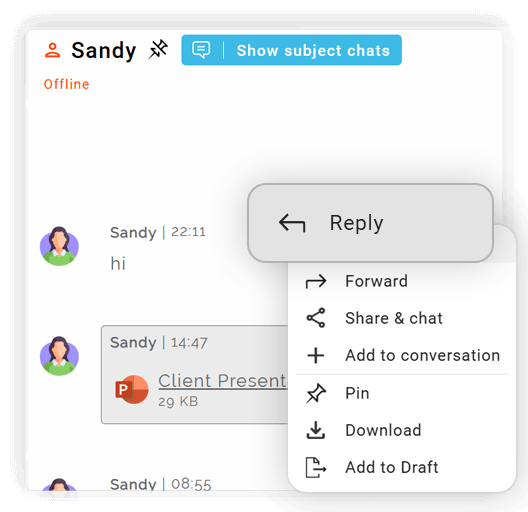
Reply Within Context

Respond directly to messages to maintain clarity and ensure the conversation flow is easy to follow.

Open button Close button

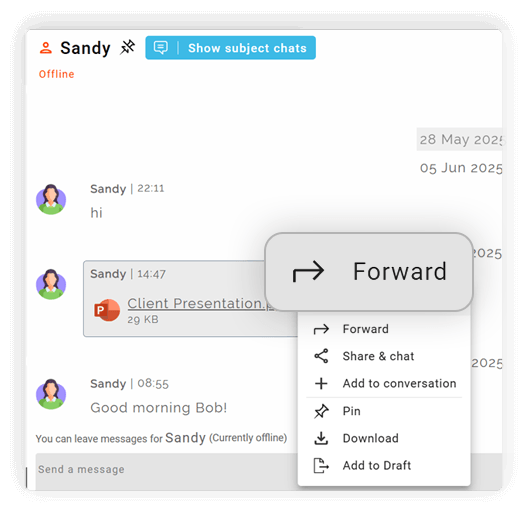
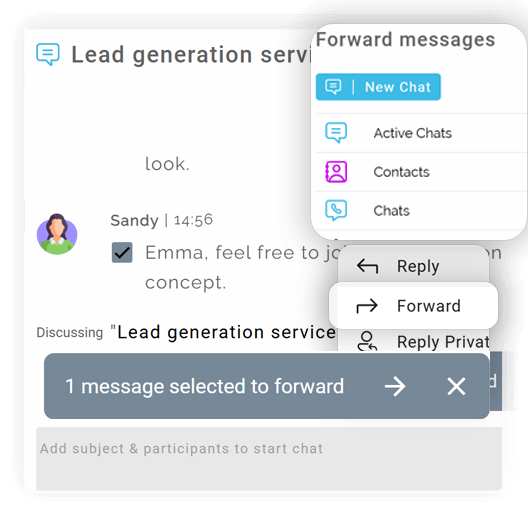
Forward Messages Easily

Share important chat messages with other chats or conversations so the right people stay informed.

Open button Close button

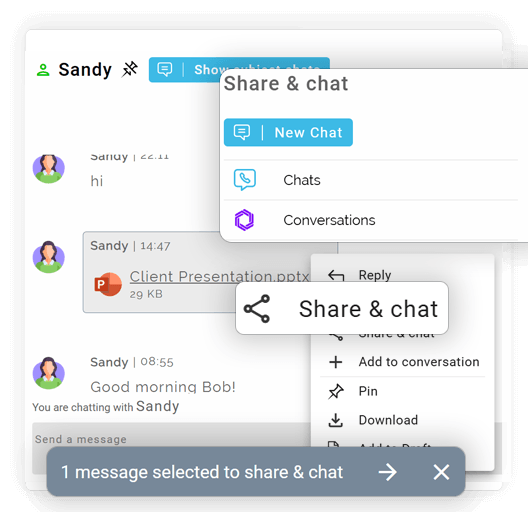
Share and Chat Across Conversations

Send selected text to another active conversation without switching screens, keeping related discussions connected.

Open button Close button

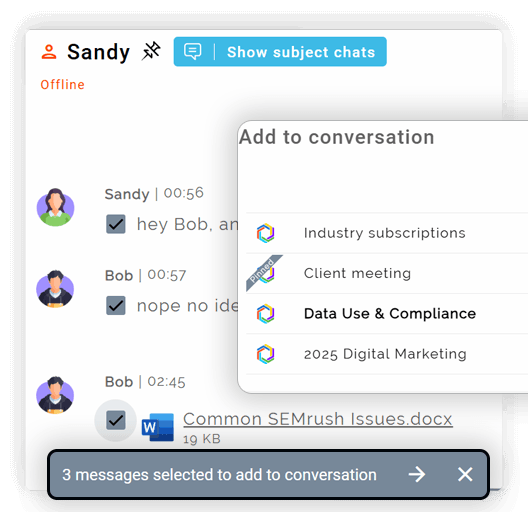
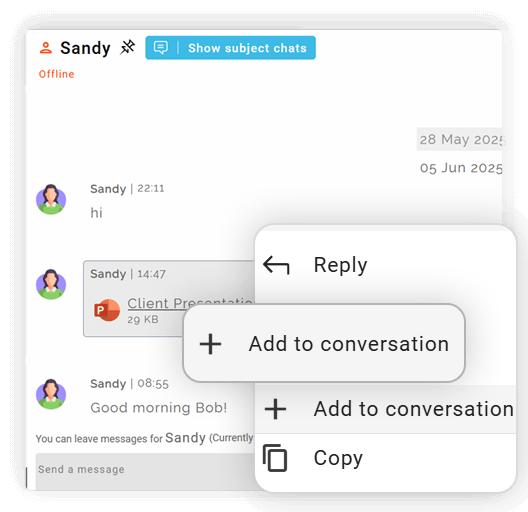
Add Messages to Other Conversations

Move relevant chat content into other topic-based conversations to avoid duplication and context loss.

Open button Close button

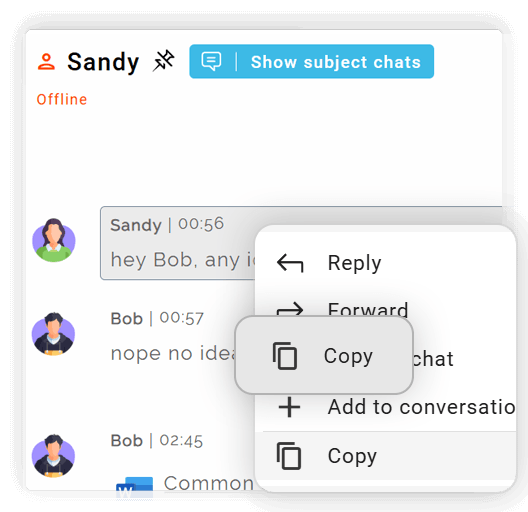
Copy Text Instantly

Copy any message for quick reference, notes, or sharing outside Clariti.

Open button Close button

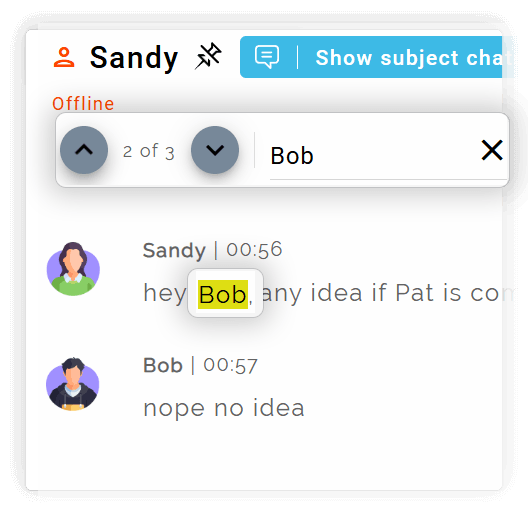
Search

Search the entire discussion based on any word.
Open button Close button
Reply-Within-Context
Forward-Messages-Easily
Share-and-Chat-Across-Conversations
Add-Messages-to-Other-Conversations
Copy-Text-Instantly
Search

All Voices, One Space — Where Teams Talk and Ideas Flow!

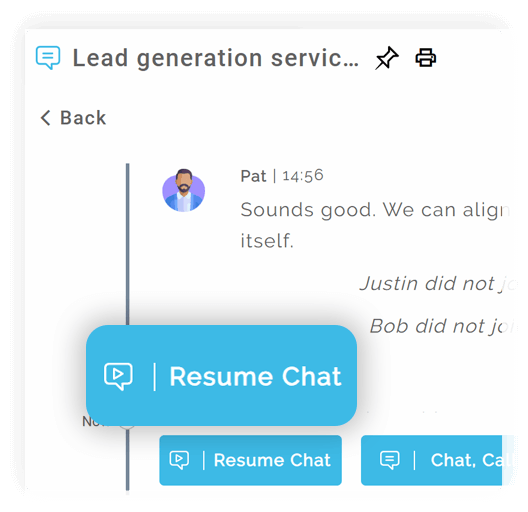
Resume Ongoing Discussions

Continue group chats from where they were left off without losing history or context.

Open button Close button

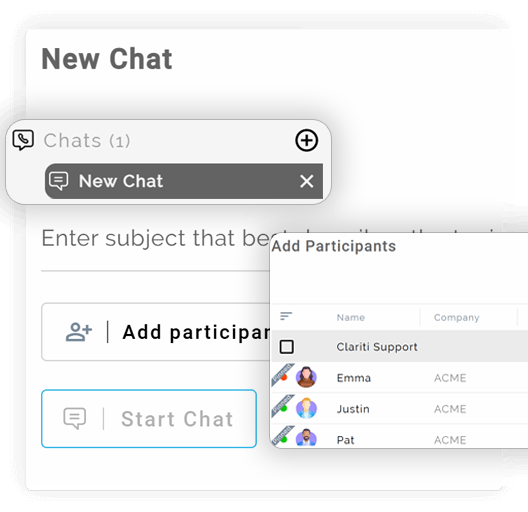
Start New Group Discussions

Add participants and begin new discussions within the same chat window to handle evolving topics smoothly.

Open button Close button

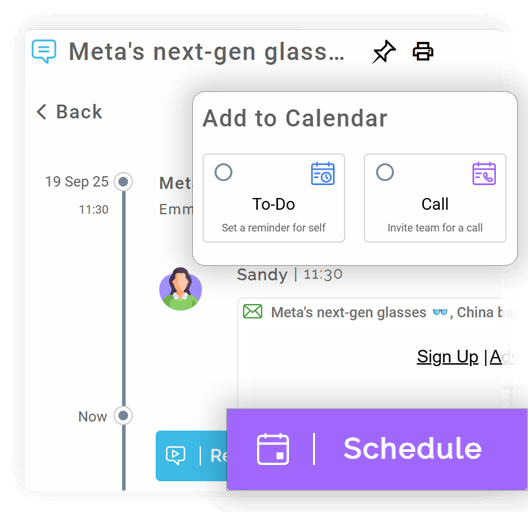
Schedule Calls or To-Dos

Plan voice calls or calendar events directly from the group chat to ensure timely follow-ups.

Open button Close button

Share from Anywhere

Share text and files from emails, other conversations, feeds, direct chats, social platforms, or connected cloud storage.

Open button Close button

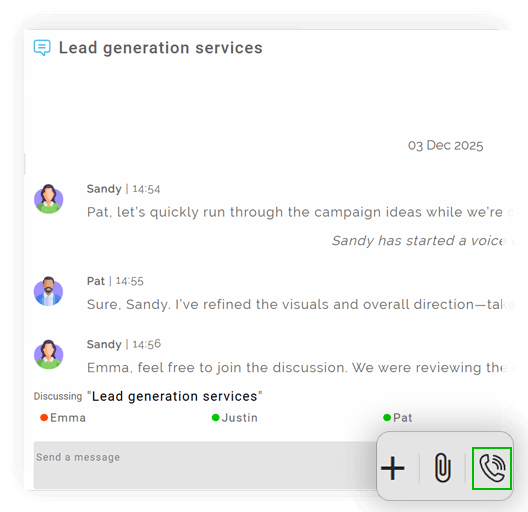
One-Click Group Calling

Start a voice call with all group participants instantly, without moving to another app.
Open button Close button
Resume-Ongoing-Discussions
Start-New-Group-Discussions
Schedule-Calls-or-To-Dos
Share-from-Anywhere
One-Click-Group-Calling

Context When You Need It — Flexibility When You Don’t

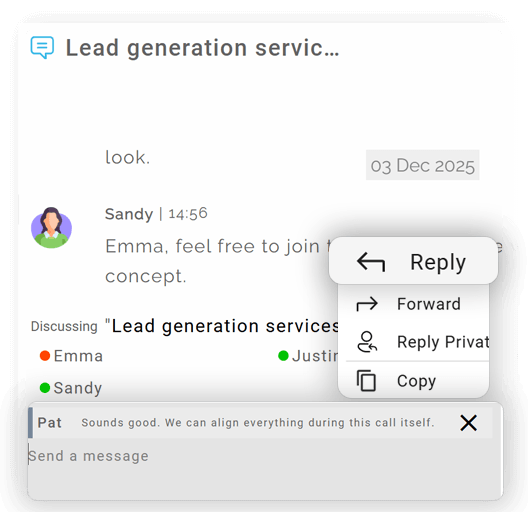
Reply to Specific Messages

Respond to individual messages to keep replies precise and easy to track.

Open button Close button

Forward Messages Anywhere

Send messages from any chat to other chats or conversations for quick knowledge sharing.

Open button Close button

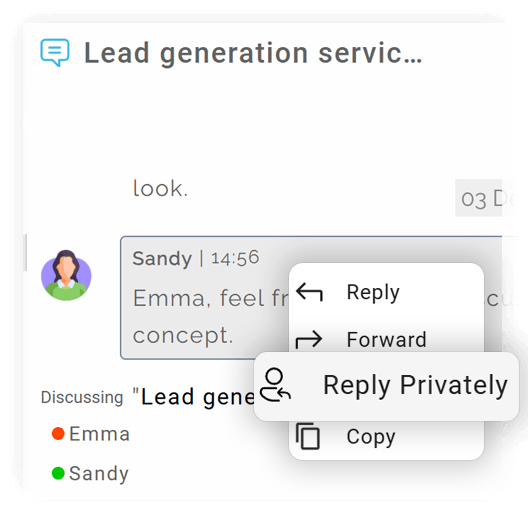
Private Replies Within Group Chats

Message a participant privately from a group chat without interrupting the main discussion.

Open button Close button

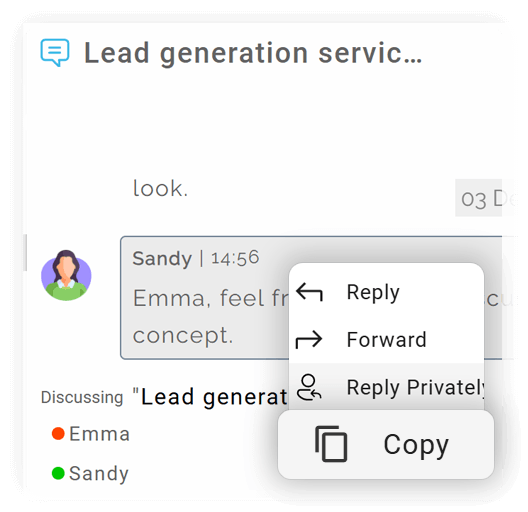
Quick Copy for Reuse

Copy any message instantly for documentation, sharing, or follow-up actions.
Open button Close button
Reply-to-Specific-Messages
Forward-Messages-Anywhere
Private-Replies-Within-Group-Chats
Quick-Copy-for-Reuse

Integration

Connect your apps. Get more done.

Microsoft 365

Microsoft 365

Office productivity suite

Google Workplace

Google Workspace

Cloud-based productivity suite

Onedrive

OneDrive

Cloud file storage

Google Drive

Google Drive

Cloud file storage and sharing

Dropbox

Cloud file storage and sharing

PCloude

pCloud

Secure cloud file storage

Github

GitHub

Source code hosting

Hot Spot

HubSpot

Marketing automation platform

Team

Microsoft Teams

Team collaboration platform

More Useful Features

Instant Messaging

Real-time 1:1 and group chats.

Smart Context Linking

Embed emails or files in chats.

Delete Text

Remove text if wrongly typed.

Search 

Search based on subject, conversation, participants and common search.

Schedule Call

Schedule to-dos or calls directly from the group chat.

Voice Chat from Message

Start a call instantly.

Difference Between Direct and Group Chat

Clariti offers two fundamental modes of chat communication, each serving a distinct purpose. Direct Chat is designed for private, one-on-one conversations. It is ideal for quick questions, confidential discussions, or personal updates that don’t require a team-wide audience. Group Chat, on the other hand, is built for collaboration. It brings multiple participants together into a single space, perfect for project updates, team brainstorming, and collective decision-making. This clear distinction allows teams to maintain both privacy and transparency as needed, ensuring the right conversations happen with the right people.

chat-app blog_img

How to Start a Direct Chat in Clariti App

Initiating a direct chat is a simple and intuitive process. Users can go the contacts and search for a colleague’s name in their contacts or the organizational directory, and select their profile. This instantly opens a private chat window where they can begin typing their message. The interface is clean and straightforward, allowing for instant communication without navigation hurdles. This simplicity ensures that reaching out to a colleague is always a frictionless experience.

Creating Group Chats

For team-based collaboration, creating a group chat is equally straightforward. By selecting the “New Chat” option, users can name the group based on its purpose—such as “Q4 Marketing Campaign”—and add relevant team members.

Benefits of Using Clariti Chat for Teams

The primary benefit of Clariti Chat is its deep integration. Because chats are not siloed, they become part of a larger knowledge base. This eliminates the constant switching between apps to find a file or an email that was mentioned in a discussion. The result is faster decision-making, as all context is immediately available. Furthermore, the searchable history of chats means that no piece of information is ever truly lost, making it an invaluable resource for onboarding new team members and preserving institutional knowledge.

Best Practices for Effective Team Chat

To maximize the utility of Team Chat, teams should adopt a few best practices. Using descriptive names for group chats helps instantly identify their purpose. Keeping conversations topic-focused prevents threads from becoming convoluted. Leveraging the integration features—like sharing files, mails or feeds directly into the chat — 

ensures important information gets the right attention. Finally, archiving resolved group chats helps maintain a clean and organized workspace.

Chat App Notifications and Message Management

To prevent information overload, Clariti offers robust notification controls. Users can customize their alert preferences, choosing to be notified for all messages or mute specific contacts. Features like “mark as unread” allow users to flag mails for follow-up, acting as a personal reminder system. This empowers individuals to manage their attention effectively, staying informed without being overwhelmed by constant interruptions.

How Chat Enhances Collaboration in Clariti

Chat elevates collaboration in Clariti by acting as the connective tissue between different forms of communication. A conversation that starts in a chat can easily pull in a relevant email or a shared document, creating a unified thread. This context preservation reduces the back-and-forth and repetitive questions that often plague team projects. Collaboration becomes a continuous, documented flow rather than a series of disconnected events, leading to more aligned and efficient teamwork.

Security and Privacy in Direct & Group Chats

Clariti treats security as a fundamental requirement. All chats, whether direct or group-based, are protected with encryption. Access is strictly limited to the participants, ensuring that sensitive business discussions remain confidential. The platform adheres to stringent data protection protocols, giving organizations and their teams the confidence to communicate freely, knowing their information is secure within a private digital environment.

Blog Links

Frequently Asked Questions?

What is a Chat App?

A chat app is a software platform designed for real-time text-based communication between individuals or groups. It enables instant messaging, file sharing, and often supports voice or video calls. These apps facilitate both one-on-one conversations and group discussions, making them essential for personal and professional communication. Popular examples include WhatsApp, Slack, and platforms like Clariti that integrate chat with other workflows. They have revolutionized how we connect, replacing slower methods like email for quick, collaborative exchanges.

Chat in Clariti is more than just a messaging feature; it’s a dynamic component of a larger, context-rich communication system. Unlike standalone chat applications that operate in a vacuum, Clariti’s chat is designed to connect directly with emails, shared files, and calendar events. This creates what are known as “Hybrid Conversations,” where every message, file, or email pertaining to a specific topic is kept together. This ensures that discussions are never isolated from their relevant context, providing a complete historical record and eliminating the common problem of information silos.

To start a direct chat, simply search for a colleague’s name in your contacts. Click on their profile and type your message in the chat window that opens. This creates a private space for instant communication, file sharing, or escalating the discussion into a broader topic thread if needed.

Create a group chat by selecting the “New Chat” option, naming the group to reflect its purpose (e.g., “Marketing Campaign”), and adding relevant team members. The group then serves as a shared space for discussions, updates, and file sharing, with the flexibility to customize notifications and manage participation.

Yes, as a user you can start a new chat with a new set of participants or continue the old chat with the same existing participants. This ensures the chat remains focused and relevant, adapting seamlessly to project changes or team restructuring without disrupting ongoing conversations.

Clariti chats are encrypted and stored securely, with access limited to authorized participants. Privacy settings prevent unauthorized viewing, and the platform adheres to standard data protection protocols. This allows teams to share sensitive information confidently within direct or group chats.

Chat in Clariti improves communication by integrating conversations with emails and files into contextual threads. This reduces silos, accelerates decision-making, and preserves discussion history for reference. Teams can collaborate more efficiently, with fewer misunderstandings and quicker access to relevant information.