


View Everything Without Downloading a Thing!
Open Word, Excel, and PDF files directly within Clariti without downloads or external apps.
View shared images inside chats, emails, or conversations.
Supports multiple document and image formats.
Files are displayed safely within Clariti’s workspace.
Previews retain clarity across web and desktop platforms.
Multiple participants can view and discuss documents together.
View, comment, and share files without switching apps.
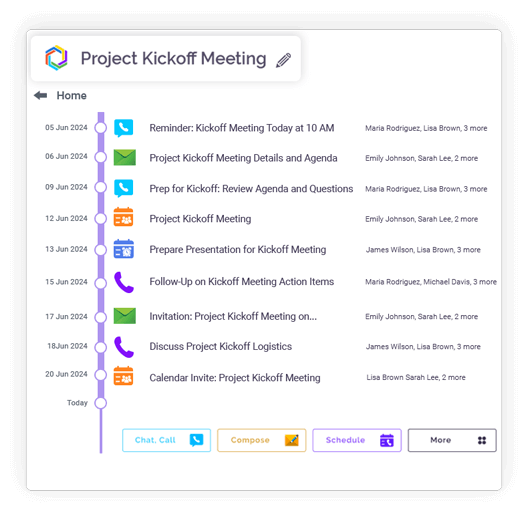
Word and Excel viewers preserve formatting, fonts, layouts, and color schemes.
Large documents load progressively for faster access.
Images display in full clarity within conversations or feeds.
Zoom and inspect images inline without opening new tabs.
Previews remain linked to related conversations or topics.

Integration
Microsoft 365
Office productivity suite

Google Workspace
Cloud-based productivity suite

OneDrive
Cloud file storage

Google Drive
Cloud file storage and sharing

Dropbox
Cloud file storage and sharing

pCloud
Secure cloud file storage

GitHub
Source code hosting

HubSpot
Marketing automation platform

Microsoft Teams
Team collaboration platform

Inline Previews
View content in chat.
Multi-Format Support
DOCX, PDF, XLS, etc.
Secure Viewing
All files are displayed safely.
Quick Load Times
Open large files fast.
Theme Adaptation
Matches Clariti’s color scheme.
Quick • Simple • Handy
Clariti enables instant file viewing directly in your browser without any downloads. Simply click on any file to view its contents immediately. This eliminates wait times and storage clutter on your device. The feature works seamlessly across all connected conversations and chats.
The platform provides inline previews for images and documents within conversation threads. You can see file contents without opening separate applications or windows. This maintains your workflow continuity while reviewing shared materials. Previews appear directly alongside relevant messages.
Clariti supports viewing of all major file formats including PDFs, Office documents, images, and text files. Whether it’s spreadsheets, documents, or PDFs, everything renders perfectly. You never need to worry about format compatibility issues.
All file viewing happens through Clariti’s secure, encrypted environment. Files remain protected while being accessible to authorized users. The viewing experience is seamless and integrated
into your natural workflow without security compromises.
The platform optimizes file loading for quick access, even with large files. Advanced compression and streaming technology ensure fast performance. You can begin viewing files immediately without frustrating wait times.
Clariti’s file viewer automatically adapts to your chosen theme (light/dark mode). This provides consistent visual comfort regardless of your display preferences. The viewing experience remains optimal in any lighting condition.
Files shared in chats can be previewed directly within the conversation thread. There’s no need to open separate tabs or applications. This maintains conversation context while examining shared files.
Team collaboration transformed: Chat and file sharing for enhanced productivity and workflows
Read more > >Email + Chat + Files + To-Dos: The Power of hybrid conversations in Clariti
Read more > >How File-Sharing and Chat Propel Workplace Productivity
Read more > >Unlocking the Power of SaaS Application: Benefits, Comparisons, and Tips for Choosing the Right Solution
Read more > >Yes, you can preview documents and images instantly without downloading them. Clariti’s inline preview feature opens files directly in your browser. This allows for quick viewing and keeps your local storage free from clutter. The process is seamless and maintains your workflow continuity.
Absolutely. Clariti supports all major file formats including Word, Excel and PDF. You can also view images, text files, and other common document types. The platform ensures full content rendering without requiring native applications. This provides universal access to important files.
Yes, shared images and files appear directly within your chat conversations. You don’t need to open separate windows or tabs to view content. The previews are embedded inline alongside relevant messages. This maintains complete context while examining shared materials.
The file viewing experience is completely secure and private. All files are protected with enterprise-grade encryption during storage and transmission. Your documents remain confidential within your secure workspace.
Yes, large files open quickly thanks to Clariti’s optimized loading technology. The platform uses advanced compression and streaming for fast performance. You can begin viewing files immediately without long wait times. This efficiency applies even to substantial documents and high-resolution images.
We too hate spam! Your email is secure with us.
(and check your spam folder just in case—whitelisting us helps ensure you don’t miss a thing).




