


Blog, Business Communication
Top 35 Business communication tools and step-by-step guide to choose them
- By Vinod Kumar VR
- No Comments


- Published on
- 20 min read
In the rapidly evolving landscape of modern business, effective communication lies at the heart of success. As organizations strive to foster seamless collaboration, streamline operations, and engage their workforce, the role of business communication tools becomes increasingly paramount. From facilitating real-time messaging to managing complex projects, these tools serve as the backbone of efficient operations in today’s digital age.
According to recent studies, businesses that prioritize effective communication are 50% more likely to have lower employee turnover rates and 47% higher total returns to shareholders. This underscores the importance of selecting the right communication tools tailored to the unique needs of each organization. In our comprehensive guide, we delve into the realm of business communication tools, offering insights into the top 35 commmunication apps list available on the market today.
Whether you’re seeking enterprise-level software to support large-scale operations or looking for user-friendly platforms to enhance team collaboration, we’ve curated a diverse selection to suit every business requirement.
From robust project management software to intuitive employee engagement platforms, the array of options can be overwhelming. That’s why we’ve included a step-by-step guide to help you navigate the selection process with confidence. By considering factors such as scalability, integration capabilities, security features, and user experience, you can identify the ideal solution to empower your organization’s communication efforts.
In addition to exploring the features and functionalities of each tool, we’ll also provide practical tips and best practices for implementation and adoption. After all, investing in communication technology is only the first step – ensuring seamless integration into your existing workflows and maximizing user adoption are essential for realizing the full potential of these tools. While some companies may opt to hire developers in the Netherlands, Poland, Mexico, and other regions to build custom solutions, there are also ready-to-go tools available on the market that can streamline adoption and efficiency.
Whether you’re a small startup aiming to streamline internal communication or a multinational corporation seeking to foster collaboration across geographically dispersed teams, our guide will equip you with the knowledge and insights needed to make informed decisions and propel your business forward in the digital age of communication.
35 Best Business Communication Tools
1. Clariti:
Best Business Communication Tool For Context-based Communication
AI-powered Clariti stands out as the premier business communication tool for its unrivaled ability to facilitate context-based communication. By harnessing the power of artificial intelligence, Clariti seamlessly integrates emails, chats, documents, calendar events, and feeds on the same topic, enabling users to engage in rich contextual hybrid Conversations.
Unlike conventional communication platforms that fragment information across disparate channels, Clariti’s intelligent algorithm identifies and organizes relevant context from all communication sources, ensuring that discussions remain focused and organized. This holistic approach not only saves time and eliminates the need for constant context switching but also enhances decision-making and collaboration among team members.
With Clariti, users can effortlessly navigate through past conversations, retrieve pertinent information, and stay informed without getting lost in the vast sea of communication data. By fostering a more intuitive and streamlined communication experience, Clariti empowers businesses to optimize productivity, enhance collaboration, and drive success in today’s fast-paced digital landscape.
Pros
- Context-based communication.
- AI-powered organization.
- Unified platform.
Cons
- No mobile app.
Why did we choose this tool
- Combines emails, chats, and documents in contextual conversations.
- Reduces clutter with hybrid Conversations linking multiple formats.
- Offers seamless integration with over 5,000 apps via Zapier.
Pricing
- The basic version is free.
- Premium pricing starts from $9.
2. DialMyCalls
Best Business Communication Tool For Instant Mass Notifications And Automated Voice, Text, And Email Alerts
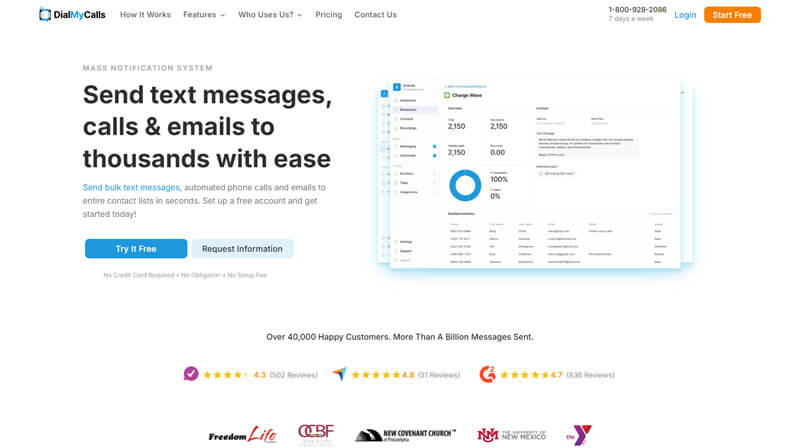
DialMyCalls is a versatile mass-notification tool that enables organizations—including schools, nonprofits, churches, property managers, and small businesses—to send SMS, voice broadcasts, and email alerts quickly via web or mobile app.
Pros
- Multi‑channel support: SMS, voice, email.
- Ideal for emergency alerts, appointment reminders, and event notifications.
- No subscription required; pay‑as‑you‑go credit model.
Cons
- Limited advanced marketing features (e.g., automation workflows, deep segmentation) compared to higher-tier platforms.
- No dedicated MMS campaign builder or rich automation sequence tools.
Why did we choose this tool
- Bulk SMS & MMS with scheduling and templates.
- Automated voice broadcasting/robocalls with voicemail handling and opt-out features.
- Two-way SMS and contact management with opt-in keywords.
- Bulk email capabilities alongside SMS/calls.
- API integrations and mobile apps for iOS and Android.
- Real-time reporting: delivery, voicemails, opt-outs.
Pricing
- Free trial: 25 messages/calls with no credit card.
- Credits: Pay-as-you-go; credits valid for 2 years, no recurring fees.
3. Flowdock
Best Work Communication App for Streamlined Team Communication
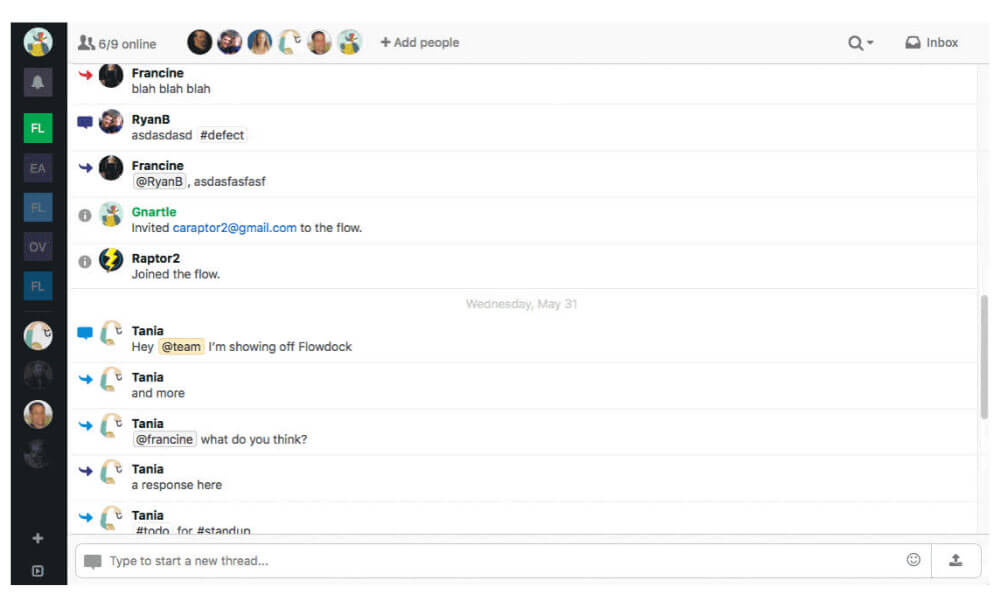
Flowdock is an enterprise communication tool designed to enhance team communication and collaboration. Flowdock provides real-time chat, file sharing, and integration with various tools, making it easier for teams to coordinate and work together efficiently. While it offers features for team discussions and communication, it is more focused on facilitating quick exchanges and updates among team members rather than providing a comprehensive platform for company-wide forums or discussions.
If you’re looking for a tool specifically tailored for company forums, you might want to explore other options that offer more robust forum and discussion board capabilities.
Pros
- Streamlined communication.
- Integration-friendly.
- Threaded conversations.
Cons
- Some users find the interface cluttered.
- New users may require time to become familiar with all features.
Why did we choose this tool
- Threaded messaging for organized team discussions.
- Real-time collaboration with easy integrations for DevOps and other tools.
- Ideal for cross-functional and distributed teams.
Pricing
- The basic version is free.
- Premium pricing starts from $9.
4. Google Chat
Best Work Communication App for G Suite Integrated Communication

Google chat is an excellent business communication platform for organizations due to its ability to provide instant messaging, group chats, and video conferencing in one user-friendly platform. It also offers numerous integrations with other programs and services such as Google Drive, allowing users to access important documents and collaborate in various ways. With features such as instant notifications, pinning messages, and auto-archiving of conversations, it is easy to keep track of all virtual discussions while staying organized.
Additionally, Google chat provides a secure environment with options like two-factor authentication or end-to-end encryption which makes it safe for private conversations between team members. Ultimately, the tools provided by Google chat create a powerful platform for efficient communication that can help any organization stay connected in the digital age.
Pros
- Integration with G Suite.
- Real-time collaboration.
- Mobile-friendly.
Cons
- Limited features.
- Some users may have privacy concerns due to Google’s data collection practices.
- Occasional issues with customer support responsiveness.
Why did we choose this tool
- Seamless integration with Google Workspace for enhanced collaboration.
- Supports direct messaging and team rooms for structured communication.
- Easy task assignment and file sharing within conversations.
Pricing
- Basic version starts from $6.
- Premium pricing starts from $12.
5. Troop Messenger
Among Top Communication Apps For Quick and Secure Team Messaging

Troop Messenger is a work communication app that provides real-time communication capabilities that enable users to exchange messages instantly, fostering quick and efficient team collaboration. With features like instant file sharing, group chats, voice and video calls, presence status, and notifications, Troop Messenger facilitates seamless and interactive communication among team members.
Its mobile compatibility ensures that users can stay connected and collaborate even while on the go. The platform’s focus on security, customization, and integration further solidifies its position as a robust work communication app for businesses, allowing teams to communicate, share information, and work together effectively in real time.
Pros
- Offers end-to-end encryption for data security.
- Allows for custom branding and features tailored to specific business needs.
- Suitable for businesses of all sizes.
Cons
- Interface complexity.
- Limited integrations.
Why did we choose this tool
- Secure messaging platform with enterprise-level features.
- Supports self-hosting for added data security.
- Offers video calling, screen sharing, and file sharing for teamwork.
Pricing
- Basic version is free.
- Premium pricing starts from $10.99.
6. Discord
Best Work Communication App for Community Engagement And Business Communication

While initially designed for gamers, it has evolved into a versatile work communication app used by various communities and businesses. Discord offers real-time text, voice, and video chat features, enabling users to engage in instant conversations individually or within groups.
Its user-friendly interface, extensive customization options, and the ability to create dedicated servers for specific topics make it a popular choice for both casual and professional communication. With features like screen sharing, file sharing, and integration with other tools, Discord provides a comprehensive platform for immediate communication and collaboration, making it suitable for a wide range of applications beyond gaming.
Pros
- Allows for real-time voice communication in addition to text-based chat.
- Offers extensive customization options for servers, roles, and permissions.
Cons
- New users may find Discord’s interface and features overwhelming.
- Some users may have privacy concerns due to Discord’s data collection practices.
- Large servers with multiple channels can be noisy and distracting for some users.
Why did we choose this tool
- Feature-rich platform for text, voice, and video communication.
- Customizable channels for streamlined team discussions.
- Low-latency voice chat makes it ideal for real-time collaboration.
Pricing
- Basic version starts from $2.99.
- Premium pricing starts from $9.99.
7. Viber
Best Business communication tool for Instant Messaging and Calls
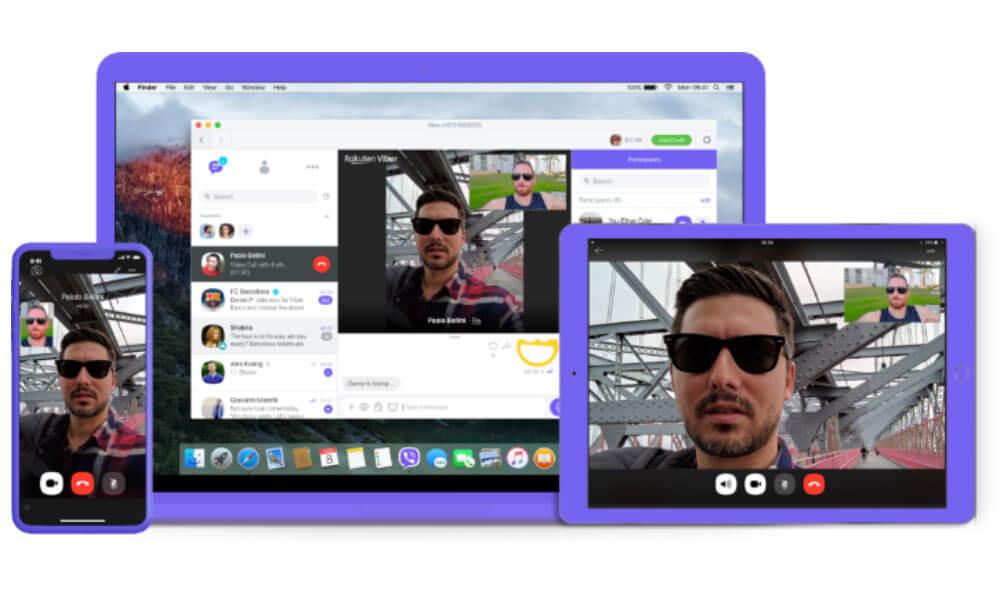
Viber is among the top communication apps that enable real-time communication through text messages, voice calls, and video calls. It offers a user-friendly interface and a wide range of features, including group chats, multimedia sharing, stickers, and emoticons, enhancing the messaging experience.
Viber’s end-to-end encryption ensures secure and private conversations, making it suitable for personal and business communication. With its availability on various devices and platforms, Viber allows users to stay connected and engage in quick and convenient conversations, whether for individual chats or group discussions. Its seamless integration of multimedia and communication options makes Viber a popular choice for instant messaging in both social and professional settings.
Pros
- Allows for text-based messaging, voice calls, and video calls.
- Facilitates communication among teams with group chat functionality.
- Offers end-to-end encryption for secure communication.
Cons
- Limited integrations.
- Some users find the interface cluttered and less intuitive.
- Lacks some advanced features tailored specifically for business. communication.
Why did we choose this tool
- Easy-to-use messaging and calling app with end-to-end encryption.
- Enables file sharing, group chats, and international calling.
- Free to use with affordable paid features for businesses.
Pricing
- Plan starts from $5.99.
8. Chatwork
Best Work Communication Apps for Efficient Team Communication
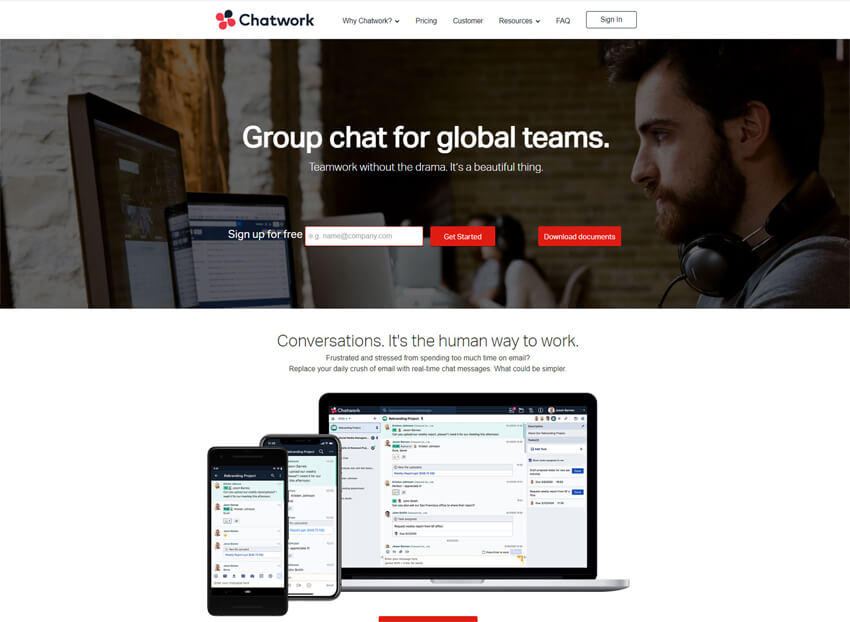
Chatwork is a team chat app that offers a communication platform designed specifically for team collaboration. With features like instant messaging, group chats, file sharing, and task management, Chatwork provides a centralized space for teams to communicate, coordinate tasks, and share important information in real time.
It enhances team productivity by allowing members to engage in discussions, exchange files, and stay updated on project progress, all within a single platform. This focus on team-centric communication and collaboration makes Chatwork a valuable tool for streamlining communication and fostering effective teamwork.
Pros
- Offers task management and file sharing features for collaborative work.
- Provides real-time translation for multilingual communication.
- Allows users to customize notifications for specific conversations or tasks.
Cons
- New users may find Chatwork’s interface and features difficult to navigate.
- Limited integrations.
- Some users report issues with the mobile app’s performance.
Why did we choose this tool
- Focused on small businesses with task management and file sharing.
- Offers video conferencing for remote collaboration.
- Affordable and intuitive for teams looking to improve communication.
Pricing
- Basic version is free.
- Premium pricing starts from $5.
9. Smarp
Best Work Communication App For Employee Advocacy and Engagement
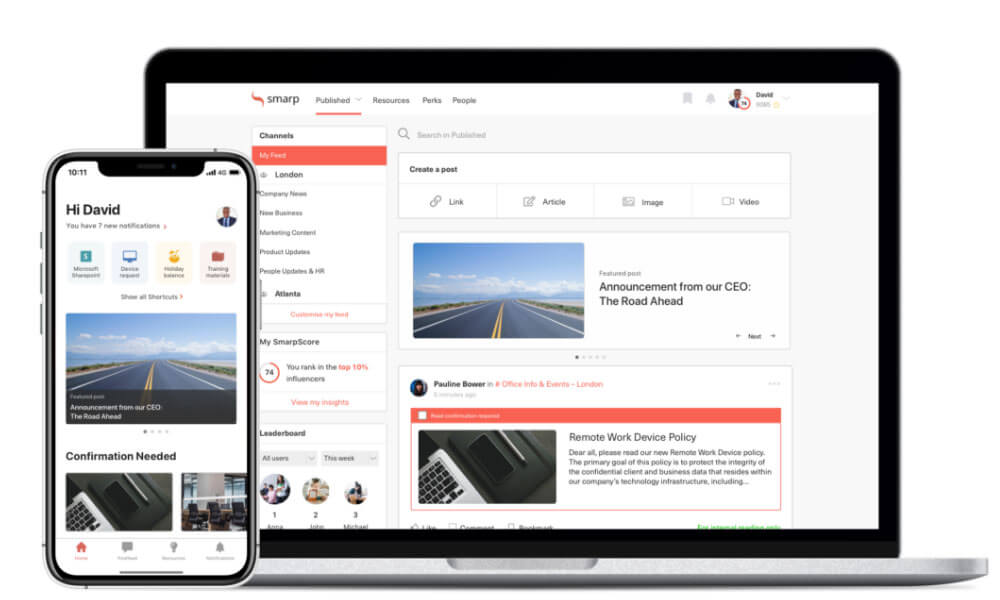
Smarp is an employee advocacy and communication platform. Smarp empowers organizations to engage their employees as brand advocates and content sharers. It provides a platform for employees to discover and share company-related content across their social networks, promoting brand awareness and amplifying reach.
Pros
- Facilitates employee advocacy and social sharing for businesses.
- Offers content curation and distribution features for engaging employees.
- Analytics for measuring the impact of employee advocacy efforts.
Cons
- Primary focus is on employee advocacy rather than general business communication.
- Limited integration options with third-party tools.
- Pricing may be on the higher side for smaller businesses or startups.
Why did we choose this tool
- Employee communication and advocacy platform.
- Simplifies sharing company updates and engaging employees.
- Insights and analytics to measure communication effectiveness.
Pricing
- Pricing starts from $25 per user per month.
10. Whispir
Best Business communication tool for Multi-Channel Communication.
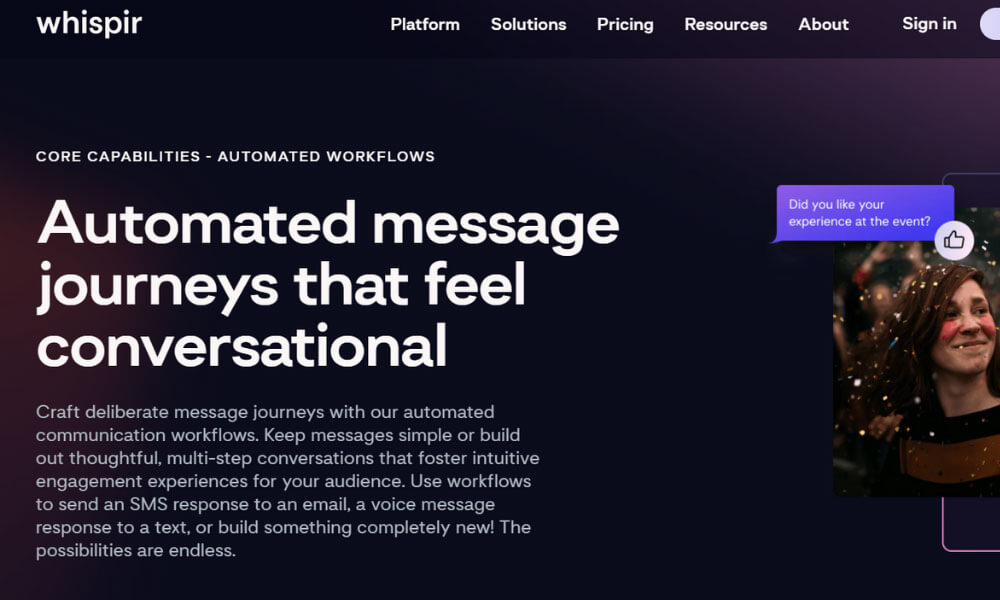
Whispir is a top communication app designed to streamline and automate communication processes for businesses. It offers a range of tools and features to create, manage, and deliver messages across various channels, including SMS, email, voice, and social media.
Whispir is used by organizations to send critical alerts, notifications, updates, and marketing campaigns to customers, employees, and stakeholders. Its versatile capabilities make it valuable for industries like emergency management, healthcare, retail, and more, enabling effective and targeted communication during crisis situations, marketing campaigns, and routine business operations.
Whispir’s multi-channel approach ensures that messages reach the right audience promptly, making it an essential tool for enhancing communication efficiency and engagement.
Pros
- Enables communication across various channels.
- Provides automation features to streamline communication processes.
- Suitable for businesses of all sizes.
Cons
- New users may require time to become familiar with all features.
- Costs may be high for businesses with extensive communication needs.
- Integration options with third-party tools may be limited.
Why did we choose this tool
- Versatile communication platform for multi-channel messaging.
- Supports SMS, email, and social media for seamless outreach.
- Ideal for businesses managing customer and team communications simultaneously.
Pricing
- Pricing starts from $16 per user per month.
11. Mattermost
Best Business communication tool for Self-Hosted Team Messaging.

Mattermost is a team communication software that provides a platform for real-time messaging, file sharing, and project coordination, all within a secure and self-hosted environment.
Mattermost offers various communication channels, direct messaging, and integrations with other tools, enhancing team collaboration and information sharing. Its customizable features allow teams to adapt the platform to their specific needs, making it suitable for various industries and work scenarios.
With its open-source nature, Mattermost provides organizations with control over their communication data while promoting efficient collaboration among team members, making it a valuable tool for facilitating teamwork and streamlining communication processes.
Pros
- Offers a self-hosted solution for businesses with strict security requirements.
- Allows customization and integration with existing systems.
- Provides chat, file sharing, and project management features for effective team collaboration.
Cons
- Deployment complexity.
- Integration challenges.
- Reliance on community support may lead to slower issue resolution compared to paid solutions.
Why did we choose this tool
- Open-source platform with highly customizable messaging features.
- Ideal for DevOps teams with integrations like GitLab and Jira.
- Secure self-hosting options for enterprises prioritizing data control.
Pricing
- Basic version is free.
- Premium pricing starts from $10.
12. MiCloud
Best Business communication tool for Cloud-Based Communication Solutions

MiCloud is a cloud communications platform that offers a range of unified communication for businesses. It provides services like voice calling, video conferencing, team messaging, and contact center solutions, all accessible through a cloud-based interface.
MiCloud is used by organizations to enhance internal and external communication, facilitate remote work, and improve customer interactions. It enables seamless collaboration, efficient call management, and integration with various devices.
With its features tailored for modern workplaces, MiCloud serves industries such as finance, healthcare, education, and more, empowering businesses to stay connected and productive while ensuring effective communication across various channels.
Pros
- Unified communications.
- Suitable for businesses of all enterprises.
- Provides a mobile app for communication on the go.
Cons
- Costs may be high for businesses with extensive communication needs.
- May lack some advanced features found in other tools.
- Some users report issues with customer support responsiveness.
Why did we choose this tool
- Comprehensive communication suite with voice, video, and messaging.
- Scalable solutions tailored for small to large organizations.
- Cloud-based architecture ensures seamless remote collaboration.
Pricing
- Pricing starts from $20.99.
13. AlertMedia
Best Business communication tool for Critical Communication and Alerts
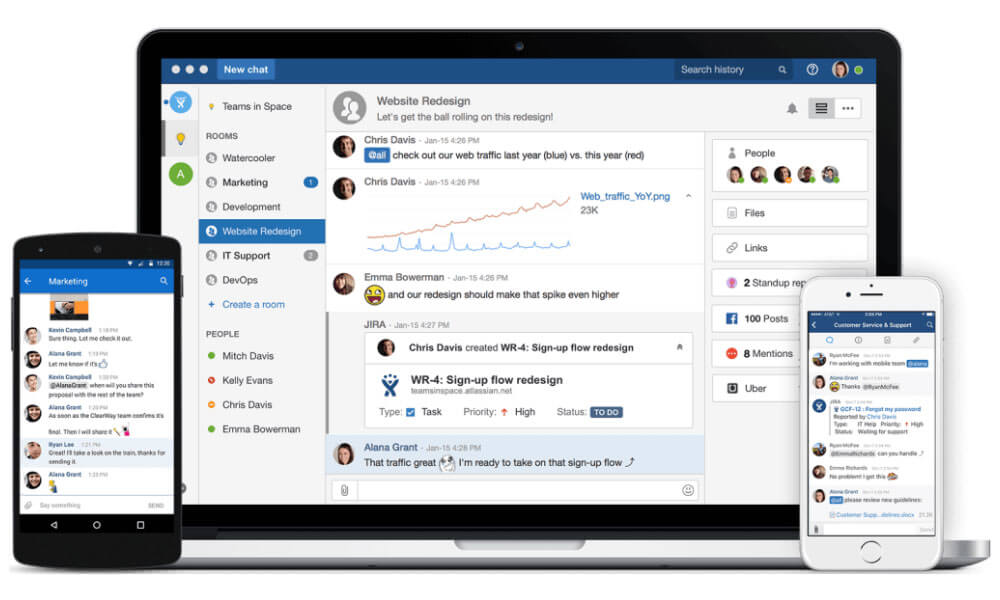
AlertMedia is an emergency communication and mass notification tool that organizations use to rapidly communicate critical information during emergencies, crises, or other urgent situations. It allows businesses to send real-time alerts, notifications, and updates to employees, customers, and stakeholders through multiple channels such as text messages, emails, voice calls, social media, and more.
AlertMedia helps ensure the safety and well-being of personnel by providing timely information and instructions, facilitating efficient emergency response, and minimizing potential risks. This tool is utilized across various industries, including corporate, healthcare, education, and government, to swiftly communicate vital information and maintain operational continuity in times of uncertainty.
Pros
- Specializes in emergency notification and crisis communication.
- Enables communication through various channels.
- Provides real-time tracking of recipient responses during emergencies.
Cons
- Primarily designed for emergency communication.
- Costs may be high for businesses with extensive communication needs.
- Integration options with third-party tools may be limited.
Why did we choose this tool
- Reliable tool for emergency notifications and team alerts.
- Two-way communication ensures effective crisis management.
- Multi-channel support for SMS, email, and voice notifications.
Pricing
- Offers custom pricing.
14. SweetHive
Best Business communication tool for Real-Time Team Collaboration
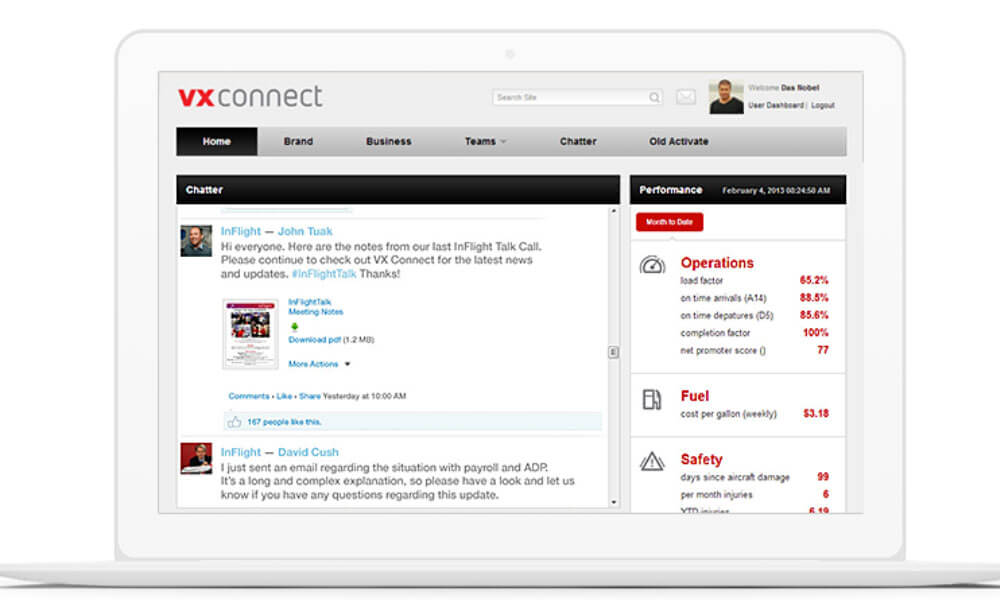
SweetHive is an internal newsletters software designed to streamline and enhance internal communication within organizations. It offers a dedicated platform for creating, distributing, and managing newsletters, keeping employees informed about important updates, announcements, and company news.
SweetHive provides customizable templates, drag-and-drop editors, and multimedia integration to create visually appealing newsletters. It also offers features like subscriber management, scheduling, and analytics, allowing companies to track engagement and gather insights into readership.
Pros
- Offers chat, file sharing, and task management features for team collaboration.
- Allows for customization of workflows and integrations.
- Provides an intuitive interface for easy adoption by teams.
Cons
- Limited scalability.
- Feature limitations.
- Some users report issues with customer support responsiveness.
Why did we choose this tool
- Organizes communication into specific “hives” for focused discussions.
- Centralized platform for messaging, files, and task tracking.
- Intuitive interface designed for simplifying team workflows.
Pricing
- Basic version is free.
- Premium pricing starts from $73.
15. Jive
Best Business Communication Tool for Enterprise Social Networking

Jive is an Internal social network platform that is designed to facilitate communication and collaboration within organizations. It provides employees with a space to connect, share information, and engage in discussions, fostering a sense of community and enhancing internal communication.
Jive offers features such as activity streams, discussion forums, document sharing, and real-time messaging, all of which contribute to building a social network-like environment where employees can interact and collaborate on projects. It also helps in breaking down silos, promoting knowledge sharing, and creating a more transparent and open communication culture within the organization. Overall, Jive serves as a platform for employees to connect, collaborate, and build relationships, making it a powerful tool for enhancing internal social networks.
Pros
- Provides a platform for internal social networking and collaboration.
- Offers integration with other business applications like CRM and ERP systems.
Cons
- New users may require time to become familiar with the platform.
- Customization options may be limited for some users.
Why did we choose this tool
- Social intranet software fostering team engagement and collaboration.
- Features include discussion boards, blogs, and knowledge sharing.
- Robust analytics to measure team interactions and content usage.
Pricing
- Pricing starts from $29.95.
16. Viva Engage
Best Business communication tool for Enterprise Social Networking

Viva Engage by Microsoft is among top communication apps that enhances collaboration and connection within organizations. Built on Yammer’s foundation, it integrates seamlessly with Microsoft Teams and the Microsoft 365 ecosystem, making it a valuable tool for fostering meaningful conversations and employee engagement.
Viva Engage enables users to share updates, host virtual events, and participate in communities, promoting transparency and inclusivity across remote and hybrid workplaces.
Pros
- Deep integration with Microsoft Teams and Office 365 tools.
- Facilitates employee engagement through polls, Q&A, and events.
- Enhances team transparency and cross-departmental collaboration.
Cons
- Limited customization options for non-Microsoft ecosystems.
- Can be overwhelming for small teams due to its enterprise focus.
Why did we choose this tool
- Seamless integration with Microsoft 365 suite for enhanced productivity.
- Encourages open communication and community building within organizations.
- Provides tools for managing virtual events and discussions effectively.
Pricing
- Free version: Included with Microsoft 365 subscriptions.
- Premium version: Features are available as part of advanced Microsoft 365 plans, with pricing based on subscription tier (starting at approximately $6-$12 per user/month).
17. Beekeeper
Best Business communication tool for Workforce Communication and Collaboration

Beekeeper is an enterprise social media platform that focuses on improving communication and engagement within organizations. It provides a centralized digital workplace where employees can connect, share updates, and collaborate in real-time. Beekeeper offers features such as newsfeeds, chat, and group messaging, which resemble social media interactions.
It helps create a sense of community, fosters transparent communication, and bridges communication gaps between different levels of the organization, making it easier for frontline workers to stay informed and engaged. Beekeeper’s mobile accessibility ensures that employees can access important information from anywhere, promoting a more connected and collaborative workforce.
Pros
- Offers a mobile app for communication on the go.
- Facilitates communication and collaboration among frontline workers.
- Integrates with other business applications for streamlined workflow.
Cons
- May lack some advanced features found in other tools.
- Costs may be high for businesses with extensive communication needs.
- Customization options may be limited for some users.
Why did we choose this tool
- Mobile-first platform designed for deskless and frontline workers.
- Offers secure messaging, surveys, and operational updates.
- Supports real-time communication with multilingual capabilities.
Pricing
- The pricing starts at $14 per user per year.
18. Happeo
Best Business communication tool for Integrated Intranet and Collaboration
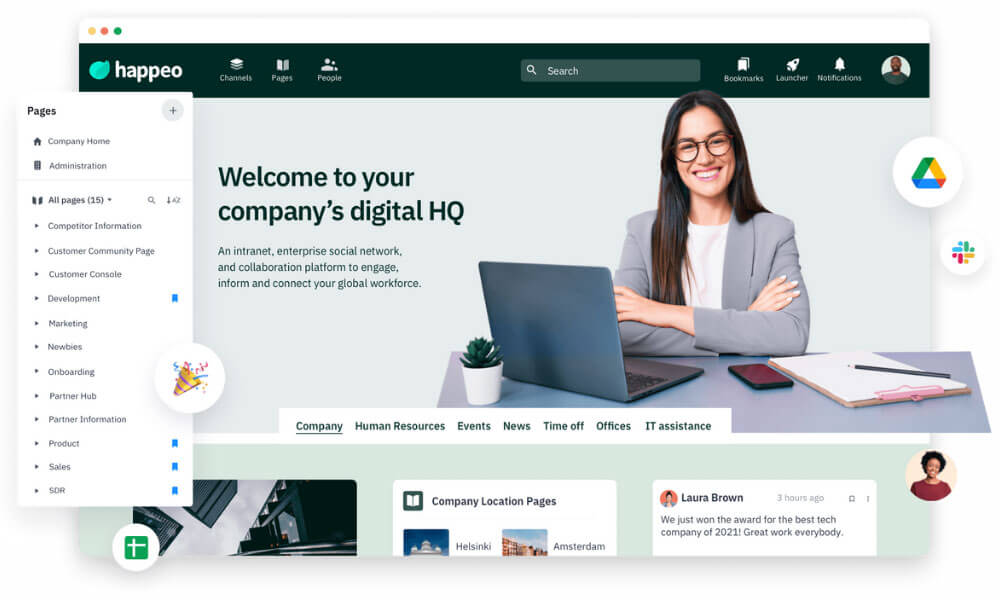
Happeo is an enterprise social media platform that offers a holistic solution by combining intranet, social networking, and collaboration tools, making it a central hub for internal communication. Its integration with Google Workspace ensures smooth document sharing and communication.
Customizable features enable businesses to create a branded and engaging social platform, enhancing employee engagement. With advanced analytics, Happeo enables organizations to measure the impact of their communication strategies, making it a comprehensive platform for fostering internal collaboration and communication within enterprises.
Pros
- Combines intranet, collaboration, and social networking.
- Google Workspace integration.
- Fosters employee engagement.
Cons
- Costs may be prohibitive for small businesses.
- New users may require time to familiarize themselves with all features.
- Customization options may be limited compared to other platforms.
Why did we choose this tool
- Unified intranet solution combining communication and document management.
- Integrates seamlessly with Google Workspace for enhanced workflows.
- Enables centralized knowledge sharing and employee engagement.
Pricing
- Offers custom pricing.
19. Rocket.Chat
Best business Communication Tool for Secure, Integrated Intranet And Collaboration

Rocket.Chat is an open-source work communication apps that supports messaging, channels, voice/video calls, file sharing, and custom integrations. It can be deployed in the cloud or on-premise, giving organizations full control over data, security, and customization—making it suitable for tech teams and privacy-focused businesses.
Pros
- Highly customizable.
- Strong privacy and self-hosting options.
- Supports multi-channel communication.
Cons
- Setup can be complex for non-technical teams.
- Some advanced features require plugins.
Why did we choose this tool
- Exceptional data control and security.
- Open-source flexibility.
- Good choice for developers and compliance-driven teams.
Pricing Plans
- Free version available (self-hosted).
- Premium pricing starts from $3 per user/month.
20. Workplace
Best Business communication tool for Connected and Productive Teams

Workplace, developed by Facebook, is an enterprise social media platform that aims to enhance communication and collaboration within organizations. It serves as a secure and private space where employees can connect, share information, and collaborate on projects. The workplace is used across various industries and sectors, from large corporations to non-profit organizations, to foster a sense of community, improve transparency, and facilitate cross-functional teamwork.
With features like group chats, video calls, and integrations with other tools, Workplace enables remote teams to stay connected, engage in discussions, and work together efficiently. Its familiarity, user-friendly interface, and integration with Facebook’s features make it a compelling option for modern businesses seeking to enhance their internal communication and collaboration efforts.
Pros
- Interface similar to Facebook makes it easy for users to adapt.
- Integration with Facebook tools.
- Provides a mobile app for communication on the go.
Cons
- Some users may have privacy concerns due to their association with Facebook.
- May lack some advanced features found in other tools.
- Some users report issues with customer support responsiveness.
Why did we choose this tool
- Enterprise communication platform by Meta (Facebook).
- Combines familiar social features like groups and live video for businesses.
- Supports collaboration with external partners through multi-company groups.
Pricing
- Basic version is free.
- Premium pricing starts from $4.
21. Skype
Best Business communication tool for Video Calls and Messaging

Skype is an enterprise video conferencing tool that helps employees to connect to anyone from anywhere. Calls can be made to a person’s mobile phone and their landline. It also allows for sending text messages with end-to-end encryption so you can rest assured your conversations are private. You can use it on a multitude of devices like your PC, tablet, or smartphone. If you’re looking for a Skype for Business alternative, consider platforms that offer stronger admin controls, modern collaboration features, and flexible deployment options.
Pros
- Widely used platform, familiar to many users.
- Offers high-quality voice and video calling features.
- Provides instant messaging for quick communication among team members.
Cons
- Limited collaboration features.
- Security concerns.
- Integration limitations.
Why did we choose this tool
- Reliable video and voice communication for global connectivity.
- Supports screen sharing and file transfers for enhanced collaboration.
- Widely used due to its familiarity and cross-platform compatibility.
Pricing
- Premium pricing starts from $3.
22. GoToMeeting
Best Business communication tool for Efficient Online Meetings

GoToMeeting is a video conferencing tool designed for virtual meetings, webinars, and remote collaborations. It enables participants to join online discussions, share screens, and engage in real-time video conferences. GoToMeeting is widely used by businesses, educational institutions, and organizations of all sizes to facilitate remote communication and collaboration.
It streamlines communication, enables efficient presentations, and fosters teamwork even when participants are geographically dispersed. With features like screen sharing, chat, and recording, GoToMeeting ensures seamless interaction and information sharing among team members, clients, and stakeholders, making it a valuable tool for enhancing productivity and connectivity in modern work environments.
Pros
- Reliable video conferencing.
- Allows for easy screen sharing during meetings for effective collaboration.
- Provides a mobile app for attending meetings on the go.
Cons
- Costs may be prohibitive for small businesses or startups.
- May lack some advanced features found in other video conferencing platforms.
- Some users report issues with customer support responsiveness.
Why did we choose this tool
- High-quality video conferencing with robust security features.
- Allows easy scheduling and recording of meetings.
- Interactive tools like polls and Q&A for productive sessions.
Pricing
- Basic pricing starts from $12.
- Premium pricing starts from $16.
23. Amazon Chime
Best Business Communication Tool for Secure Online Meetings and Video Calls
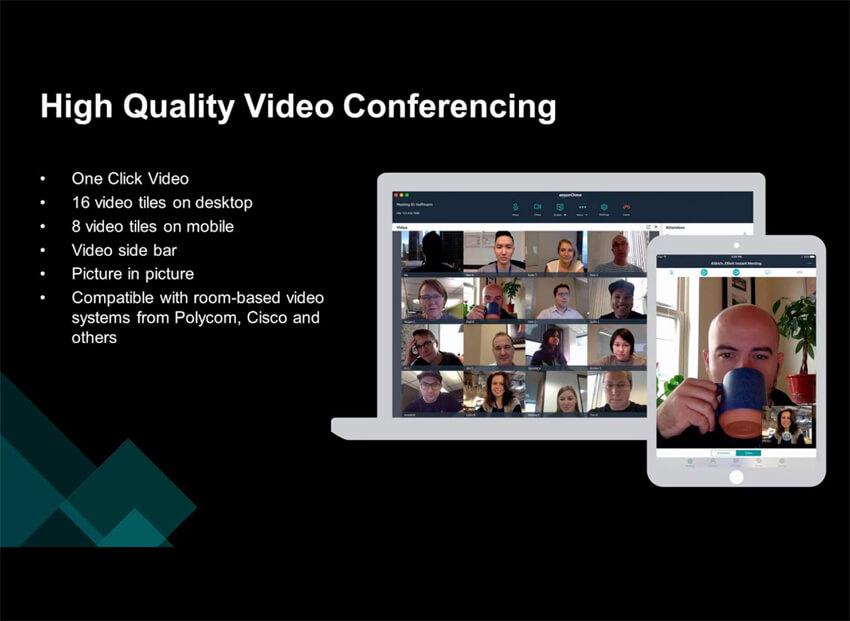
Amazon Chime is an audio-conferencing tool that allows users to host and join audio conferences, meetings, and calls seamlessly. With features like one-click meeting setup, high-quality audio, and the ability to schedule and join conferences from various devices, Amazon Chime simplifies audio communication and collaboration.
It enables teams to hold virtual meetings, discussions, and presentations with clear audio quality, ensuring effective communication regardless of participants’ locations. Whether for business meetings, client calls, or internal discussions, Amazon Chime’s focus on audio conferencing functionality makes it a reliable tool for facilitating real-time communication and collaboration among remote or distributed teams.
Pros
- Suitable for businesses of all sizes.
- Integration with Amazon Web Services.
- Provides advanced security features to protect sensitive communication.
Cons
- New users may require time to become familiar with all features.
- Limited third-party integrations.
Why did we choose this tool
- Unified platform for meetings, chats, and business calls.
- Syncs seamlessly with other Amazon Web Services (AWS) tools.
- Flexible pricing structure, paying only for what is used.
Pricing
- Basic version is free.
- Premium pricing starts from $3.
24. BlueJeans
Best Business communication tool for Video Conferencing and Collaboration

BlueJeans is a video conferencing tool that facilitates virtual meetings, webinars, and collaboration among remote teams and participants. It offers high-quality video and audio communication, screen sharing, and real-time collaboration features.
BlueJeans allows users to schedule and join video meetings from various devices, making it easy to connect and collaborate regardless of location. Its intuitive interface and integration with popular productivity tools enhance seamless communication and information sharing.
With features like recording, transcription, and cloud storage, BlueJeans ensures that important discussions and content are accessible even after the meeting ends. Its emphasis on video conferencing and collaboration makes it an effective tool for bringing teams together and enhancing remote communication and collaboration efforts.
Pros
- Offers high-definition video conferencing for clear communication.
- Allows for easy screen sharing during meetings for effective collaboration.
- Provides a mobile app for attending meetings on the go.
Cons
- May lack some advanced features found in other video conferencing platforms.
Why did we choose this tool
- HD video conferencing with Dolby Voice audio for crystal-clear sound.
- Ideal for hybrid teams with integrations like Microsoft Teams and Slack.
- Analytics dashboard for meeting performance insights.
Pricing
- Basic version is free.
- Premium pricing starts from $9.99.
25. Jitsi
Best Business communication tool for Open-Source Video Conferencing
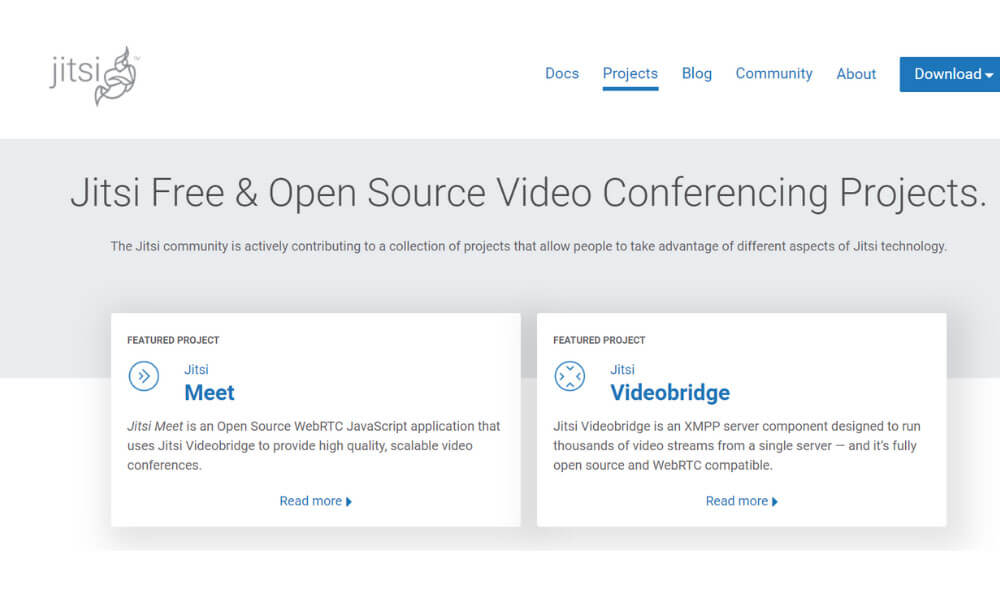
Jitsi is a free and open-source tool that allows video conferencing for both your smartphone and PC. It allows for live streaming and recording. It’s simple, secure, and scalable for when your business gets bigger.
Pros
- Offers open-source video conferencing solution for cost-effective communication.
- User-friendly interface makes it accessible for all team members.
- Allows instant access to meetings without the need for account creation.
Cons
- May lack some advanced features found in paid solutions.
- Some users report occasional stability issues during meetings.
- Integration options with other business tools may be limited.
Why did we choose this tool
- Free, open-source video conferencing solution.
- Easy to set up with no need for downloads or accounts.
- Offers end-to-end encryption for secure communication.
Pricing
- Free basic version.
- Premium pricing starts from $99.00, if you are looking for Jitsi as a service.
26. Cisco Webex Team
Best Business Communication Tool for Team Collaboration and Video Meetings

Cisco Webex provides added voice and video calling capabilities. Cisco Webex is an app for continuous teamwork. Move work forward in secure workspaces where everyone can contribute at any time with messaging, file sharing, white-boarding, video meetings, calling and more. It works on virtually any device.
Pros
- Enterprise-grade security.
- Offers a comprehensive suite of collaboration tools.
- Integration with Cisco products.
Cons
- Costs may be slightly on the higher side.
- New users may require time to become familiar with all features.
- Limited third-party integrations.
Why did we choose this tool
- Combines messaging, file sharing, and video meetings in one platform.
- Advanced AI features like noise cancellation and transcription.
- Enterprise-grade security for business communications.
Pricing
- Basic version is free.
- Premium pricing starts from $22.50.
27. TeamViewer Meeting
Best Business Communication Tool for Remote Team Collaboration
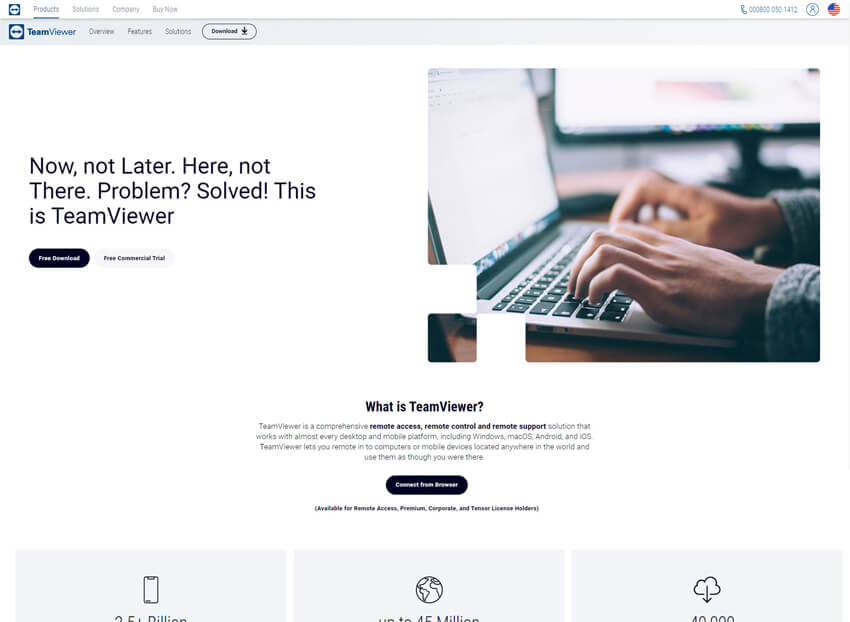
Apart from just instant messaging, TeamViewer Meeting lets you hold face-to-face HD VoIP videoconferences and audio calling, with your coworkers or your entire team, scheduled group meetings (up to 300 people), desktop screen sharing and session recording.
It has all the essential meeting tools to collaborate securely with your teams and clients, from anywhere, anytime. TeamViewer Meeting installs on your desktop or mobile phone for quick access.
Pros
- Compatible with multiple operating systems for flexibility.
- Allows for remote control of desktops for troubleshooting and collaboration.
- Provides encrypted connections to ensure data security during meetings.
Cons
- Costs may be slightly on the higher side.
- May lack some advanced features found in other video conferencing platforms.
- Some users report occasional performance issues.
Why did we choose this tool
- Secure online meetings integrated with remote desktop features.
- Cross-platform support for teams in different environments.
- Simple interface, perfect for small to mid-sized teams.
Pricing
- Basic pricing starts from $24.90.
- Premium pricing starts from $50.90.
28. Microsoft Outlook
Best Business communication tool for Email and Scheduling

Renowned for its comprehensive features and integration with Microsoft Office suite, Outlook is widely utilized for business communication. It offers advanced email organization, calendaring, and task management. Its seamless integration with other Microsoft tools promotes efficient collaboration, making it a preferred choice for professionals seeking a robust platform to manage emails, schedules, and tasks within a business context.
Pros
- Integration with Microsoft ecosystem.
- Offers powerful email management features.
- Calendar integration.
Cons
- Interface may be overwhelming for new users.
- Limited collaboration features.
- Costs may be prohibitive for businesses with limited budgets.
Why did we choose this tool
- Centralized email and calendar management for streamlined workflows.
- Integrates seamlessly with Microsoft 365 applications.
- Offers robust scheduling and task prioritization features.
Pricing
- Pricing starts at $6.99 per month.
29. Google Workspace
Best Business communication tool for Collaborative Office Suite
Gmail’s robust search capabilities, intuitive interface, and seamless integration with Google Drive make it a staple in business communication. AI-powered features like Smart Compose enhance productivity by suggesting email content, while Google Workspace’s collaborative tools support real-time document sharing. These attributes contribute to Gmail’s popularity among businesses, enabling effective communication and collaboration.
Pros
- Offers a comprehensive suite of collaboration tools.
- Integration with Google products.
- Provides access to files and communication tools from any device.
Cons
- New users may require time to become familiar with all features.
- Some users may have privacy concerns due to data collection practices.
- May not be suitable for users in areas with unreliable internet connection.
Why did we choose this tool
- Cloud-based suite with tools like Gmail, Drive, and Meet for collaboration.
- Real-time co-editing and sharing for seamless teamwork.
- Scalable solutions suitable for businesses of any size.
Pricing
- Basic version starts from $6.
- Premium pricing starts from $12.
30. Pumble
Best Business Communication Tool For Simple Intranet-style Team Collaboration

Pumble is a modern team chat and collaboration app designed to offer core communication features—messaging, channels, file sharing, voice and video calls—with a generous free tier. It aims to deliver a user-friendly and affordable alternative for small and growing teams that need reliable real-time collaboration without complex setup.
Pros
- Unlimited messages on free plan.
- Simple, intuitive interface.
- Supports voice/video calling.
Cons
- Advanced integrations are limited.
- Enterprise admin controls are basic.
Why did we choose this tool
- Very strong free tier.
- Easy to adopt for small teams.
- Cost-effective communication solution.
Pricing Plans
- Free version available.
- Premium pricing starts from $1.99 per user/month.
31. ClickUp
Top Communication App for Project And Task Management

ClickUp is a versatile work communication app that combines tasks, docs, goals, and collaboration tools in one workspace. While it is primarily a project and task management tool, ClickUp’s built-in chat, comments, and integrations make it a robust choice for communication tied to work execution and team coordination.
Pros
- Highly customizable workflow views.
- Built-in docs and chat features.
- Great value for feature depth.
Cons
- Can be overwhelming for new users.
- Interface may feel dense due to many features.
Why did we choose this tool
- Centralizes tasks and communication in one place.
- Excellent for work-oriented dialogues.
- Strong integration ecosystem.
Pricing Plans
- Free version available.
- Premium pricing starts from $7 per user/month.
32. RingCentral
Best Business Communication Tool for Unified Intranet, Calling, And Collaboration
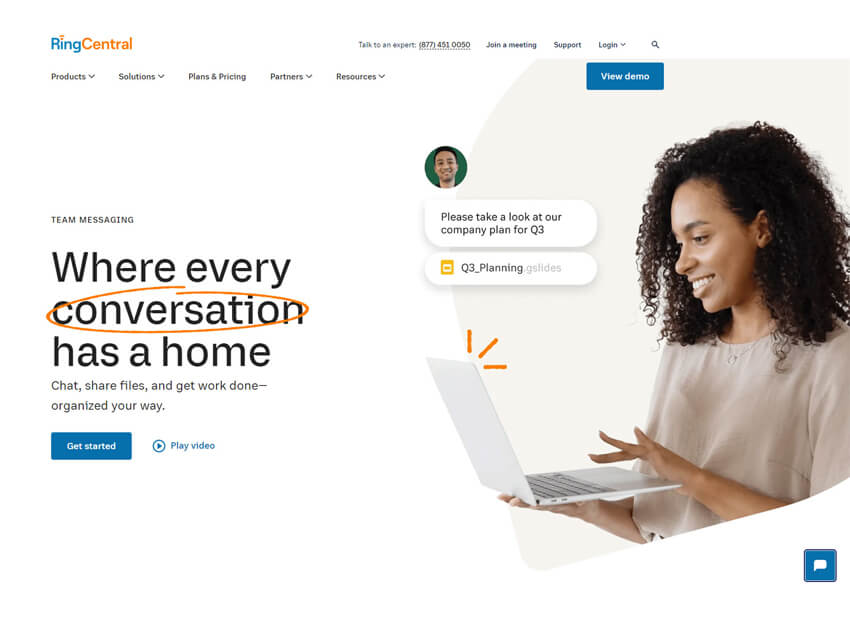
RingCentral is a work communication app that combines business phone, SMS, video meetings, and team messaging. It is designed for organizations that need reliable telephony alongside collaboration features, enabling teams to communicate seamlessly from any device.
Pros
- Enterprise-grade calling and messaging.
- Robust video conferencing.
- Strong global support and uptime.
Cons
- Higher cost than chat-only tools.
- Feature sets can feel complex for small teams.
Why did we choose this tool
- Great all-in-one communications suite.
- Strong voice and video reliability.
- Scales from SMBs to large enterprises.
Pricing Plans
- No free basic version.
- Premium pricing starts from $20 per user/month.
33. Zoho Cliq
Best Business Communication Tool For Integrated Intranet And Team Collaboration

Zoho Cliq is a team messaging tool built as part of the Zoho suite. It offers channels, threaded conversations, direct messages, bots, and automation, integrating deeply with Zoho apps and third-party services. Cliq’s real-time communication features make it ideal for teams that use Zoho’s ecosystem.
Pros
- Seamless Zoho integration.
- Real-time messaging and automation.
- Lightweight and fast.
Cons
- Less robust than larger chat platforms.
- Limited enterprise admin controls.
Why did we choose this tool
- Great option for Zoho users.
- Simple and effective chat experience.
- Good automation features.
Pricing Plans
- Free version available.
- Premium pricing starts from $1 per user/month.
34. Wire
Best Business Communication Tool For Secure Intranet Communication And Collaboration

Wire is a secure team messaging and collaboration app with end-to-end encryption. It supports chat, voice and video calls, file sharing, and guest rooms, making it suitable for organizations with higher security needs or regulated industries.
Pros
- Strong security and encryption.
- Modern, clean interface.
- Supports team and guest communications.
Cons
- Feature set less deep than large platforms.
- Custom integrations can be limited.
Why did we choose this tool
- Excellent for security-focused teams.
- Clear and safe communications.
- Good for cross-organization collaboration.
Pricing Plans
- Free version available (personal use).
- Premium pricing starts from $7 per user/month.
35. Element
Best Business Communication Tool For Decentralized Intranet And Open Collaboration
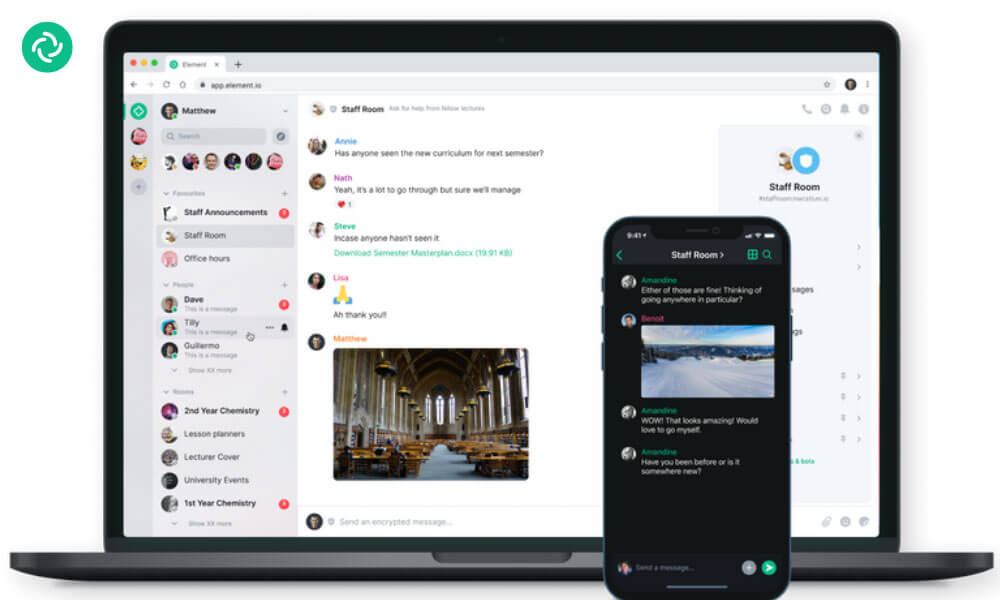
Element (powered by Matrix) is an open-standard communication app for secure messaging and collaboration. It supports decentralized hosting, end-to-end encryption, group chat, voice and video calls, and bridges to other networks—making it attractive for privacy-conscious teams and developers.
Pros
- Decentralized and secure.
- Bridges to external networks.
- Strong open-source community.
Cons
- Can be complex for non-technical users.
- Some features require configuration.
Why did we choose this tool
- Great for open standard and privacy use cases.
- Strong messaging with security.
- Flexible hosting options.
Pricing Plans
- Free version available.
- Premium pricing starts from $5 per user/month.
These tools play a pivotal role in enhancing communication, collaboration, and efficiency within organizations, contributing to their overall success.
Step-by-Step Guide to choose Effective Business Communication Tools
- Business Needs and Goals: Ensure the tool aligns with your specific communication requirements and organizational objectives.
- User-Friendly Interface: Choose tools that are intuitive and easy for employees to adopt without significant training.
- Compatibility and Integration: Select tools that seamlessly integrate with your existing software and systems.
- Communication Channels: Assess if the tool offers the communication channels (email, chat, voice calling) necessary for your team’s workflow.
- Collaboration Features: Look for features like real-time editing, file sharing, and project management to enhance teamwork.
- Security and Privacy: Prioritize tools with robust security measures to safeguard sensitive data and communications.
- Scalability: Choose tools that can accommodate your organization’s growth and evolving communication needs.
- Cost and Value: Evaluate the tool’s cost in relation to the value it brings in terms of features and benefits.
- Customer Support: Ensure the provider offers reliable customer support for assistance and issue resolution.
- User Reviews and Feedback: Research user experiences to gauge the tool’s effectiveness and usability.
- Trial Period: Opt for tools that offer a trial period to test compatibility and functionality.
- Customization Options: Check if the tool can be tailored to reflect your company’s branding and preferences.
- Reporting and Analytics: Consider tools that provide insights into communication patterns, engagement, and performance.
- Accessibility and Usability: Confirm the tool can be accessed easily from various locations and devices.
- Vendor Reputation: Choose tools offered by reputable and established vendors with a track record of quality service.
Conclusion
In the ever-evolving landscape of modern business, effective communication stands as a cornerstone of success. This compilation of the top 35 business communication apps list aims to equip businesses with a comprehensive toolkit to streamline interactions, enhance collaboration, and foster growth. From real-time messaging platforms to seamless document sharing, these tools transcend geographical boundaries, enabling teams to thrive in the realm of remote work and virtual collaboration.
In an era where information flows ceaselessly, the right business communication software serve as catalysts, propelling enterprises toward increased efficiency, heightened innovation, and unparalleled success. As businesses harness these tools, they embark on a transformative journey that transcends boundaries, connects minds, and ushers in a new era of seamless and impactful communication.
Frequently Asked Questions
What are business communication tools?
Business communication tools are software applications or platforms designed to facilitate communication and collaboration within organizations. They encompass a wide range of solutions, including email clients, instant messaging apps, video conferencing platforms, project management tools, and collaboration software.
Which is the most effective tool for business communication?
Clariti is the most effective tool for business communication as it allows team members to share information and ideas more effectively. And because all the conversations are context-based, team members can refer back to previous discussions to keep everyone on the same page.
What is the best business communication tool?
Clariti is the best business communication tool as it allows can have group chats with your team that are focused on specific subjects, so everyone has all the relevant context they need to be productive.
What are the modern tools of business communication?
Modern tools of business communication are email, instant messaging, and video conferencing etc. They are all great options to stay connected. By using these tools, businesses can save time and money while still maintaining efficient communication.




Start for FREE with Personal CRM
We too hate spam! Your email is secure with us.

Spot secured. You're in.
You’re officially on the list for early access to Clariti.


No more switching tools.

No more lost context.

Just Clarity.
You’ll be among the first to experience it when we launch. We’ll let you know the moment it’s ready.

Keep an eye out for emails from @clariti.app.
(and check your spam folder just in case—whitelisting us helps ensure you don’t miss a thing).

