




Others, Blog
Say Goodbye to Microsoft Teams and Hello to These Alternatives
- By Vinod Kumar VR
- No Comments


- Published on
- 10 min read

Blog Summary
Microsoft Teams is widely used for workplace communication and collaboration, but not every business finds it the perfect fit. Common concerns include its complexity, high resource usage, and limited flexibility with non-Microsoft tools. As a result, many organizations are exploring alternatives better suited to their needs.
This blog explores 15 top alternatives to Microsoft Teams, offering different features for diverse team preferences. These include platforms like Clariti (contextual communication), Rocket.Chat, Chanty, Google Workspace, Flock, and Zoom, among others. Each tool brings unique strengths—some focus on security, others on user-friendliness or integration capabilities.
To choose the right alternative, businesses should consider factors such as ease of use, pricing, integration with existing workflows, scalability, and team size. It’s essential to evaluate whether the tool aligns with your team’s communication style and project management needs.
In summary, if Teams no longer meets your expectations, there are plenty of robust, well-designed collaboration platforms available that may be a better fit for your organization’s workflow.
View more
In the realm of digital collaboration, Microsoft Teams has undeniably been a prominent player, integrated seamlessly into the Microsoft 365 suite, offering a comprehensive array of features. However, as organizations evolve and diverse needs emerge, the quest for a Microsoft Teams alternative that better caters to specific requirements has intensified. Enter a new era of team collaboration tools, where user friendly interfaces and customizable functionalities redefine the workspace landscape.
MS Teams has undoubtedly made significant strides in fostering communication and productivity, boasting over 145 million daily active users worldwide. Yet, as businesses seek tailored solutions to streamline workflows and enhance engagement beyond what Microsoft Teams online offers, exploring a reliable Teams alternative becomes imperative. Fortunately, a plethora of alternative apps for Microsoft Teams has emerged, each delivering unique benefits and capabilities.
These alternatives prioritize user experience by offering intuitive, user friendly interfaces and robust functionalities that simplify collaboration across diverse teams. From Webex Teams to Clariti, these platforms provide seamless integration with existing software ecosystems while offering flexibility and scalability to meet evolving business needs.
In this blog, we bid farewell to the confines of Microsoft Teams and embark on a journey to discover a new breed of collaboration tools. We will explore the features, benefits, and unique selling points of each Microsoft Teams alternative, enabling organizations to make informed decisions aligned with their specific requirements.
As we navigate through this exploration, it becomes evident that the landscape of team collaboration is evolving rapidly. With every Teams alternative offering innovative solutions tailored to diverse industries and use cases, businesses are no longer confined to a one-size-fits-all approach driven by MS Teams. Instead, they can adopt tools that align more closely with their workflows and organizational culture, fostering a more efficient and collaborative work environment.
Join us as we bid adieu to Microsoft Teams online and embrace the future of digital collaboration with confidence.
Why do we need Microsoft Teams?
Microsoft Teams has become an essential tool due to its ability to streamline and enhance collaboration in dynamic work environments. It offers a unified platform for communication, file sharing, and real-time collaboration. With the rise of remote work and distributed teams, Microsoft Teams online bridges geographical gaps through chat, video meetings, and shared workspaces. Its tight integration with Microsoft 365 applications allows teams to collaborate on documents and access shared resources efficiently.
Furthermore, MS Teams centralizes communication by reducing dependence on multiple fragmented tools. It provides structured channels, workflow organization, and third-party integrations that support productivity. Strong security controls and compliance features further reinforce its role as a trusted collaboration platform.
Top 15 alternative apps for Microsoft Teams
If your business is evaluating a Microsoft Teams alternative, there are several solutions available in the market. The real challenge lies in identifying the right Teams alternative that aligns with your collaboration style and operational needs. After all, communication and productivity remain critical to long-term business success.
While many of the tools listed below may appear similar initially, they vary significantly in functionality, flexibility, and user experience. Continue reading to determine which Microsoft Teams alternative best addresses your daily communication and team collaboration requirements.
1. Clariti
Clariti is an excellent alternative app for Microsoft Teams and it offers a comprehensive solution for communication by seamlessly integrating various channels like emails, chats, documents, and calendar events into one platform. Unlike Microsoft Teams, Clariti leverages Artificial Intelligence to create rich, context-based hybrid Conversations, ensuring that communication stays focused and organized. With its unique machine learning algorithm, Clariti identifies and connects relevant contexts across all communication channels, making collaboration more efficient and reducing the time spent searching for information. Additionally, Clariti provides insights into not just who said what and when, but also why, enabling teams to make more informed decisions without disrupting their workflow.
Moreover, Clariti’s AI-powered communication doesn’t require users to change the way they work. Instead, it enhances their existing workflow by providing valuable context and streamlining communication processes. By unleashing the power of Clariti AI, teams can enhance their productivity, improve collaboration, and achieve better results. In contrast, while Microsoft Teams offers collaboration features, it lacks the advanced AI capabilities and context-based communication that Clariti provides. Therefore, for teams looking to optimize their communication and collaboration efforts, Clariti emerges as a superior alternative to Microsoft Teams.
Pros
- Context-based communication enhances productivity.
- Integration of emails, chats, and documents streamlines workflow.
- AI-driven features optimize organization and focus.
Cons
- No mobile app.
- Learning curve for users who are new to hybrid conversations.
Why did we choose this tool
- Combines emails, chats, documents, and calendars in one place.
- AI-powered contextual conversations reduce information silos.
- Enhances team productivity by keeping communications organized.
Pricing Plans
- Basic version is free.
- Premium pricing starts from: $9.

2. Rocket.Chat

Rocket.Chat is a secure messaging app that presents a great alternative to security-oriented MS Teams users. For those who want ultimate data privacy and protection, Rocket.Chat is the way to go.
When it comes to features, this chat app can be hosted on-premises or in a secure cloud of your choice. It can even be deployed in air-gapped environments. Due to its open-source Nature, it’s much more customizable than MS Teams, and it offers its users an MS Teams bridge to stay connected with contacts who still use the Microsoft chat app.
In terms of functionality, Rocket.Chat includes direct messages, teams, channels, threads, and discussions that make collaboration easier. Numerous integrations create a seamless workflow for remote workers.
Pros
- Strong security features.
- Advanced customization options.
- Integrations with MS Teams.
Cons
- No native video app.
- Not easy to set up a self-managed version.
Why did we choose this tool
- Open-source platform, allowing complete customization.
- Secure messaging with end-to-end encryption.
- Seamless integration with multiple third-party apps.
Pricing Plans
- Free Starter version for teams of up to 25 members.
- Pro pricing starts at $4 per team member.
3. Chanty

Chanty is a cloud-based alternative app for Microsoft Teams that combines communication, project management, and automation to help teams work together more effectively. Chanty helps teams improve productivity and business communication. Unlimited message history, task management, file sharing and powerful notifications organize and save your day. Chanty helps you to collaborate and communicate effectively in one place.
Chanty helps you to chat with your team members; communicate using group & 1 on 1 audio/video calls and share your screen; Share instant messages, files or any other content you like; Create, assign, set deadlines and discuss tasks directly in Chanty; Integrate messaging with a variety of apps such as Google Drive, Dropbox, Trello, GitHub, Zapier, Jira, Asana and many others;
Track team workflow by using Kanban Board; Watch YouTube videos, GIFs and social media content; Have quick access to all your chats, tasks and files through Teambook. Chanty has both web and mobile versions.
Pros
- Simple and intuitive user interface.
- Affordable pricing for small businesses.
- Offers extensive integrations with popular tools.
Cons
- Lack of advanced features compared to other platforms.
- Limited customization options.
Why did we choose this tool
- Simple and user-friendly interface for team collaboration.
- Built-in task management enhances workflow efficiency.
- Affordable pricing for small teams.
Pricing Plans
- Basic version is free.
- Premium pricing starts from: $3
4. Google Workspace
Google Workspace (formerly known as G Suite) is a collection of cloud-based productivity and collaboration tools developed by Google. It includes applications such as Gmail, Google Drive, Google Docs, Google Sheets, Google Slides, Google Meet, and Google Calendar.
Google Workspace is designed to help businesses and organizations improve their productivity and collaboration, by providing a unified platform for communication, file sharing, and project management. It also offers enterprise-level security and control features, such as two-factor authentication and data loss prevention, to ensure the privacy and security of user data.
Pros
- Comprehensive suite of productivity tools.
- Seamless integration with Gmail and Google Drive.
- Real-time collaboration on documents and spreadsheets.
Cons
- Pricing may be high for small businesses.
- Learning curve for users transitioning from other platforms.
Why did we choose this tool
- Provides a suite of tools for seamless collaboration.
- Real-time editing and sharing with Google Docs, Sheets, and Slides.
- Deep integration with email and calendar for a streamlined workflow.
Pricing Plans
- Basic version starts from: $6.
- Premium pricing starts from: $12.
5. Flock

Flock is one of the popular alternative apps for Microsoft Teams for modern teams and businesses. Flock packs more features including chat and channels and an attractive user interface. It is relatively more affordable when compared with bigger counterparts. It supports some of the features including shared notes, reminders, to-dos, polls etc.
You can also make audio and video calls and share your screen with your remote team. Flock is available in all formats like web, desktop and mobile. One of the most distinguishable features of Flock is it supports the app in 4 different languages.
Pros
- User-friendly interface with a familiar chat layout.
- Integrates with popular productivity apps.
- Offers video conferencing and screen sharing features.
Cons
- Limited customization options compared to competitors.
- Occasional performance issues and lag.
- May not be suitable for larger teams or enterprises.
Why did we choose this tool
- Organized channels for team communication and collaboration.
- Built-in to-do lists and productivity tools.
- Integrates with a variety of third-party apps like Google Drive and Twitter.
Pricing Plans
- Basic version is free.
- Premium pricing starts from: $6.
6. Fleep

Fleep, one of the best Teams alternatives, treats every item as a conversation including email. When you send an email to non-Fleep users, they receive it as an email. But when you send an email to other Fleep users, the message becomes a part of their chat conversation. Fleep is primarily an instant messaging application that tries to replace emails.
In Fleep, all conversations are grouped based on participants’ names rather than topic or context. After a few days of using Fleep, if you want to go back and refer to some text or file, it would be very difficult. Fleep has native apps, and it is equipped with audio/video calling. It also supports a wide variety of integrations. Fleep treats all emails as conversations. This is not natural as each email message represents a discrete communication.
When all communications are mixed in what appears like a free-flowing chat, it is very easy to lose context. Moreover, it is difficult to easily share information with other Fleep users as the emails get merged into chats.
Pros
- Seamlessly integrates conversations with tasks and files.
- Supports guest access for external collaborators.
- Offers powerful search functionality for finding past conversations.
Cons
- Limited third-party integrations compared to other platforms.
- User interface may feel cluttered to some users.
- Lack of advanced features for project management.
Why did we choose this tool
- Allows for easy communication across teams and companies.
- Combines both chat and email in a single platform.
- Threaded messaging keeps conversations well-organized.
Pricing Plans
- Basic version is free.
- Premium pricing starts from: $5.72.
7. Mattermost

Mattermost is an open-source collaboration platform focused on secure messaging and team coordination. It is often used by technical and compliance-driven organizations that require self-hosting and full data control.
Pros
- Open-source and self-hosted option.
- High security and compliance readiness.
- Strong DevOps and engineering focus.
Cons
- Less polished UI compared to SaaS tools.
- Requires technical resources for setup.
Why did we choose this tool
- Ideal for security-sensitive teams.
- Full control over data and infrastructure.
- Flexible deployment options.
Pricing Plans
- Basic version is free.
- Premium pricing starts from: $10.
8. Cisco Webex Meetings

Video conferencing tool Cisco is one of the leading Teams’ alternatives that offers Webex conferencing features for all organizations. The video and audio web conferencing software are readily available in different plans. That gives users the flexibility to choose plans that best work for them.
Besides organizational-level usage, Webex is also available for major events such as product launchings and educational sessions. You can create a subject chat where you brainstorm and collaborate at and group level.
Pros
- Enterprise-grade security and encryption features.
- Integrates seamlessly with other Cisco collaboration tools.
- Offers robust features for large-scale events and webinars.
Cons
- Interface can feel complex and overwhelming for some users.
- Requires a stable internet connection for optimal performance.
- Higher pricing may discourage smaller businesses.
Why did we choose this tool
- Secure and reliable video conferencing solution.
- Offers powerful features like screen sharing and meeting recording.
- Ideal for remote work with global reach and scalability.
Pricing Plans
- Basic version is free.
- Premium pricing starts from: $12.
9. Discord

Originally built for gaming communities, Discord has evolved into a real-time communication tool used by remote teams, creators, and informal workgroups. It combines voice, video, and text communication in persistent servers.
Pros
- High-quality voice channels.
- Real-time collaboration experience.
- Generous free tier.
Cons
- Not designed specifically for enterprises.
- Limited formal productivity features.
Why did we choose this tool
- Excellent for real-time discussions.
- Strong voice-first collaboration.
- Popular with developer and creative teams.
Pricing Plans
- Basic version is free.
- Premium pricing starts from: $9.99.
10. Wire
Wire is an increasingly popular alternative app for Microsoft Teams. It provides the same basic services—a platform for communication and collaboration—but does so with a host of features that give it an edge over its counterpart. Wire lets users send texts, audio messages, video messages, pictures, files and documents directly from within the app.
It also offers end-to-end encrypted communication which enables even greater security when sharing information; moreover, Wire allows users to switch devices quickly and seamlessly during chats, so they don’t miss a beat! For these reasons, Wire is quickly becoming the number one choice among businesses seeking high quality digital collaboration platforms.
Pros
- End-to-end encryption ensures data privacy and security.
- User-friendly interface with customizable themes.
- Offers secure file sharing and messaging features.
Cons
- Limited integrations with third-party apps and services.
- Less widely adopted compared to other platforms.
Why did we choose this tool
- End-to-end encrypted communication for maximum security.
- Offers voice and video calling in addition to messaging.
- Focus on privacy with European data regulations.
Pricing Plans
- Basic version is free (personal use).
- Premium pricing starts from: $7 per user/month (Wire Pro).
11.RingCentral
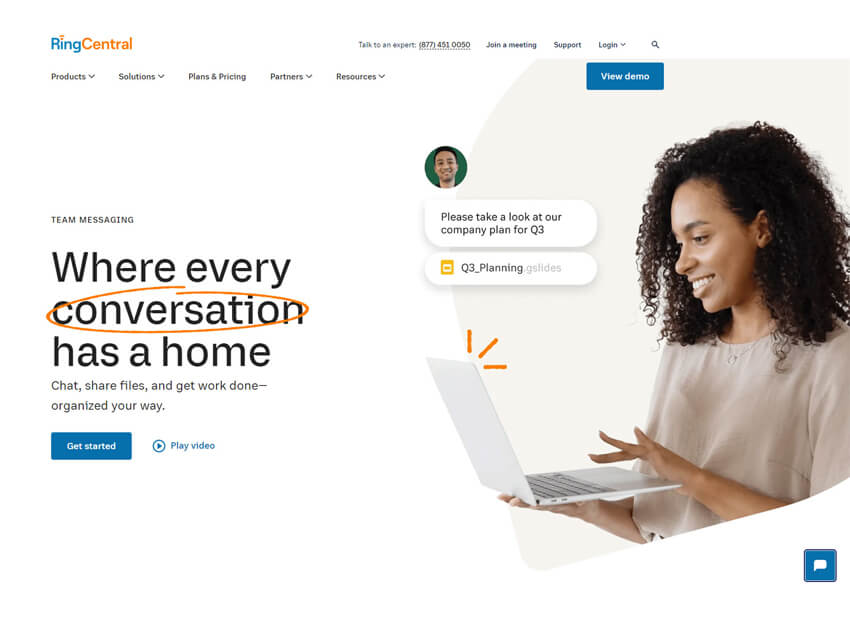
RingCentral is a unified communications platform offering messaging, video meetings, and cloud-based telephony. It is designed for organizations that require reliable business-grade calling alongside collaboration.
Pros
- Robust cloud phone system.
- Enterprise-grade reliability.
- Integrated messaging and meetings.
Cons
- Higher cost compared to chat-only tools.
- Feature-rich interface can feel complex.
Why did we choose this tool
- Strong replacement for traditional PBX systems.
- Suitable for customer-facing teams.
- All-in-one communications suite.
Pricing Plans
- No free basic version (free trial available).
- Premium pricing starts from: $20 per user/month.
12. GoTo Meeting

GoTo Meeting is a video conferencing and online meeting solution focused on reliability and simplicity. It is commonly used for structured meetings, webinars, and remote presentations.
Pros
- Stable video and audio performance.
- Easy meeting setup.
- Strong screen-sharing features.
Cons
- Limited team chat capabilities.
- Less suitable for ongoing conversations.
Why did we choose this tool
- Reliable alternative for video meetings.
- Well-suited for formal business calls.
- Minimal learning curve.
Pricing Plans
- No free basic version (free trial available).
- Premium pricing starts from: $14 per organizer/month.
13. ChatWork
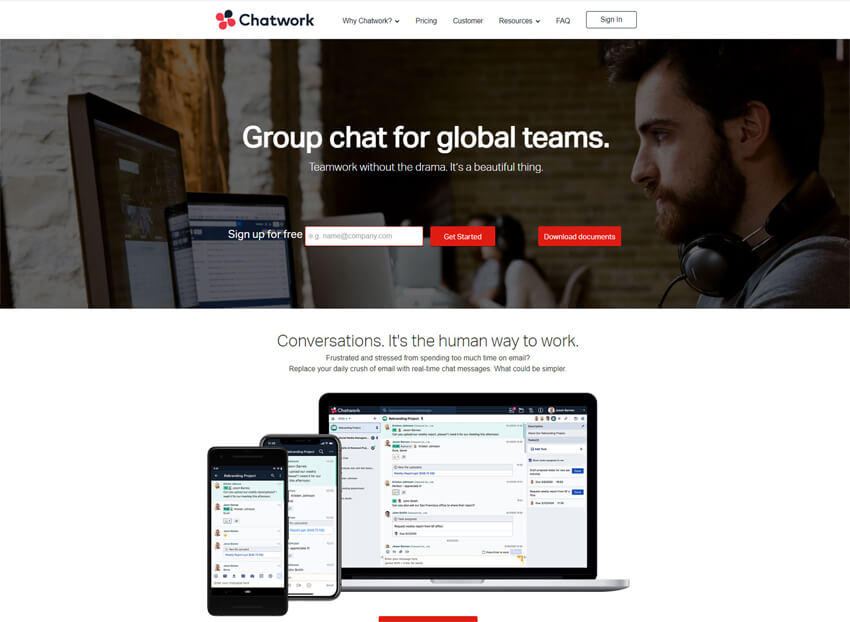
ChatWork, a cloud-based alternative app for Microsoft Teams, offers one-on-one & group messaging, file-sharing, video calling and task management through a single application with an appealing user interface. ChatWork targets less tech-savvy business professionals in the US market, who are looking for a simpler user interface and features.
We hope this article will help you consider alternatives to Teams, which may be a better fit for your needs.
Pros
- Simple and intuitive interface suitable for small businesses and teams.
- Offers built-in task management and file sharing features.
- Provides guest access for external collaborators and clients.
Cons
- Limited customization options and third-party integrations.
- May lack advanced features required by larger teams or enterprises.
- Performance issues and occasional downtime during peak usage periods.
Why did we choose this tool
- Combines chat, task management, and file sharing in one place.
- Easy-to-use platform ideal for small businesses.
- Offers video calling and meeting functionality.
Pricing Plans
- Basic version is free.
- Premium pricing starts from: $5.
14. Twist
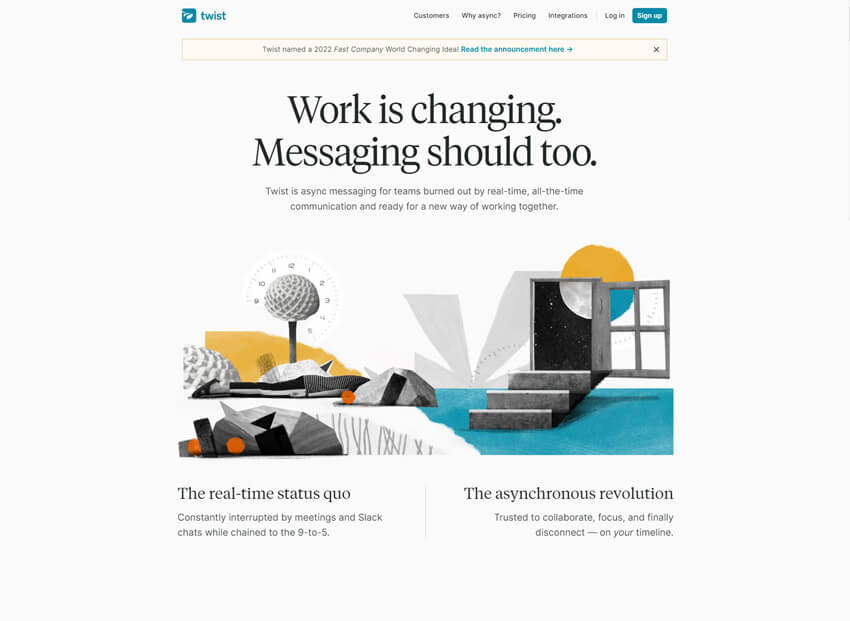
Twist is a team communication tool by Doist that emphasizes asynchronous, structured conversations over real-time chat. It is designed to reduce interruptions and help teams focus on thoughtful, organized discussions.
Pros
- Thread-based, distraction-free communication.
- Strong support for asynchronous work.
- Clean and minimal interface.
Cons
- Not ideal for urgent real-time discussions.
- Limited native video and calling features.
Why did we choose this tool
- Encourages deep, focused communication.
- Reduces chat overload and interruptions.
- Well-suited for distributed and remote teams.
Pricing Plans
- Basic version is free.
- Premium pricing starts from: $8 per user/month (billed annually).
15. Zulip

Zulip is a strong alternative app for Microsoft Teams. In comparison to its competitors, Zulip stands out for its streamlined approach to communication; message threads are grouped together in one window, saving users time by quickly scanning its contents or searching for keywords.
On top of that, Zulip is an open-source project, making its platform more flexible as developers can integrate it into existing business workflows. Ultimately, users decide whether or not Zulip is a suitable replacement for MS Teams; however, it stands out for its ability to reduce clutter and simplify communication within teams.
Pros
- Unique threaded conversation model enhances organization and context.
- Offers powerful search functionality for finding past conversations and files.
- Open-source platform with active community support and development.
Cons
- Learning curve for understanding threaded conversations.
- Limited integrations compared to more mainstream platforms.
- Interface may feel cluttered or overwhelming for some users.
Why did we choose this tool
- Organizes conversations into threaded topics.
- Open-source with customizable features.
- Supports asynchronous communication for teams working across different time zones.
Pricing Plans
- Basic version is free.
- Premium pricing starts from: $6.67.
How to choose the best Microsoft Teams alternative?

Selecting the optimal Microsoft Teams alternative requires careful consideration of various factors. Here’s a comprehensive guide to help you make the right choice:
- Identify Needs: Assess your team’s communication and collaboration requirements, including messaging, videos conferencing, file sharing, and integration.
- Ease of Use: Opt for an intuitive interface that ensures seamless adoption across your team, minimizing the learning curve and maximizing productivity.
- Feature Set: Prioritize alternatives offering essential features such as real-time messaging, video meetings, document collaboration, and third-party app integrations.
- Scalability: Choose a platform that can accommodate your team’s growth without compromising performance or incurring significant costs.
- Integration Compatibility: Ensure the alternative seamlessly integrates with your existing tools and software to enhance workflow efficiency.
- Customization: Consider platforms that allow customization to align with your team’s unique preferences and workflows.
- Security: Prioritize data privacy and security features, including encryption, compliance, and user access controls.
- Cost-Effectiveness: Evaluate pricing plans, factoring in both initial costs and potential future expenses as your team expands.
- User Support: Opt for alternatives with reliable customer support, including documentation, tutorials, and responsive assistance.
- Trial Period: Take advantage of free trials to assess the platform’s functionality, interface, and overall suitability for your team’s needs.
- User Feedback: Research user reviews and testimonials to gain insights into real-world experiences with the alternative.
- Long-Term Viability: Choose a solution from established providers or those with a strong growth trajectory to ensure continued support and updates.
- Migration Ease: Consider how straightforward it is to migrate your data and workflows from Microsoft Teams to the chosen alternative.
- Team Consensus: Involve team members in the decision-making process to ensure the chosen alternative aligns with their preferences and needs.
By thoroughly evaluating these factors, you can confidently select the best Microsoft Teams alternative that enhances your team’s communication, collaboration, and overall effectiveness.
Reasons why companies are looking for alternatives to Microsoft teams
- Instant messaging tools Like MS Teams promised to reduce emails by replacing them with chat for team communications. While it succeeded in reducing the number of emails, Teams users found themselves bombarded with needless chat notifications and stuck in endless group chats.
- Companies may find it very difficult to afford team collaboration software like MS Teams because it is expensive to own.
- Microsoft Teams supports a lot of integrations. But companies will have to pay extra for all the integrations.
- If everybody in the team is not tech-savvy, companies will need dedicated resources to help with all the integrations.
- Also, companies will have to train their employees to make use of all the features of the software.
- Since team members mostly use higher-level channels and not specific topics for discussions, context gets lost, and information gets buried.
- In order to avoid the stress that group chat creates, many team members resort to direct chat, which creates information silos and knowledge opacity.
Conclusion:
In a landscape of ever-evolving collaboration tools, bidding farewell to Microsoft Teams unveils a realm of exciting alternatives that redefine teamwork and communication. As we conclude our exploration in the blog, one solution stands out with unwavering promise: Clariti.
Clariti seamlessly weaves emails, chats, documents, and calls into a unified fabric of context-rich communication. This unique approach sidesteps the limitations of conventional channel-based systems, fostering a holistic environment where information flows effortlessly and productivity soars.
With Clariti, you bid adieu to communication chaos and usher in an era of streamlined interactions, enhanced collaboration, and comprehensive insights. As your team embarks on this journey of transition, Clariti emerges as a beacon of innovation, guiding you toward a future where communication is efficient, effective, and elevated.
Embrace Clariti as the definitive alternative and embark on a new chapter of seamless collaboration and empowered teamwork.
Author Bio
V.R. Vinod Kumar is Clariti’s Senior Manager – Digital Marketing, bringing over two decades of writing experience. He writes extensively on SaaS-driven collaboration tools, workplace efficiency, and team communication.
Frequently Asked Questions
Is there an alternative to MS Teams?
Clariti surpasses MS Teams with its central emphasis on context, integrating diverse communication elements for a complete and clear understanding, eliminating email forwards. Sign up for Clariti’s free service with your email for superior, flexible collaboration.
What is the best alternative to using a team?
Clariti outpaces Microsoft Teams with its revolutionary context-based communication. Offering a unified platform for email, chat, and file-sharing, Clariti stands as the optimal choice, providing organized workspaces that enhance collaboration and offer a comprehensive view of business operations.
Which app is better than MS Teams?
Clariti excels beyond Microsoft Teams, providing a versatile and comprehensive team communication app. With context-based communication, Clariti unifies emails and chats, ensuring a complete work picture, eliminating email forwards, and fostering flexible communication for streamlined collaboration—an ideal choice for maximizing productivity and minimizing communication barriers.
What is replacing Microsoft Teams?
Clariti’s rise as a Microsoft Teams alternative is fueled by its innovative communication streamlining. With comprehensive contextual communication, Clariti keeps users informed and organized, eliminating email forwards and simplifying shared inbox management—an agile and adaptive choice for businesses seeking an efficient, context-rich collaboration alternative.
What is the best alternative to Microsoft Teams?
Clariti emerges as the ultimate alternative to Microsoft Teams by offering a holistic approach to communication that integrates email, chat, and collaboration tools. Its unique contextual communication ensures a complete view of work-related discussions, eliminating the need for forwarding emails and promoting a more efficient and organized digital workspace.
What can I use instead of Microsoft Teams?
Employees should make the switch to Clariti over Microsoft Teams for a communication experience that places context at the forefront. Clariti’s contextual communication offers a holistic view of work, ensuring that teams have a complete understanding of their tasks and projects.
Is Clariti better than Microsoft Teams?
Yes, Clariti outshines Microsoft Teams by offering a communication platform that transcends mere messaging. It provides a comprehensive context that keeps users informed and organized in their work, making email forwards obsolete.
Is there a free alternative to Microsoft Teams?
Clariti, a superior and free alternative to Microsoft Teams, redefines team communication with context-based communication that offers a complete context for work discussions. This efficient and cost-effective platform eliminates the need for email forwards, making it the top choice for businesses valuing productivity without budget compromise.




Start for FREE with Personal CRM
We too hate spam! Your email is secure with us.

Spot secured. You're in.
You’re officially on the list for early access to Clariti.


No more switching tools.

No more lost context.

Just Clarity.
You’ll be among the first to experience it when we launch. We’ll let you know the moment it’s ready.

Keep an eye out for emails from @clariti.app.
(and check your spam folder just in case—whitelisting us helps ensure you don’t miss a thing).

