


Blog, Team Collaboration
30 best online collaboration tools for businesses in 2026 and expert guide to choose the best one
- By Vinod Kumar VR
- No Comments


- Published on
- 10 min read
As the way businesses work keeps changing, the need for simple and effective online collaboration tools has grown a lot. With remote and hybrid work now common, teams must work together smoothly, even when they are not in the same place. Strong collaboration helps teams stay connected, share ideas, and increase productivity while working toward common goals.
Online collaboration tools act as a collaboration platform for teams by giving them one shared space to work together. These tools allow people to communicate, share files, manage tasks, and collaborate in real time, no matter where they are located. For example, teams can edit documents together, similar to how they work in Google Docs, making teamwork faster and easier.
However, with so many tools available, picking the right collaboration platform for teams can feel confusing. The market for online collaboration software is growing quickly because more businesses want tools that are easy to use and help teams work better together. This growth shows how important these tools have become for daily business operations.
So, what is the best online collaboration tool for your business? The answer depends on your team’s size, goals, and work style. Still, one thing is clear: the best tools are simple, easy to learn, and designed to help teams work together without friction. A good tool should help teams share context, stay organized, and increase productivity without adding complexity.
In this guide, we have put together a list of 30 of the best online collaboration tools for businesses. From AI-powered platforms like Clariti to tools built for specific team needs, this guide gives a clear view of today’s collaboration options and how they support modern work.
Whether you run a small startup or a large organization, this blog will help you understand how the right collaboration platform for teams can improve teamwork, simplify daily work, and support long-term business growth in a digital-first world.
What are online collaboration tools?
Online collaboration tools are digital platforms that help people work together, share information, and communicate easily, even when they are in different locations. These tools often include features like document sharing, real-time editing, video calls, task tracking, and instant messaging. By giving teams one central place to work—similar to shared spaces like Google Docs—they help streamline workflows, reduce confusion, and increase productivity across teams. These tools are especially important when organizations need to coordinate large groups of people for structured communication and planning, similar to how industries use solutions such as mobile event apps for conferences to manage attendees, schedules, and engagement in real time.
Top 30 online collaboration tools for businesses
1. Clariti
Best online collaboration tool for context-based communication
Clariti stands out as a premier online collaboration software for businesses seeking to streamline their collaborative efforts. Powered by AI, Clariti’s unique approach to contextual communication sets it apart from traditional collaboration tools. By ensuring that every interaction is grounded in a specific context, the platform enables teams to maintain a seamless flow of information, eliminate redundancies, and make more informed decisions.
This contextual awareness not only boosts productivity but also fosters stronger alignment and cohesion among distributed teams. Moreover, Clariti’s centralized platform consolidates all communication, providing users with a comprehensive view of their collaborative activities. With its user-friendly interface and robust features for file sharing, voice calling, screen sharing, and real-time updates, Clariti empowers businesses to collaborate more efficiently, make faster progress on critical initiatives, and drive sustainable growth.
Pros
- Contextual communication for enhanced efficiency.
- Centralized platform for consolidated collaboration.
- AI-powered features for streamlined workflows.
Cons
- Learning curve for users who are new to hybrid conversations.
Why we choose this tool
- Unifies all communications, including emails and chats, in a single platform.
- Facilitates contextual collaboration with linked conversations.
- Simplifies workflows with integrated voice calls and calendar events.
Pricing
- Premium plans are available on request.
2. Bit.ai
Best Smart Documentation & Knowledge Sharing Collaboration Tool Online
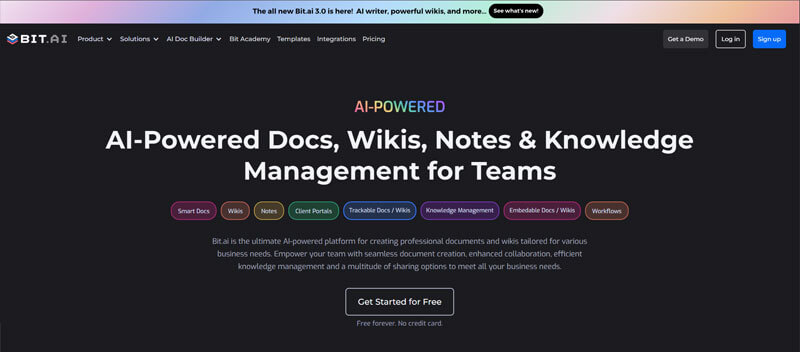
Bit.ai is an advanced document collaboration and knowledge management tool built specifically for intelligent teams and tech enthusiasts. Bit.ai enables you to create dynamic documents beyond plain text—adding videos, code snippets, charts, and more—all within a single source. With workspaces shared in common, wikis, and live editing, Bit.ai keeps teams in sync while keeping knowledge organized and discoverable.
Its intuitive interface makes it easy for anyone to brainstorm, create proposals, manage projects, or organize resources without overwhelming themselves. Bit AI Genius, its integrated AI assistant, also increases productivity by allowing you to summarize, generate, or manage content immediately. Whether you’re working independently on a side project or working with an entire team, Bit.ai revolutionizes the way you create, share, and manage information.
Pros
- Dynamic documents with rich media and embed support.
- Real-time collaboration and knowledge sharing in workspaces/wikis.
- AI-driven features for writing, summarization, and organization.
Cons
- New users may take some time to discover all the advanced features.
- Needs an internet connection for optimal experience.
Why we choose this tool
- Transforms static docs into interactive, living knowledge bases.
- Brings together collaboration, organization, and AI support in one platform.
- Ideal for individuals and teams seeking more innovative document solutions.
Pricing
- Bit.ai has a free plan.
- The paid plans cost as little as $8/month/user.
3. Trello
Best online collaboration tool for Visual Project Management

Trello is a visual online collaboration tool for project management that allows individuals and teams to organize tasks and projects using boards, lists, and cards. Each card represents a specific task or item, and users can move cards across lists to show progress. Trello features include a user-friendly interface for creating, assigning, and prioritizing tasks, attaching files, setting due dates, and adding labels.
It offers a visual overview of project workflows and tasks, making it easy to track progress and collaborate with team members. Trello’s flexibility and customization options allow users to adapt it for various purposes, from simple to complex project management, task tracking, and team coordination.
Pros
- Visually appealing and intuitive kanban-style boards.
- Extensive third-party app integration capabilities.
- Free plan available with robust functionality.
Cons
- May feel limited for complex project management needs.
- Customization options can be challenging for some users.
- Lacks advanced team communication features.
Why we choose this tool
- Intuitive kanban boards for visual task management.
- Flexible integrations with numerous productivity tools.
- Suitable for teams of all sizes, from startups to enterprises.
Pricing
- Basic version is free.
- Premium pricing starts from $5.
4. Nifty
A Multifunctional Online Collaboration Software
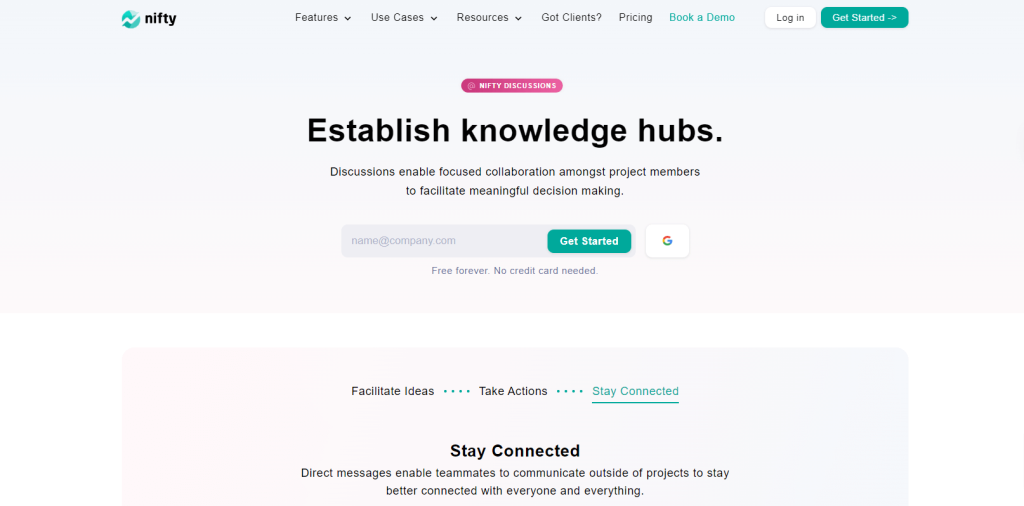
Nifty is a versatile online collaboration tool that simplifies managing projects and tasks, all in one intuitive platform. With its integrated roadmaps, tasks, chats, and document sharing, Nifty eliminates the chaos of juggling multiple apps. Teams can track progress, collaborate in real-time, and stay aligned effortlessly, making it an ideal solution for seamless project execution. Nifty’s user-friendly interface ensures that everyone from designers to project managers can contribute seamlessly to the project’s success. Whether it’s task management, setting deadlines, or sharing important updates, Nifty provides an all-in-one space that makes project execution smooth and efficient, helping teams stay on track and meet their objectives effortlessly.
Pros
- Combines project management and collaboration tools in one platform.
- Easy-to-use interface with powerful integrations (e.g., Slack, Google Drive).
- Real-time updates and progress tracking.
Cons
- Advanced features may require a learning curve for new users.
Why we choose this tool
- Combines project management and chat seamlessly.
- Offers timeline tracking for long-term planning.
- Supports team alignment with clear project goals.
Pricing
- Nifty has a free forever plan.
- Paid plans start from $3.9.
5. ProofHub
Best online collaboration tool for Organized Project Collaboration
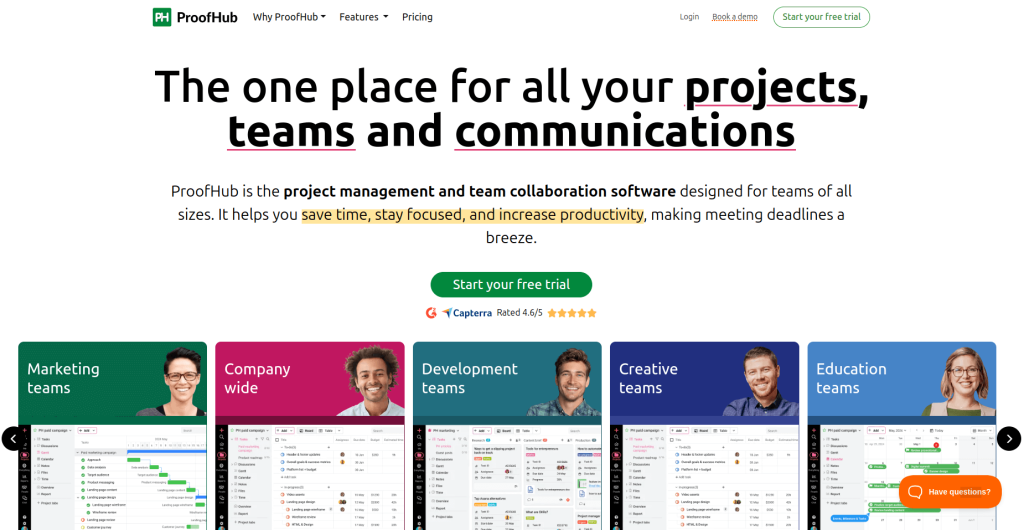
ProofHub is an online collaboration tool for project management for businesses. It helps teams to communicate and work together more efficiently. It provides a shared workspace where team members can share files, leave comments, and track progress on projects. ProofHub also offers a range of features to help with project management, including task lists, Kanban boards, and Gantt charts.
These tools make it easy for teams to plan and track their work, ensuring that deadlines are met, and tasks are completed correctly. In addition, ProofHub integrates with a number of popular productivity apps, making it even easier for teams to collaborate. As a result, ProofHub is an essential tool for any team that wants to work together more effectively.
Pros
- All-in-one project management and collaboration platform.
- Intuitive user interface and easy to navigate.
- Customizable branding and white-labeling options.
Cons
- Pricing may be on the higher end for some businesses.
- Limited free version features compared to competitors.
- May lack some advanced functionalities of enterprise tools.
Why we choose this tool
- Centralized platform for projects, discussions, and files.
- Simplifies collaboration with time tracking and task management.
- No per-user fee, making it cost-effective for teams.
Pricing
- Basic version starts from $45.
- Premium pricing starts from $89.
6. ClickUp
Best online collaboration tool for all-in-one project management
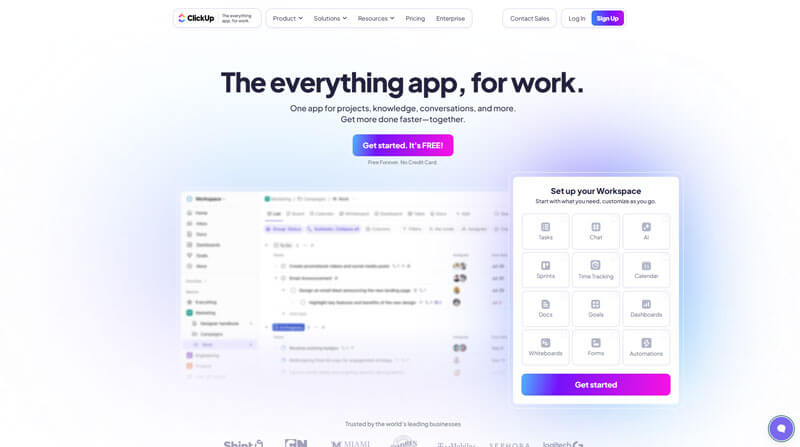
ClickUp is an all-in-one productivity and collaboration platform built to help teams stay aligned, organized, and efficient—no matter their size or industry. From project management and task tracking to document collaboration and in-app chat, ClickUp centralizes your work into a single, customizable workspace.
ClickUp also offers its AI-powered assistant, ClickUp Brain, that helps teams save time by generating summaries, drafting content, answering questions about your workspace, and automating repetitive tasks. Brain can be added to all paid plans to help users collaborate faster and smarter without having to leave the platform.
Pros
- All-in-one platform for tasks, docs, goals, and more.
- Built-in Chat feature for real-time team communication.
- Highly customizable workflows and views.
Cons
- Its large set of features can create a learning curve for some users.
- Limited Views on the mobile app.
- Limited access on the free plan.
Why we choose this tool
- Combines task management, documentation, chat, and goal tracking in one app.
- Eliminates the need for multiple collaboration tools.
- Scales well for individuals, startups, and large enterprises.
Pricing
- Free Forever.
Unlimited: $7/month/user.
Business: $12/month/user.
Enterprise: Contact for pricing.
ClickUp Brain is available on all paid plans for $7/user/month.
7. Basecamp
A team collaboration and project coordination tool

Basecamp is a team collaboration and project coordination platform that brings together messaging, file sharing, schedules, and to-dos in a unified workspace. It simplifies project oversight by giving teams a central place for all work discussions and shared resources.
Pros
- Simple and intuitive layout reduces complexity.
- Combines discussion, tasks, and files in one place.
- Flat pricing model supports large teams.
Cons
- Limited deep project planning features compared to full PM systems.
- Less configurable automation.
Why we chose this tool
- Strong option for straightforward team collaboration.
- Reduces app fragmentation for teams juggling multiple tools.
- Encourages team alignment through shared spaces.
Pricing
- Free plan available with limited features.
- Premium starts around $15/user/month (or flat unlimited-user pricing).
8. Flock
Best online collaboration tool for Efficient Team Communication

Flock is an online collaboration software that is designed to help teams communicate and work together more effectively. It offers a variety of features that are specifically tailored to the needs of modern workplaces, including messaging, video conferencing, and file sharing.
One of the key features of Flock is its messaging functionality. Users can communicate with individuals or groups in real-time using Flock’s instant messaging functionality. They can also create channels for specific projects or teams and can easily share files and links within the chat. This makes it easy for teams to stay connected and collaborate on projects in a centralized location.
Pros
- Clean and intuitive user interface.
- Affordable pricing options.
- Robust task management capabilities.
Cons
- Limited customization and branding options.
- May lack some advanced features found in larger competitors.
- Smaller user base compared to industry giants.
Why we choose this tool
- Designed for quick team communication and collaboration.
- Offers file sharing, video calls, and productivity integrations.
- User-friendly interface suitable for small and medium-sized teams.
Pricing
- Basic version is free.
- Premium pricing starts from $6.
9. RingCentral
Best online collaboration tool for Unified Business Communication
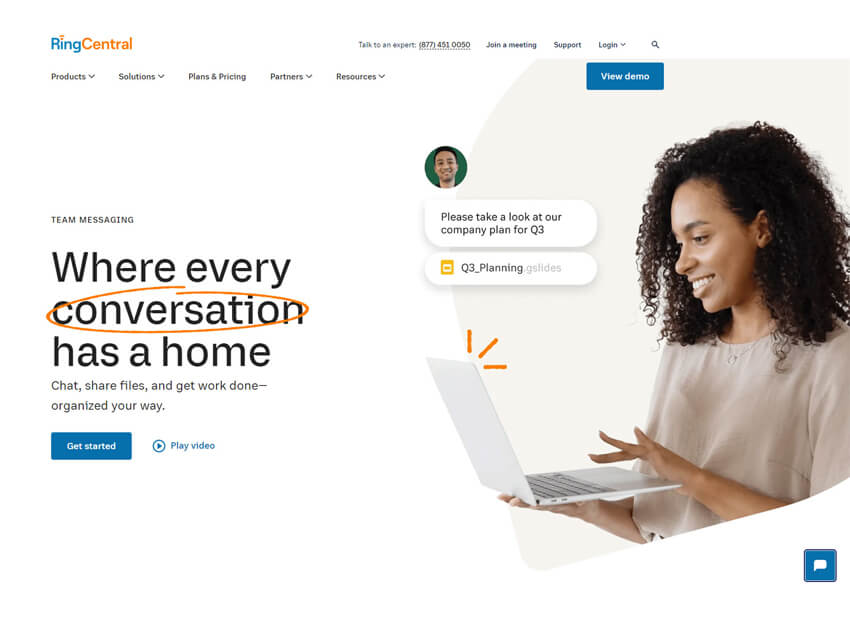
RingCentral is a valuable online collaboration tool for small businesses. It allows users to interact, coordinate and stay connected in any workplace environment. With its VoIP phone system capabilities, integrated messaging platform and video collaboration technology, RingCentral has the infrastructure to support teams in collaborating from any location.
Furthermore, its user-friendly interface and up-to-date privacy policies make it an ideal choice for businesses looking for a secure way to collaborate with customers, vendors or partners. Overall, RingCentral is an effective solution to streamline communications and facilitate collaboration between employees.
Pros
- All-in-one communication and collaboration platform.
- Scalable for businesses of all sizes.
- Integrates with various productivity tools.
Cons
- It can be expensive for smaller businesses.
- Steep learning curve for some users.
- May have feature overlap with other specialized tools.
Why we choose this tool
- Combines messaging, video, and phone in one app.
- Highly scalable for businesses of all sizes.
- Advanced admin controls for managing communication effectively.
Pricing
- Basic version starts from $20.
- Premium pricing starts from $25.
10. Front
Best online collaboration tool for Shared Team Inbox Management
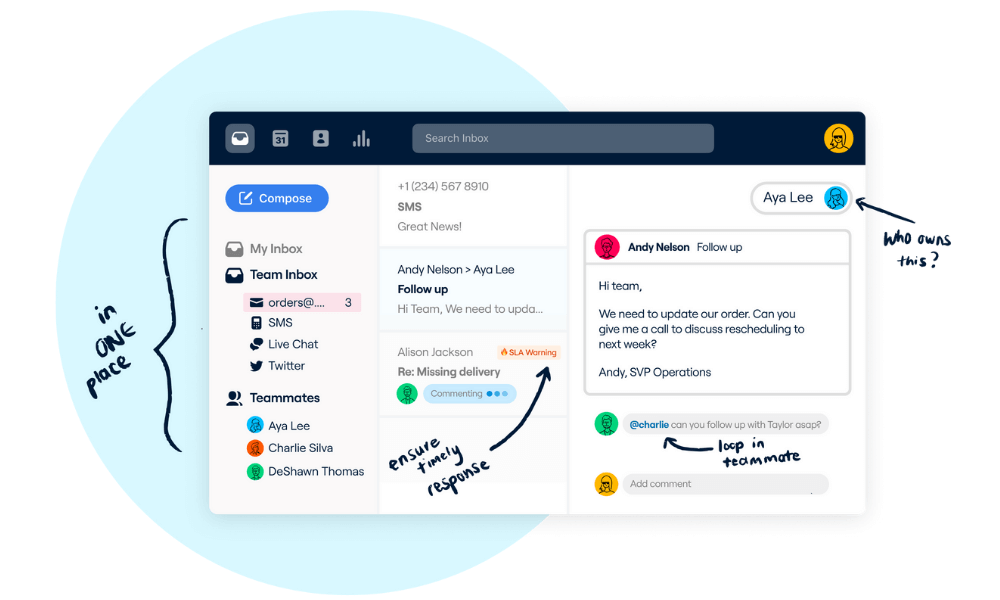
Front is a cloud-based online collaboration software for small and midsize businesses. Front is the premier channel to engage with customers on. It brings emails, apps and teammates into one place.
There is a universal inbox that all teammates can access, meaning context is never lost. Front also makes it easy to manage the workflow of your whole team.
Pros
- Unique shared inbox for team collaboration.
- Powerful automation and workflow features.
- Excellent customer service and support.
Cons
- Steeper learning curve for some users.
- Can be more expensive compared to alternatives.
- Limited customization options.
Why we choose this tool
- Centralized inbox for team email collaboration.
- Provides detailed analytics for email efficiency.
- Focused on improving customer communication and responses.
Pricing
- Basic version starts from $19.
- Premium pricing starts from $59.
11. Box
Best online collaboration tool for Secure File Sharing and Collaboration
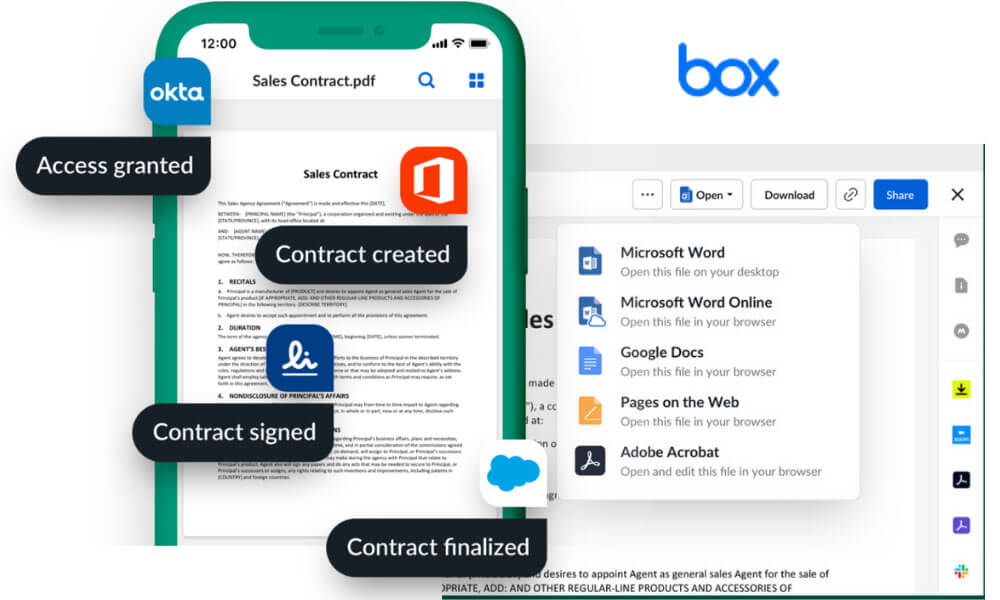
Box online collaboration tool for cloud content management and file sharing. It allows you to collaborate with users wherever they are and from whatever device they are using. Box offers premium security for its users making it a trustworthy platform to store your work. On Box, you can seamlessly integrate countless apps that are used for productivity and work management making it easy to work with.
Pros
- Robust cloud storage and file sharing capabilities.
- Seamless integration with various productivity tools.
- Enterprise-grade security and compliance features.
Cons
- Can be more expensive for larger storage needs.
- Limited collaboration features beyond file sharing.
- May feel limited for teams seeking a more comprehensive platform.
Why we choose this tool
- Secure cloud storage with advanced collaboration features.
- Integrates well with major productivity tools like Google Workspace.
- Offers granular control over file access and sharing.
Pricing
- Basic plan starts at $5/user/month.
- Premium plans start at $10/user/month.
12. Evernote
Best online collaboration tool for Organized Notetaking and Sharing
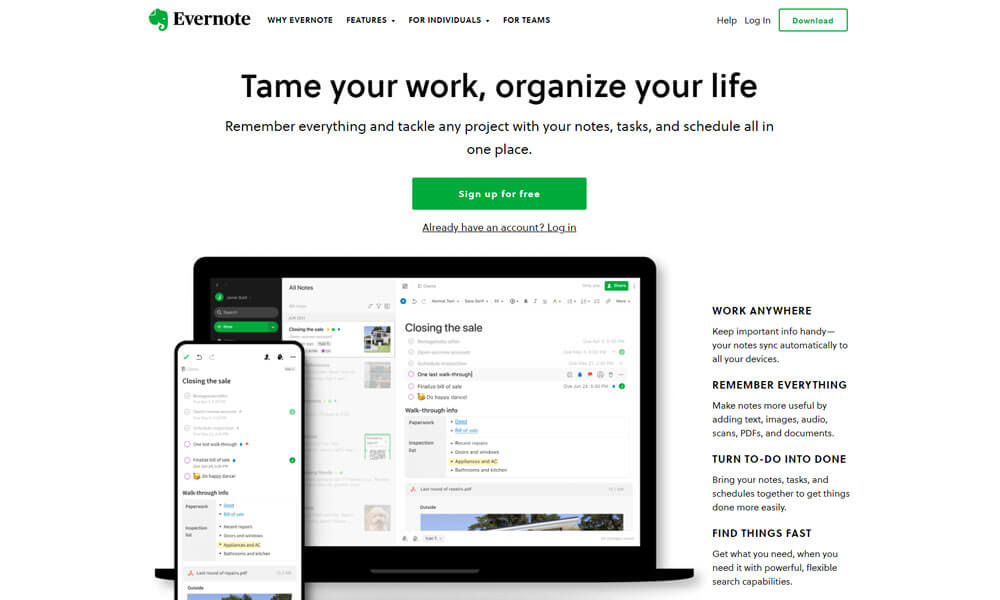
Evernote is a versatile online collaboration tool for note-taking. It is widely used across various domains, such as personal and professional settings, to capture, store, and manage notes, web clippings, images, and audio recordings.
Evernote enables users to create and categorize notes using tags, notebooks, and a robust search function, making it efficient for task management, idea storage, research, and collaborative projects. Its cross-device synchronization ensures seamless access to information, promoting productivity and knowledge retention for individuals, teams, and businesses alike.
Pros
- Intuitive note-taking and organization features.
- Cross-platform availability and sync.
- Extensive third-party app integrations.
Cons
- Free version has limited functionalities.
- May not be the best fit for complex team collaboration.
Why we choose this tool
- Centralized platform for note-taking and organizing ideas.
- Powerful search capabilities, including text in images.
- Cross-device syncing ensures accessibility anytime.
Pricing
- The basic version is free.
- Premium pricing starts from $7.50
13. OneNote
Best online collaboration tool for Collaborative Note Management
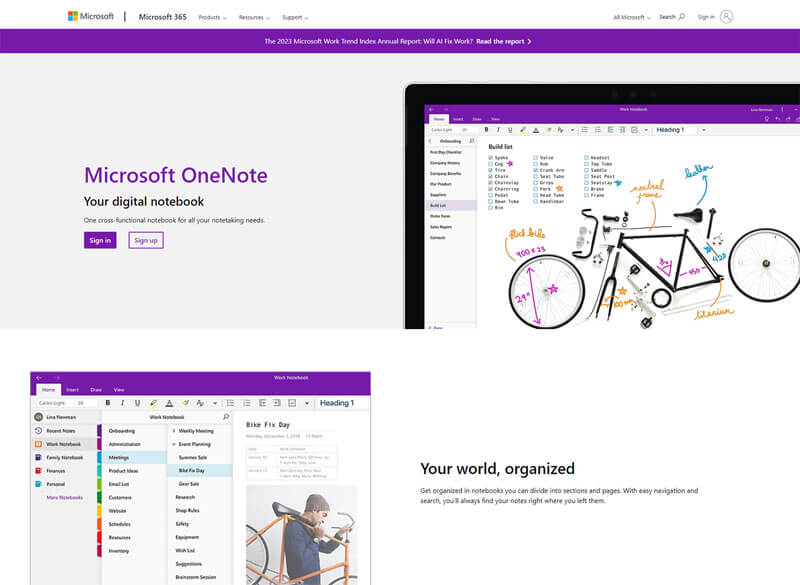
OneNote is a digital note-taking platform developed by Microsoft, designed to create and organize a wide range of notes and information. It is extensively utilized across personal, educational, and professional settings. OneNote offers virtual notebooks with sections and pages, facilitating users in jotting down notes, sketches, attaching files, and collaborating in real time. It seamlessly integrates with other Microsoft applications, enhancing productivity and knowledge management.
Whether for students taking class notes, professionals organizing project details, or teams collaborating on ideas, OneNote serves as a versatile tool for capturing and sharing information across various contexts.
Pros
- Powerful digital note-taking capabilities.
- Seamless integration with Microsoft 365 ecosystem.
- Allows for real-time collaboration on notes.
Cons
- Limited standalone functionality outside of Microsoft 365.
- May feel complex for users seeking a simpler note-taking experience.
- Requires a Microsoft account for full functionality.
Why we choose this tool
- Seamless integration with Microsoft 365 suite.
- Freeform organization with unlimited notebooks and sections.
- Collaborative features for shared note-taking in real time.
Pricing
- The basic version is free.
- Premium pricing starts from $6.
14. Quip
Online collaboration tool for Collaborative Document Creation

Quip is one of the best online collaboration software for document creation with built-in office suite functionality, including word processing, spreadsheet and presentation software. Teams can collaborate on documents, spreadsheets along with chatting within the software. It facilitates mess-free collaboration and propels work within a team.
Quip also has multiple document templates that give you a head start on your work. This online collaboration tool is perfect for sales and service teams.
Pros
- Intuitive and user-friendly interface.
- Robust document collaboration features.
- Excellent version control and history tracking.
Cons
- Pricing can be perceived as high for smaller businesses.
- May lack some advanced features found in enterprise-level tools.
- Limited third-party app integrations.
Why we choose this tool
- Combines documents, spreadsheets, and chat on one platform.
- Perfect for team collaboration with live editing and comments.
- Integrates with Salesforce for enhanced productivity.
Pricing
- Basic version starts from $10.
- Premium pricing starts from $25.
15. Notion
A flexible collaboration tool used for shared documents
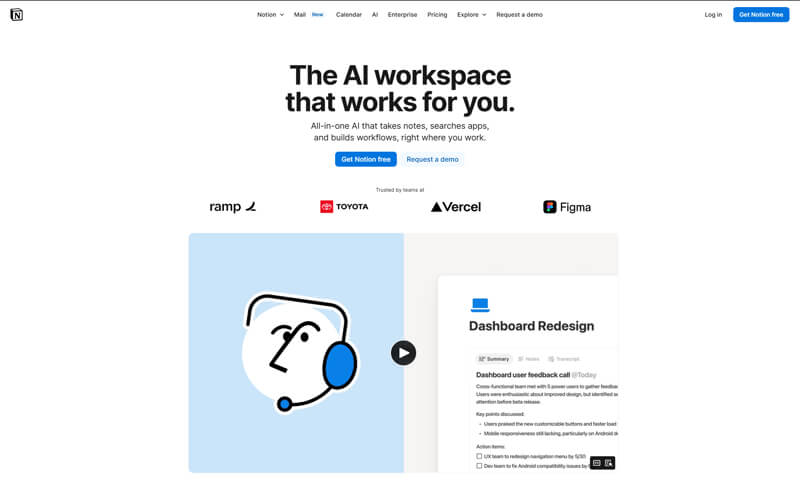
Notion is a flexible collaboration tool that combines notes, documents, task lists, and knowledge databases. It allows teams to create shared workspaces for documentation, planning, and structured collaboration.
Pros
- Flexible templates and relational databases.
- Combines documentation with lightweight task tracking.
- Real-time editing and shared content access.
Cons
- Overwhelming setup options for some teams.
- Limited native automation on basic plans.
Why we chose this tool
- Useful for shared knowledge and documentation.
- Blends notes and planning without multiple tools.
- Supports both structured and free-form team workspaces.
Pricing
- Free plan available.
- Paid plans start at approximately $8/user/month.
16. TeamViewer
Best online collaboration tool for Remote Team Collaboration
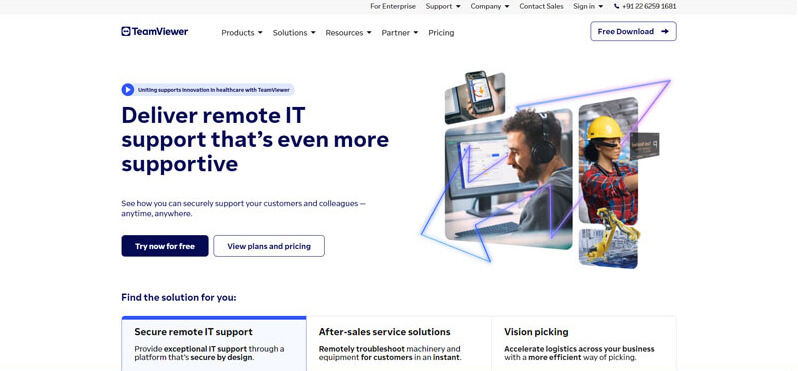
TeamViewer stands out as one of the best online collaboration tools for screen sharing due to its powerful and versatile capabilities that cater to a wide range of user needs. It provides seamless remote access and screen sharing, enabling users to connect and collaborate across different devices and platforms.
TeamViewer’s intuitive interface and easy setup make it accessible even for non-technical users, facilitating effortless screen sharing and remote support.
One of TeamViewer’s key strengths is its robust security features. It employs end-to-end encryption and two-factor authentication to ensure that shared content remains confidential and protected from unauthorized access. Additionally, TeamViewer offers a comprehensive set of management and monitoring tools, allowing administrators to control access, track sessions, and manage devices efficiently.
Pros
- Secure remote access and support capabilities.
- Seamless cross-platform compatibility.
- Extensive integrations with various tools.
Cons
- Pricing can be high for smaller businesses.
- May feel limited for comprehensive team collaboration.
- User experience can be complex for non-technical users.
Why we choose this tool
- Remote access and support tool with high-security standards.
- Works across multiple platforms, including mobile devices.
- Ideal for IT support and team collaboration.
Pricing
- Basic pricing starts from $24.90.
- Premium pricing starts from $50.90.
17. Stashcat
Best online collaboration tool for Secure Messaging and Collaboration
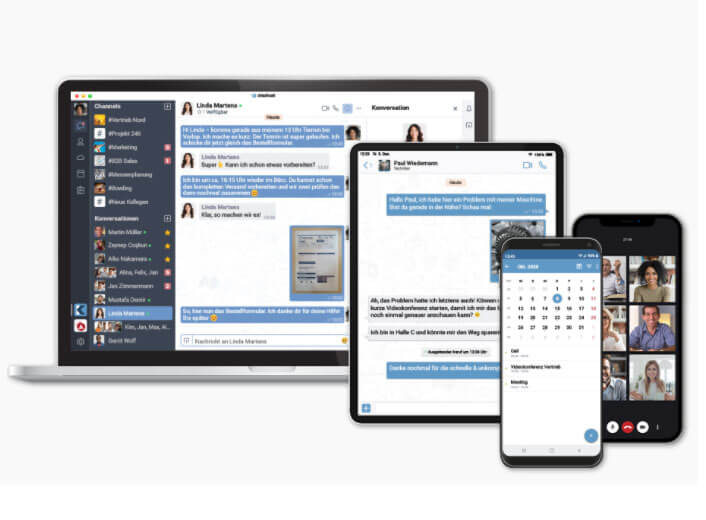
Stashcat is an online collaboration tool for small businesses. You can create a channel for individual departments, teams, or the entire organization, even if there are 50,000 or more participants. Administrators retain control over all communication via read and write rights.
Using Stashcat you can exchange ideas with one another in individual or group conversations. Conversations allow two to ten people to talk to, are always end-to-end encrypted and allow all types of data to be shared.
With Stashcat, each user has their own file repository in which files can be stored, accessed and used at any time. In addition to this personal file storage, each conversation and each channel has its own storage for shared files. Each file repository offers the option of creating folders to organize your files perfectly. Stashcat’s video conferences allow up to 75 people to exchange ideas in a closed, virtual room.
Pros
- Emphasis on data privacy and security.
- Integrates with various productivity apps.
- Customizable branding and interface.
Cons
- Limited free version features.
- May lack some advanced collaboration tools.
- Less well-known compared to larger competitors.
Why we choose this tool
- Encrypted communication for high-security environments.
- Combines messaging, file sharing, and team management tools.
- Tailored for schools, governments, and sensitive industries.
Pricing
- Free trial available.
- Pricing on request.
18. Pronto
Best online collaboration tool for Real-Time Team Communication

Pronto is a free online collaboration tool that includes instant messaging, and it covers the entire organization from top to bottom. It allows its users to send and receive critical organization and keeps everyone on the same page. Using Pronto you can share any file type—documents, spreadsheets, slideshows, photos, videos, and more. Pronto integrates with all reputable cloud storage repositories, including Dropbox, OneDrive, iCloud, and GoogleDrive.
Using Pronto you can create reminders for yourself or others in your groups—attach files, photos, or videos and assign due dates with auto-reminders for each task.
Using Pronto you can chat via live video with up to 20 participants all streaming video, or up to 400 participants observing. Pronto Meetings allows participants to join via video or audio-only, record the session, change views, share files or your screen.
Pros
- Intuitive and user-friendly interface.
- Affordable pricing options.
- Robust team communication features.
Cons
- Limited customization and branding options.
- May lack some advanced collaboration capabilities.
- Smaller user base compared to industry leaders.
Why we choose this tool
- Real-time chat and messaging designed for instant communication.
- Simple interface with features like file sharing and video calling.
- Focused on creating connected and collaborative teams.
Pricing
- Starter $3/user/month.
- Premium $4/user/month.
19. Element
Best online collaboration tool for Secure and Decentralized Messaging
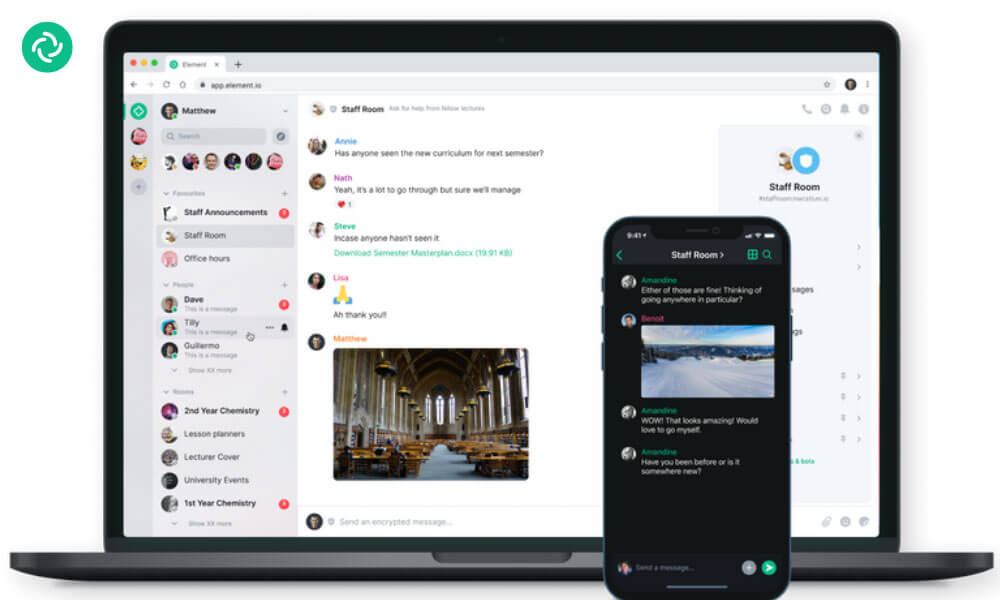
Element.io, also known as Element or Riot.im, is an open-source online collaboration software that offers secure messaging, file sharing, voice and video calls, and more. It is built on the Matrix protocol, which is designed to provide decentralized and interoperable communication services.
Element.io provides a platform for teams, organizations, and communities to communicate and collaborate in a secure and privacy-focused manner. It offers features like end-to-end encryption for messages, voice, and video calls, ensuring that user data remains confidential. Users can create public or private rooms for discussions, share files, and collaborate on documents in real-time.
Pros
- Open-source and privacy-focused.
- Customizable and self-hostable.
- Integrates with various communication tools.
Cons
- Steeper learning curve for non-technical users.
- May lack some features found in mainstream collaboration platforms.
- Smaller user community compared to larger alternatives.
Why we choose this tool
- Open-source communication tool with end-to-end encryption.
- Highly customizable for enterprise or personal use.
- Suitable for decentralized and secure collaboration.
Pricing
- Basic version is free.
- Premium pricing starts from $5.
20. Troop Messenger
Best online collaboration tool for Quick and Secure Team Messaging

Troop Messenger is an online collaboration software that enables businesses and teams to communicate, collaborate, and share files securely in real-time. It offers features such as group chats, audio and video calls, screen sharing, and file sharing, which makes it a one-stop solution for all team communication needs.
With Troop Messenger, teams can create different groups for different projects or departments, and members can easily join or leave groups based on their needs. It also allows team members to communicate with each other privately through one-on-one chats.
Troop Messenger is available on desktop and mobile devices, making it accessible to users from anywhere and at any time. It also offers end-to-end encryption, which ensures that all communication and data shared on the platform is secure and private.
Pros
- Affordable pricing for small to medium-sized teams.
- Comprehensive team communication and collaboration features.
- Intuitive mobile app experience.
Cons
- Limited customization and branding options.
- May lack some advanced functionality of enterprise-level tools.
- Smaller user base compared to industry giants.
Why we choose this tool
- Unified communication platform for messaging, calls, and file sharing.
- Offers secure communication features for sensitive business needs.
- Affordable pricing for small and medium-sized teams.
Pricing
- Basic version is free.
- Premium pricing starts from $10.99.
21. Discord
Best online collaboration tool for Community Engagement and Communication

Discord is an online collaboration tool that is primarily designed for gamers, but it has expanded to become a popular tool for communities of all kinds. It allows users to create and join servers, which are essentially virtual spaces where people can communicate with each other via text, voice, and video.
Discord offers a variety of features, including group chats, voice and video calls, screen sharing, and file sharing. It also has a customizable user interface, which allows users to personalize their experience with themes, emojis, and plugins.
One of the main features of Discord is its ability to create and join servers, which are essentially chat rooms that can be organized by topic, game, or interest. Users can create their own servers or join existing ones, and they can also be set to public or private.
Pros
- Excellent voice and text communication features.
- Highly customizable and community-driven.
- Free plan available with robust functionality.
Cons
- May not be the most intuitive for business use cases.
- Limited native collaboration and productivity tools.
- Perceived as primarily for gaming communities.
Why we choose this tool
- Originally built for gamers, now widely used for team collaboration.
- Voice, video, and text chat features in one platform.
- Customizable servers to suit diverse community or team needs.
Pricing
- Basic version starts from $2.99.
- Premium pricing starts from $9.99.
22. PimentaCHAT
Best online collaboration tool for Simplified Team Communication

pimentaCHAT is an online collaboration software for small businesses, universities, associations and churches. pimentaCHAT lets you make a video or audio call to more than 50 people at the same time. It is a central platform for cooperation. It doesn’t matter what kind of work you want to do.
PimentaCHAT lets you reduce emails by including relevant participants with the @username mentioned to notify them immediately. pimentaLIVE lets you make video or audio calls with screen sharing for more efficient teamwork.
Pros
- Emphasis on data privacy and security.
- Integrates with various productivity apps.
- Customizable branding and interface.
Cons
- Limited free version features.
- May lack some advanced collaboration tools.
- Less well-known compared to larger competitors.
Why we choose this tool
- Secure, open-source communication for team collaboration.
- Features include messaging, file sharing, and video calls.
- Customizable and scalable for different business needs.
Pricing
- Bronze: €9.99/user/month.
- Silver: €14.99/user/month.
23. Google Chat
Best online collaboration tool for G Suite Integrated Communication

Google Chat is an online collaboration tool that helps teams to work together by providing a platform for messaging, video conferencing, and file sharing. It also has features that allow users to collaborate on projects, such as setting up brainstorming sessions and creating joint documents.
Google Chat is a valuable tool for businesses that need to improve their online collaboration and communication. It helps teams to work more efficiently and can be used to resolve issues quickly. By using Google Chat, businesses can improve their productivity and profitability.
Pros
- Seamless integration with G Suite ecosystem.
- Intuitive and user-friendly interface.
- Affordable pricing options.
Cons
- Limited functionality beyond basic messaging.
- May lack advanced collaboration features.
- Perceived as more consumer-oriented.
Why we choose this tool
- Seamlessly integrates with Google Workspace apps.
- Supports direct messaging and team channels.
- Ideal for real-time collaboration and task management.
Pricing
- Basic version starts from $6.
- Premium pricing starts from $12.
24. Wrike
Best work management and collaboration platform

Wrike is a collaborative work management platform that helps teams plan and execute projects with real-time dashboards, timelines, and task workflows. It supports cross-team coordination and adapts to diverse work styles.
Pros
- Highly customizable workflows and dashboards.
- Strong reporting and project performance visibility.
- Real-time updates and team notifications.
Cons
- Can be complex for new or small teams.
- Advanced features may require higher-tier plans.
Why we chose this tool
- Excellent for cross-team planning and execution.
- Provides transparency into team workloads and progress.
- Scales from simple tasks to complex program management.
Pricing
- Free plan available for small teams.
- Paid plans start at approximately $9.80/user/month.
25. Monday.com
Best visual work collaboration platform
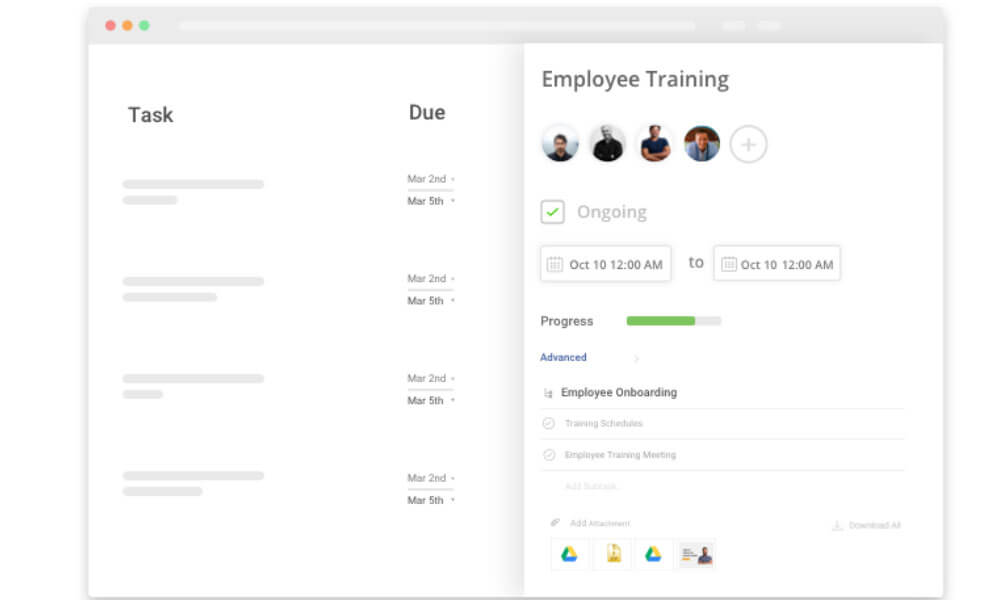
Monday.com is a visual work collaboration platform that helps teams plan, track, and deliver work with customizable boards, timelines, and automation. It supports team communication alongside workflow management.
Pros
- Highly visual interface for task progress and timelines.
- Strong automation and integrations.
- Easy customization for varied team needs.
Cons
- Cost can increase significantly with more users.
- Free tier limited to basic users.
Why we chose this tool
- Supports hybrid teams with clear workflow visualization.
- Balances project management and collaboration features.
- Enhances team focus with programmable alerts and views.
Pricing
- Free plan available for up to 2 seats.
- Premium plans start at approximately $9/user/month.
26. Zoho Cliq
Best business messaging and collaboration tool

Zoho Cliq is a business messaging and collaboration tool that brings team communication into organized channels and direct chats. It supports file sharing, searchable history, and integrations with other business applications.
Pros
- Structured channels and threaded communication.
- Searchable message history for easy recall.
- Integrates well with broader business app ecosystems.
Cons
- Collaboration features not as deep as full project tools.
- Best value often when used with other suite tools.
Why We Chose This Tool
- Strong team messaging focus for real-time communication.
- Lightweight and easy to adopt for hybrid teams.
- Useful as a communication hub within business workflows.
Pricing
- Free plan available.
- Premium plans start at approximately $3/user/month.
27. Todo.vu
Best online collaboration tool for integrated task management
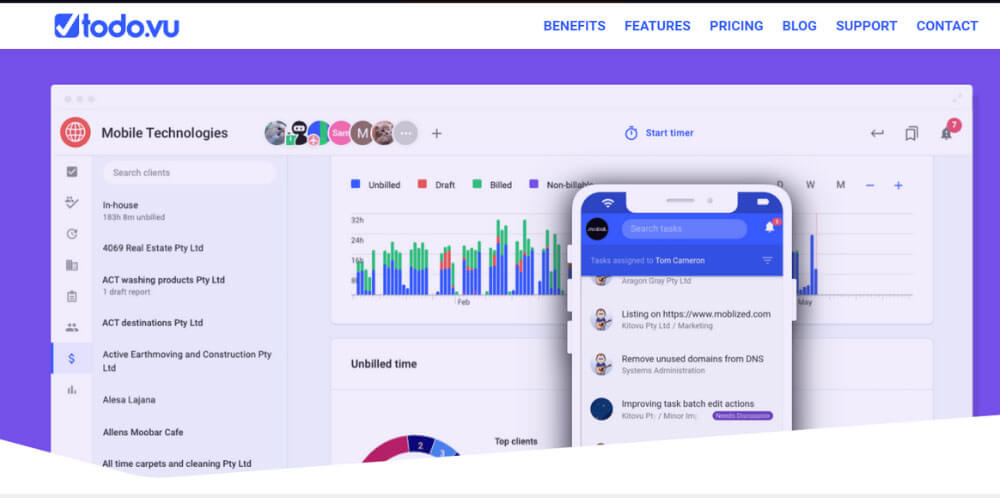
Todo.vu is an online collaboration software for project management. It is designed to help individuals and teams manage tasks, projects, and client interactions.
Todo.vu offers features such as task tracking, time management, client communication, and project organization, making it a suitable tool for coordinating and overseeing various aspects of project management and collaboration.
Pros
- Intuitive task management and project planning.
- Affordable pricing options for small to medium-sized teams.
- Integrates with various productivity tools.
Cons
- Limited customization and branding options.
- May lack some advanced collaboration and reporting features.
- Smaller user base compared to larger competitors.
Why we choose this tool
- Combines task management with time tracking for freelancers and teams.
- Minimalistic interface focusing on productivity and efficiency.
- Affordable pricing with pay-per-user flexibility.
Pricing
- Basic version is free.
- Premium pricing starts from $9.
28. Collaboard
Best online collaboration tool for Visual Collaboration and Brainstorming
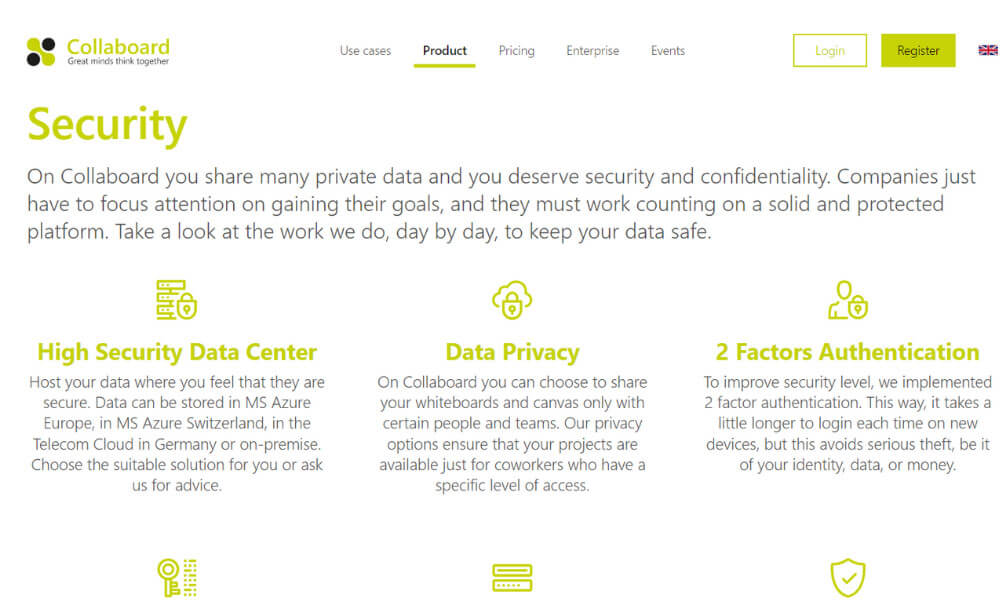
Collaboard is a visual online collaboration tool that allows users to create mind-maps, diagrams and notes for projects. Collaboard has features like notes making and editing which allows users to exchange ideas with ease and efficiency. There are various tiers to the product, with advanced features that users can subscribe to.
Pros
- Visually engaging and interactive collaboration canvas.
- Supports real-time co-editing and ideation.
- Integrates with a wide range of productivity apps.
Cons
- May feel overwhelming for users seeking a more structured approach.
- Limited offline or mobile functionality compared to some alternatives.
Why we choose this tool
- Online whiteboard for brainstorming, sketching, and collaboration.
- Enables real-time co-creation with unlimited participants.
- Perfect for remote workshops and idea visualization.
Pricing
- Basic version is free.
- Premium pricing starts from $10.
29. Miro
Best online collaboration tool for Digital Whiteboarding and Flowcharts
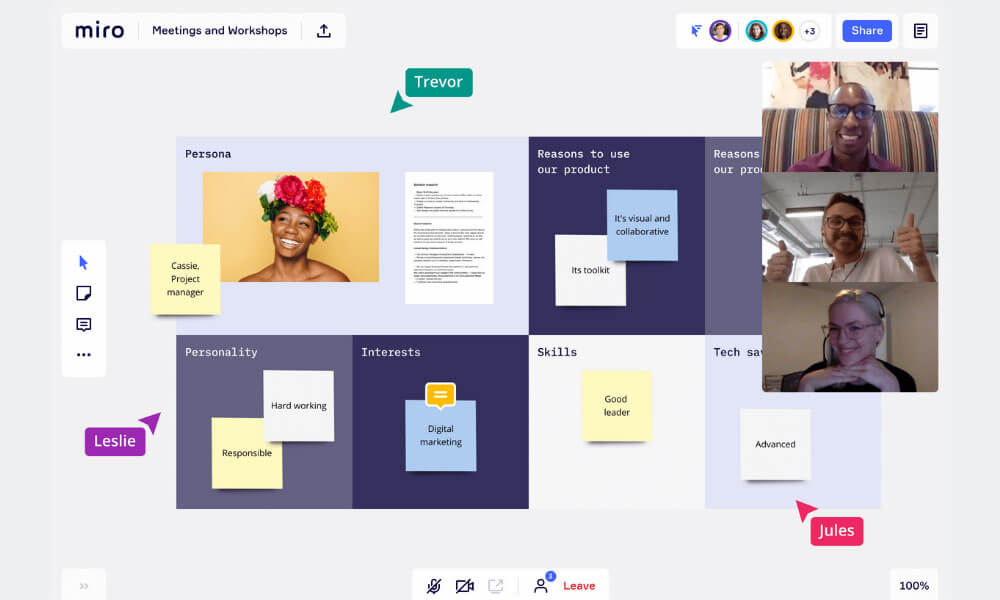
Miro is one of the best online collaboration tools for virtual whiteboarding. Miro provides a collaborative online canvas where teams can brainstorm, ideate, and work together in real-time, no matter their physical location.
The platform offers a wide range of customizable templates and tools, enabling teams to create various diagrams, mind maps, flowcharts, and more. With Miro’s drag-and-drop functionality, users can easily add and arrange elements on the virtual whiteboard, promoting seamless collaboration.
Miro also integrates with popular productivity and project management tools, allowing teams to centralize their work and enhance workflow efficiency. Additionally, Miro’s real-time editing and commenting features make it easy for team members to provide input and feedback on ideas and projects.
Pros
- Highly versatile and visually engaging whiteboard tool.
- Extensive collaboration and ideation features.
- Integrates with a wide range of productivity apps.
Cons
- Steep learning curve for some users.
- Pricing can be perceived as high for smaller teams.
- May lack advanced project management capabilities for complex workflows.
Why we choose this tool
- Versatile platform for visual collaboration and planning.
- Offers templates for brainstorming, agile workflows, and more.
- Integrates with major tools like Slack, Jira, and Asana.
Pricing
- Basic version is free.
- Premium pricing starts from $8.
30. InVision
Best online collaboration tool for Seamless Design Collaboration
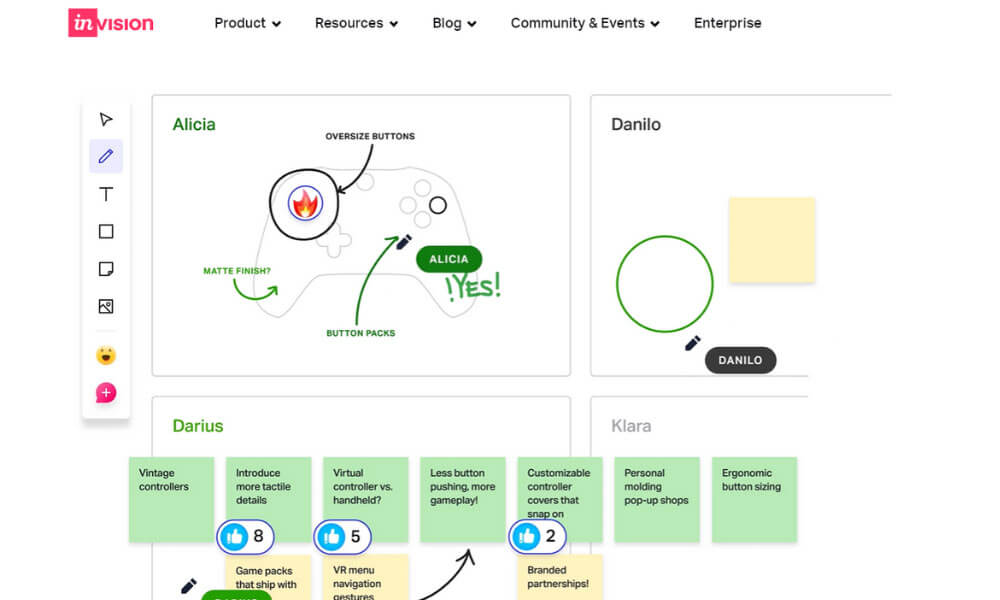
InVision is an online collaboration tool for powerful prototyping. It is used in the design and development of digital products. It allows designers to create interactive and animated prototypes of websites and mobile apps, enabling teams to visualize user experiences and workflows before actual development.
InVision’s real-time collaboration features facilitate seamless communication among designers, developers, and stakeholders, enhancing the design review and feedback process. Its integration capabilities with design tools and project management platforms make it a valuable asset in modern design workflows. Overall, InVision plays a crucial role in ensuring the alignment of design vision, improving user experiences, and expediting the development of digital products.
Pros
- Powerful prototyping and design collaboration features.
- Seamless integration with design tools like Sketch and Figma.
- Comprehensive version control and feedback mechanisms.
Cons
- Primarily focused on design-centric collaboration.
- Pricing can be high, especially for smaller teams.
- May feel limited for broader business collaboration needs.
Why we choose this tool
- Ideal for designing and prototyping digital products.
- Collaborative features for feedback and live editing.
- Popular among design teams for streamlined workflows.
Pricing
- Basic version is free.
- Premium pricing starts from $7.95.
How to choose the best collaboration tools?
When you choose the best online collaboration tools, check the needs and preferences of the end users and how these tools will impact their daily work.
- User-Centered Design: Prioritize tools with an intuitive and user-friendly interface. Tools should be easy to navigate and require minimal training.
- Functionality: Identify tools that align with specific tasks and projects users frequently engage in. Tools should enhance their work, not complicate it.
- Integration: Choose tools that seamlessly integrate with their existing workflow and software applications. This reduces duplication of effort and streamlines processes.
- Mobile Compatibility: Ensure the tool offers mobile apps that allow users to collaborate from any device, enabling flexible work arrangements.
- Customization: Look for tools that allow users to tailor the interface and settings to suit their preferences and needs.
- Real-Time Collaboration: Prioritize tools that support real-time editing and updates, fostering efficient teamwork.
- Communication Channels: Tools should offer a variety of communication channels, including chat, video conferencing, and document comments, to cater to different communication styles.
- File Sharing and Storage: Opt for tools that provide ample storage space for files and enable easy sharing with both internal and external parties.
- Task Management: Choose tools that help users track tasks, set deadlines, and manage projects effectively.
- Collaborative Editing: Tools should allow multiple users to edit documents simultaneously, facilitating co-authoring and saving time.
- Notification Settings: Users should have control over notifications to avoid information overload and maintain focus.
- Search and Retrieval: Look for tools with robust search features that make it easy to find documents, conversations, and information quickly.
- Security: Prioritize tools with strong security measures to protect sensitive data and confidential information.
- User Support: Select tools that offer comprehensive user support, including tutorials, FAQs, and responsive customer service.
- Feedback Mechanism: Tools should provide a way for users to offer feedback, suggest improvements, and report issues.
- User Training: Ensure the chosen tool provides training resources to help users make the most of its features.
- Community and User Base: A strong user community often indicates a tool’s popularity and helpful resources for troubleshooting.
- Scalability: If users foresee the tool being used for larger projects or expanding teams, choose tools that can accommodate growth.
- Data Backup and Recovery: Tools should have measures in place to prevent data loss and provide reliable backup options.
- Collaboration Culture: Evaluate if the tool aligns with the organization’s collaboration culture and promotes teamwork.
- User Experience: Consider user reviews and ratings to gauge overall user satisfaction and the tool’s practicality.
- Trial Period: Whenever possible, offer users a trial period to explore the tool’s features and gauge its fit for their needs.
By involving end users in the decision-making process and considering their preferences and requirements, organizations can choose online collaboration tools that enhance productivity, streamline communication, and improve overall work satisfaction.
Top 10 Essential features of collaboration software and how Clariti nails them all
1. Unified Communication
Clariti’s AI-powered approach to unified communication is a game-changer for organizations seeking to streamline their information flows and foster a more cohesive work environment. By consolidating emails, chats, documents, and calendar events into a single, context-driven hybrid Conversations, Clariti eliminates the need for users to toggle between multiple applications, enabling them to access all relevant information and communicate seamlessly from a centralized hub.
Crucially, Clariti’s machine learning algorithms establish deep connections between these diverse communication touchpoints, providing teams with a comprehensive understanding of the “who, what, when, and why” behind each exchange. This contextual intelligence empowers employees to make more informed decisions, address issues proactively, and maintain alignment, ultimately driving enhanced productivity and better business outcomes.
2. Real-Time Collaboration
Clariti’s real-time collaboration capabilities are essential for organizations navigating the complexities of remote and hybrid work models. The platform’s intuitive interface allows team members to share updates, and provide instant feedback, fostering a dynamic, interactive environment that transcends geographical boundaries.
Underpinned by Clariti’s AI-powered contextual awareness, these collaborative sessions are enriched by a comprehensive understanding of the project’s history, previous discussions, and associated files, enabling participants to make more informed contributions and drive the work forward efficiently. This seamless integration of real-time interaction and contextual intelligence positions Clariti as a powerful enabler of enhanced productivity, improved team alignment, and accelerated decision-making.
3. Share Chats and Conversations
Clariti enables seamless and intelligent sharing across the organization by allowing users to share chats, emails, files, and feeds across Conversations, teams, and departments while preserving full context. With cross-conversation and cross-team sharing, content shared once can instantly reach multiple discussions without duplication, ensuring everyone stays aligned in real time.
Clariti eliminates copy-paste and manual forwarding by allowing messages from chats or emails to be forwarded directly to existing or new Conversations, with original sources, message order, and chronology fully intact. Shared content can also become the foundation for new hybrid conversations, enabling focused, topic-driven discussions without losing historical context. Built-in visibility and sharing history provide transparency into what was shared, when, and with whom, reducing repetition, preventing information loss, and ensuring clear, accountable collaboration—all within a single workspace.
4. Calendar Integration
Clariti’s robust calendar integration functionality is a crucial asset for organizations seeking to streamline their scheduling and project management processes. By seamlessly connecting calendar events with the broader communication context, Clariti empowers users to stay apprised of team activities, track deadlines, and plan meetings with a comprehensive understanding of the relevant discussions and documentation.
5. Video, voice calling and Screen Sharing
Clariti’s embedded video, voice calling and screen sharing features are essential for fostering engaging, face-to-face interactions within distributed teams. These capabilities, combined with Clariti’s AI-powered contextual awareness, elevate the quality of team discussions and decision-making processes.
When users initiate a video, voice call or screen sharing session, participants are provided with instant access to relevant emails, chats, documents, and calendar events. This contextual intelligence empowers team members to reference past decisions, address outstanding issues, and collaborate more effectively, ultimately driving enhanced productivity and faster problem-solving. By seamlessly integrating voice and visual communication with Clariti’s contextual insights, organizations can create a more dynamic, data-driven work environment.
6. Security and Privacy
Strong security measures should be in place to protect sensitive data and ensure privacy. Clariti is one of the most secure collaboration tools that leverages the robust infrastructure provided by Amazon Web Services (AWS). As an AWS-hosted platform, Clariti benefits from the advanced security measures and industry-leading practices implemented by AWS.
This includes data encryption, secure access controls, and regular security updates to protect user information. With AWS’s reliable and scalable infrastructure, Clariti ensures the integrity and confidentiality of user data.
Additionally, Clariti adheres to stringent privacy standards, safeguarding user communications and information from unauthorized access or disclosure. By hosting its platform in AWS, Clariti demonstrates its commitment to providing a secure and trustworthy collaboration environment for users. With the assurance of AWS’s secure infrastructure, users can have peace of mind knowing that their sensitive data and conversations are protected, allowing them to collaborate with confidence and focus on their work.
7. Integration with Third-Party Apps
Integration with popular applications like project management tools, file storage platforms, and productivity apps enhances features of collaboration software. Clariti offers seamless integration with over 5000+ apps through the Zapier App Store, allowing users to receive notifications and stay connected with their favorite productivity tools and services. With this integration, Clariti users can streamline their workflow and consolidate their communication and collaboration efforts within a single platform.
By receiving notifications from various apps, users can stay updated on important events, tasks, and activities without the need to constantly switch between different applications. Whether it’s receiving notifications from project management tools, customer relationship management systems, or team collaboration platforms, Clariti ensures that users stay informed and engaged. While the integrations are not two-way, meaning users cannot perform actions directly within Clariti for these apps, the ability to receive notifications ensures that users are always in the loop and can quickly access relevant information from their preferred apps.
Clariti’s integration with the Zapier App Store expands its capabilities and empowers users to stay connected and productive across multiple tools and platforms.
8. Customization and Personalization
Allowing users to customize their collaboration experience, such as choosing themes, setting preferences, and organizing their workspace are some of the great features of collaboration tools.
Clariti recognizes the importance of providing users with the freedom to personalize their workspace and optimize their collaboration experience. With a wide range of themes to choose from, users can select the visual style that best suits their preferences and creates a pleasant working environment.
Additionally, Clariti allows users to customize their preferences by offering various settings options. Moreover, Clariti enables users to organize their workspace efficiently. They can categorize conversations, emails, and tasks based on context making it easy to locate and manage information. By offering these customization and organization features, Clariti empowers users to tailor their collaboration environment to their liking, promoting productivity and providing a personalized and enjoyable user experience.
9. User-Friendly Interface
Having an intuitive and user-friendly interface is among the leading features of collaboration software. Clariti is designed with a user-friendly interface that enhances the overall user experience and promotes ease of use.
The platform offers a clean and intuitive layout, making it simple for users to navigate and access its features. The user interface is thoughtfully designed to prioritize clarity and efficiency, ensuring that users can quickly find what they need and accomplish their tasks with minimal effort.
Clariti’s interface incorporates modern design principles, providing a visually appealing and engaging environment for users to collaborate and communicate. The platform offers intuitive controls, clear labeling, and logical organization of features, allowing users to easily understand and utilize its functionalities.
Additionally, Clariti offers customizable settings, allowing users to personalize their workspace according to their preferences. With a user-friendly interface, Clariti promotes productivity by minimizing the learning curve and enabling users to focus on their work rather than struggling with complex navigation or confusing layouts.
10. Presence and Status Indicators
Showing the availability and status of team members to know who is online, busy, or away are indispensable features of collaboration software. Clariti enhances user collaboration and communication through its presence and status indicators feature.
With this feature, users can easily determine the availability and status of their colleagues, allowing for efficient and timely communication. Users can set their own status, such as available, busy, away, or offline, providing visibility to others regarding their availability for collaboration.
Additionally, presence indicators display real-time information about the online status of team members, enabling users to see who is currently active and reachable. This feature helps in eliminating unnecessary delays and ensures effective communication by allowing users to choose the most appropriate mode of interaction based on the availability of their colleagues.
Whether it’s a quick chat, a voice call, or a screen sharing session, the presence and status indicators in Clariti empower users to make informed decisions on how to engage with their team members, fostering seamless collaboration and enhancing overall productivity.
Why do we need online collaboration tools?
Online collaboration tools are very important in modern business. Today, teams often work from different cities, countries, or time zones. These tools help bridge that distance and allow everyone to work together with ease. They make it simple for team members to talk in real time, share updates, and stay connected no matter where they are.
A good collaboration platform for teams gives everyone one shared place to work. Teams can share files, track tasks, hold video meetings, and send instant messages without confusion. This is similar to how people work together in Google Docs, where everyone can view, edit, and comment at the same time. By keeping all work in one place, these tools reduce delays, avoid missed information, and help increase productivity across the organization.
Which online collaboration tool is best for you?
Choosing the right online collaboration tool depends on what your team really needs. Things like team size, type of work, and how people prefer to communicate all matter. Some teams need simple tools, while others need more advanced features to manage complex work.
In this space, Clariti works as a strong collaboration platform for teams by bringing emails, chats, and other communication into one connected system. Instead of scattered messages across many apps, Clariti keeps conversations and related information together. This makes it easier for teams to find context, understand discussions, and work faster.
With Clariti, teams can stay organized, collaborate smoothly, and focus on meaningful work. This connected approach helps reduce confusion, supports better teamwork, and helps increase productivity, making it a practical choice for teams working in modern, digital environments.
Conclusion
As we conclude our exploration of the top 30 online collaboration tools, it becomes evident that the digital landscape offers a diverse array of solutions to foster teamwork, innovation, and growth. Each tool showcased in this compilation brings a unique set of features to the table, catering to various business needs and industries. From communication champions to project management maestros, these tools empower teams to transcend boundaries and collaborate effortlessly.
As businesses continue to navigate the dynamic world of work, harnessing the potential of these tools can be the key to staying ahead. Embrace the power of online collaboration, harness the capabilities of these tools, and pave the way for a future where synergy knows no bounds.
Frequently Asked Questions
Which is the best online collaboration tool?
Clariti is one of the best free online collaboration tools that not only brings all your emails, chats, online meetings, shared files, social feeds, and tasks in a single app but also links related conversations based on context.
What is an online collaboration tool?
Online collaboration tools help users access the software from anywhere, anytime, using any device so that employees can communicate with each other to get their work done, whether in the office or at home.
What are the most popular workplace collaboration tools?
Clariti, Chanty, Twist, Pronto, Brosix, pimentaCHAT, Stashcat, Swit are some of the best collaboration tools that help companies with real-time information exchange to facilitate business processes while minimizing delays and errors that lower productivity.




Start for FREE with Personal CRM
We too hate spam! Your email is secure with us.

Spot secured. You're in.
You’re officially on the list for early access to Clariti.


No more switching tools.

No more lost context.

Just Clarity.
You’ll be among the first to experience it when we launch. We’ll let you know the moment it’s ready.

Keep an eye out for emails from @clariti.app.
(and check your spam folder just in case—whitelisting us helps ensure you don’t miss a thing).

