




Others, Blog
Top 20 Collaboration Tools for Productive Teams and Tips to Choose the Best One
- By Vinod Kumar VR
- No Comments


- Published on
- 20 min read
In the business world, collaboration is key to success. By working together, teams can accomplish more than they ever could on their own. However, effective collaboration is not always easy. With multiple stakeholders, tasks, and timelines involved, it can be challenging to keep everyone aligned. This is where productivity apps and digital collaboration platforms play an important role. By offering a centralized space for communication and shared work, these productivity and online collaboration solutions help teams stay organized, focused, and efficient.
One study found that teams using online collaboration platforms were 20% more likely to achieve their objectives than those that did not rely on such productivity apps. The research also highlighted that productivity tools for remote teams improved communication efficiency and reduced the need for meetings by 25%, enabling faster decision-making and better use of time.
Another study showed that teams using collaborative software were 15% more likely to meet deadlines compared to teams that did not. Additionally, productivity apps designed for distributed teams helped employees work more efficiently, saving an average of 2.5 hours per week through better coordination and reduced duplication of effort.
These findings clearly demonstrate that modern collaboration software and productivity apps can significantly improve team performance. By adopting online collaboration platforms, teams communicate more effectively, save time, and improve their chances of achieving business goals.
Some of the most widely used productivity apps and online collaboration software include project management platforms such as Asana and Trello, video conferencing tools like Zoom and Google Hangouts, and digital document sharing services such as Google Docs, Dropbox, and Google Drive. These tools allow teams to share information seamlessly and collaborate on documents in real time, even when working remotely. In a fast-moving business environment, organizations increasingly rely on productivity apps and online collaboration software to keep teams connected, productive, and successful.
Top 20 Collaboration tools for productive teams
1. Clariti

AI-powered Clariti stands out as one of the premier collaboration tools for productive teams due to its innovative features and seamless integration capabilities. By harnessing the power of artificial intelligence, Clariti revolutionizes team collaboration by organizing communication channels into cohesive hybrid Conversations based on topics.
This ensures that team members can easily access relevant information and stay focused on their tasks. Clariti’s AI-driven context-based hybrid Conversations enable efficient decision-making and foster a collaborative work environment.
Moreover, Clariti’s versatility extends to its integration with various third-party apps through Zapier App Store, allowing teams to streamline their workflows and enhance productivity. With Clariti, teams can communicate effortlessly across different platforms, share files, schedule meetings —all within one unified interface. This comprehensive approach to collaboration empowers teams to work smarter, communicate effectively, and achieve their goals with ease.
Pros
- Integrates multiple communication channels (chat, email, calendar, and more).
- Contextual organization of conversations with automatic relevance tagging.
- Enhances collaboration by embedding external email threads within chats.
Cons
- Learning curve for users who are new to hybrid conversations.
Why did we choose this tool
- Combines email, chat, and calendar seamlessly.
- Provides context-based conversations for clarity.
- Reduces distractions by eliminating unnecessary emails and chats.
Pricing Info
- Premium plans are available on request.
2. ProofHub

ProofHub is one of the best project management tools in the market. It provides a central place for team members to share files, discuss tasks, and track progress. ProofHub also offers features such as task management, file sharing, and real-time chat that make it easy for team members to stay connected and work together effectively.
In addition, ProofHub integrates with popular tools such as Google Drive and Dropbox, making it even easier for teams to collaborate. As a result, ProofHub is an essential tool for any team that wants to be productive and efficient.
Pros
- All-in-one project management with to-do lists, notes, and discussions.
- Easy-to-use interface for team collaboration.
- Provides task tracking and milestone management.
Cons
- Lacks time tracking features.
- Limited integrations with third-party tools.
Why did we choose this tool
- Simplifies project planning with central task and discussion hubs.
- User-friendly interface.
- Helps in team collaboration with comments, approvals, and discussions.
Pricing Info
- Free 14-day trial.
- Paid plans start at $45/month for 40 projects.
3. Productive

Productive is an all-in-one platform designed for agencies and professional service businesses that need more than basic project management. It combines project planning, budgeting, time tracking, resource allocation, and CRM in a single workspace. This makes it a powerful option for teams that want to streamline their operations and manage everything from sales pipelines to project delivery without juggling multiple tools.
One of Productive’s biggest advantages is its ability to connect financials with project workflows. Teams can track billable hours, forecast revenue, and monitor profitability while keeping projects on schedule. It also supports collaboration with features like task assignments, file sharing, and internal messaging, helping teams stay aligned and efficient.
Pros
- Combines project management, CRM, and budgeting in one tool.
- Strong financial tracking with revenue forecasting and profitability insights.
- Built-in time tracking and resource planning.
Cons
- Best suited for agencies and service-focused teams, less so for casual users.
- Some advanced features may take time to learn.
Why did we choose this tool
- Provides a complete agency management solution in one platform.
- Helps connect project work with real financial performance.
- Reduces the need for multiple separate tools for CRM, time tracking, and planning.
Pricing Info
- Free 14-day free trial available.
- Paid plans start at $ 9 per user/ month for the Essential plan, $24/user/month for the Professional plan, and $32/user/month for the Ultimate plan.
4. Airtable

Airtable is one of the best collaborative productivity apps for teams that helps its users to communicate and be productive in the workplace. It provides a platform for team members to share ideas, discuss tasks, and track progress.
Airtable also offers features such as real-time collaboration, task management, and file sharing. This makes it an essential tool for teams who want to be productive and efficient in their work. Airtable also integrates with other productivity apps such as Slack, Google Drive, and Dropbox. This allows teams to use Airtable as a central hub for all their communication and collaboration needs.
Pros
- Flexible database management with spreadsheet functionality.
- Integrates well with other tools for workflow automation.
- Supports collaboration with easy sharing and commenting features.
Cons
- Can be overwhelming with complex projects.
- Limited reporting and analytics for free version.
Why did we choose this tool
- Powerful database with flexible views (Grid, Calendar, Kanban).
- Simple and effective for team collaboration.
- Customizable templates for various project types.
Pricing Info
- Free Up to 1,200 records per base.
- Paid plans start at $10/user/month for expanded features.
5. Google Chat

Google Chat is a cloud-based collaborative productivity app for productive teams that offers real-time messaging, video chat, and email in one place, making it easy for team members to stay in touch. Chat also integrates with other Google products, such as Drive and Calendar, so team members can easily share files and schedule meetings.
Best of all, Google Chat is free to use. This makes it an essential productivity tool for any workplace. By helping team members to communicate and collaborate more effectively, Chat can make any workplace more productive.
Pros
- Seamless integration with Google Workspace tools.
- Simple, clean interface with real-time messaging.
- Enables collaboration with Google Meet and shared docs.
Cons
- Limited advanced features compared to other chat platforms.
- Not as customizable for teams with specific needs.
Why did we choose this tool
- Strong integration with Google services.
- Easy to use for quick communication.
- Free for Google Workspace users with basic features.
Pricing Info
- Free basic plan for Google account users.
- Paid plans start at $6/user/month.
6. Trello

Trello is one of the great project management tools for remote teams that helps its users to be more productive. It is a web-based application that allows users to create boards and lists. Each board represents a project, and each list represents a task. Users can add cards to each list, and each card can contain information about the task.
Trello also allows users to assign tasks to other users, and to set deadlines. As a result, it is an effective tool for managing projects and tasks. It is also very helpful in enabling collaboration between team members. By allowing users to see what others are working on, and by providing a platform for discussion, Trello makes it easy for teams to work together effectively.
Pros
- Simple and intuitive board-based task management.
- Allows easy project tracking with customizable boards, lists, and cards.
- Supports collaboration with team members and external users.
Cons
- Lacks advanced project reporting and time tracking.
- Limited features on the free plan.
Why did we choose this tool
- Visual task management through boards and cards.
- Easy collaboration with team members.
- Customizable workflows for various types of projects.
Pricing Info
- Free 10 boards per workspace.
- Paid plans start at $5/user/month for additional features.
7. Asana

Asana is among the top project management tools for teams to stay productive. It provides a central place for team members to communicate and work together on projects. Asana is easy to use and has a wide range of features that make it a great collaboration tool for businesses of all sizes.
One of the main benefits of using Asana is that it helps teams to stay organized and on track. It also makes it easy to assign tasks and track progress. In addition, Asana integrates with a number of other business tools, making it even easier for teams to collaborate. Overall, Asana is a great collaborative tool that can help businesses boost productivity and enable better teamwork.
Pros
- Comprehensive task and project management tools.
- Allows detailed tracking of project progress and milestones.
- Integrates with other productivity tools like Slack and Google Drive.
Cons
- Can get overwhelming with large projects and teams.
- The user interface can be difficult to navigate initially.
Why did we choose this tool
- Advanced task management and project tracking features.
- Streamlines workflows with timeline and calendar views.
- Strong collaboration tools for team members.
Pricing Info
- Free basic features with limited reporting.
- Paid plans start at $10.99/user/month for premium features.
8. Quip

Quip is a collaborative productivity software for productive teams that helps its users to communicate with each other in real time, whether they’re in the same office or across the globe. With Quip, teams can collaborate on documents and projects, sharing ideas and feedback instantaneously.
Quip also provides users with tools to stay organized and productive, such as task lists and calendar integration. As a result, Quip helps teams to be more efficient and effective in their work. And that means better results for businesses of all sizes.
Pros
- Combines documents, spreadsheets, and chat in one platform.
- Real-time collaboration and comments on documents.
- Easy integration with Salesforce.
Cons
- Lacks advanced project management features.
- Some limitations in customization and templates.
Why did we choose this tool
- Combines chat and document editing in one place.
- Facilitates team collaboration on content creation.
- Seamless integration with Salesforce for CRM purposes.
Pricing Info
- Free plans with basic features.
- Paid plans start at $10/user/month for premium features.
9. Chanty

Chanty is among the top cloud-based team collaboration and productivity software. It features a simple interface that makes it easy to use, and it has a variety of features that help teams work together more effectively. For example, Chanty allows users to create task lists and assign tasks to specific team members.
It also includes a chat function, which makes it easy for team members to communicate with each other. In addition, Chanty integrates with a variety of other applications, making it even easier for teams to work together. Overall, Chanty is an effective collaboration tool that can help teams be more productive.
Pros
- Simple, user-friendly interface for team communication.
- Built-in task management and collaboration features.
- Unlimited message history for paid versions.
Cons
- Limited integrations compared to other communication tools.
- No advanced reporting and analytics.
Why did we choose this tool
- Easy-to-use interface with chat and task management.
- Good for small teams looking to streamline communication.
- Affordable pricing for small businesses.
Pricing Info
- Free up to 10 users with limited features.
- Paid plans start at $3/user/month for premium features.
10. Troop Messenger

Troop Messenger is one of the best collaborative productivity apps. With Troop Messenger, teams can easily stay in touch with one another, share files and work on projects together.
As a result, Troop Messenger makes it easier for teams to be productive and get work done. In addition, Troop Messenger also offers a variety of features that make collaboration easier, such as group chat, video conferencing and task management. As a result, Troop Messenger is an essential tool for any team that wants to be successful.
Pros
- Offers real-time messaging, voice, and video calls.
- Includes file-sharing, task management, and group chat features.
- Highly secure with end-to-end encryption.
Cons
- Limited integrations with third-party tools.
- Can be complex for new users.
Why did we choose this tool
- Complete communication and collaboration suite for teams.
- Secure and private for internal communications.
- Easy to use and supports group chat for team discussions.
Pricing Info
- Free for teams of up to 5 users with basic features.
- Paid plans start at $3/user/month for premium features.
11. Discord

Discord can be used as both a collaboration tool for productive teams and a work from home tool. As a collaborative tool, Discord offers a range of features that can be used to facilitate effective team communication, such as voice and video calls, direct messaging, and group chats. These features can help teams stay connected and communicate in real-time, regardless of their location. Additionally, Discord allows users to create channels for specific topics or projects, making it easier to organize conversations and keep discussions focused.
Pros
- Great for real-time voice, video, and text communication.
- Customizable channels for team discussions and updates.
- Offers a rich library of integrations.
Cons
- Not as suited for professional environments as other tools.
- Limited project management and task tracking features.
Why did we choose this tool
- Ideal for team collaboration with voice, video, and text chat.
- Easy to set up and organize teams into channels.
- Free version with rich features for teams on a budget.
Pricing Info
- Free for basic voice, video, and text chat features.
- Paid plans start at $9.99/month for advanced features and higher upload limits.
12. Microsoft Teams

Microsoft Teams is a cloud-based collaborative productivity application that enables team members to work from home but still stay connected and share ideas in real time. By using Microsoft Teams, teams can be more productive and efficient in the workplace.
In addition, Microsoft Teams helps to facilitate collaboration between team members by providing a platform for people to share files, communicate, and work on projects together. As a result, Microsoft Teams is an essential tool for teams that want to be more productive.
Pros
- Seamless integration with Microsoft 365 suite.
- Real-time collaboration with file sharing and document editing.
- Advanced features like enterprise-level security and compliance.
Cons
- Interface can be overwhelming for new users.
- Lacks some customization options for non-Microsoft users.
Why did we choose this tool
- Ideal for teams already using Microsoft Office tools.
- Offers a comprehensive communication solution with chat, video, and file sharing.
- Strong security and compliance for corporate environments.
Pricing Info
- Free for limited features with 1:1 video calls, chat, and file sharing.
- Paid plans start at $5/user/month for additional collaboration tools.
13. Flock

Flock is a collaborative productivity tool for productive teams that help its users to communicate and be productive. It has features such as group chat, video calls, file sharing, and real-time updates. It makes collaboration easy and efficient.
Flock is a great tool for the workplace as it helps teams to communicate better and be more productive. It is also very user-friendly and has a clean interface.
Pros
- Simple, easy-to-use interface for communication and collaboration.
- Built-in file sharing, task management, and video calling.
- Rich integrations with other productivity tools.
Cons
- Limited features in the free version.
- Lacks robust analytics or reporting options.
Why did we choose this tool
- Intuitive and user-friendly interface.
- Strong integrations for team productivity.
- Good for teams needing a lightweight, easy-to-use communication tool.
Pricing Info
- Free for up to 20 users with basic features.
- Paid plans start at $4.50/user/month for additional collaboration features.
14. Gitlab

Gitlab is one of the leading team collaboration and productivity app for productive teams that help its users to communicate with each other. This can be extremely helpful when trying to coordinate work on a project or simply staying up to date on what others are doing.
Additionally, Gitlab makes it easy to share files and track changes. This is especially important when multiple people are working on the same file; it allows everyone to see what changes have been made and prevents accidental overwrites. Finally, Gitlab’s features help to promote a collaborative environment by making it easy for team members to give and receive feedback. All of these factors contribute to making Gitlab an essential tool for collaboration.
Pros
- Excellent for DevOps teams with integrated code management.
- Supports version control, issue tracking, and continuous integration.
- Strong collaborative tool for developers, including merge requests and issues..
Cons
- Primarily suited for development teams, less flexible for other team types.
- Can be complex for beginners or non-technical users.
Why did we choose this tool
- Comprehensive solution for software development and collaboration.
- Excellent for managing large codebases and DevOps pipelines.
- Allows integration with various third-party tools for better workflow management.
Pricing Info
- Free plan includes basic features like Git repository management and issue tracking.
- Paid plans start at $19/user/month for advanced DevOps features.
15. Invision
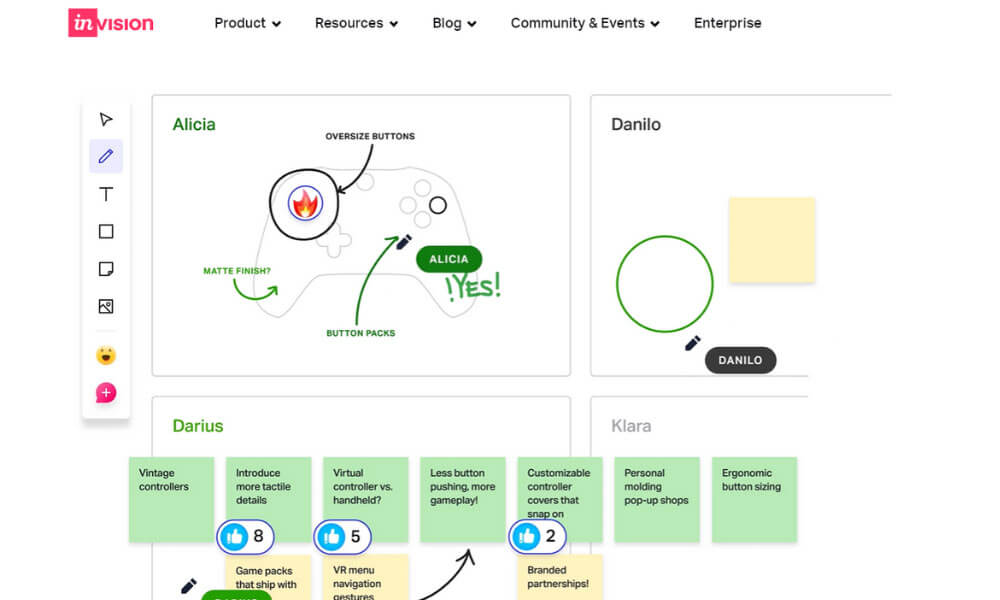
Invision is among the top collaborative productivity applications that help teams to stay productive by streamlining the design process. The platform allows team members to share ideas, provide feedback, and track progress on projects in real-time.
This online collaboration tool is essential for businesses as it helps to reduce miscommunication and speeds up the design process. In addition, Invision provides a central location for all project files, making it easy for team members to access the latest versions of designs. With Invision, teams can work together more efficiently to create high-quality products.
Pros
- Great for design collaboration and prototyping.
- Real-time collaboration on wireframes, designs, and prototypes.
- Integrates with tools like Slack, Trello, and Jira.
Cons
- Limited project management features for non-design teams.
- Somewhat steep learning curve for beginners.
Why did we choose this tool
- Excellent for design teams to collaborate and iterate on designs.
- Provides powerful prototyping and feedback tools for UX/UI design.
- Integrates well with popular project management and communication tools.
Pricing Info
- Free for one active prototype with limited collaboration features.
- Paid plans start at $7.95/user/month for more advanced design collaboration and prototyping features.
16. Notion
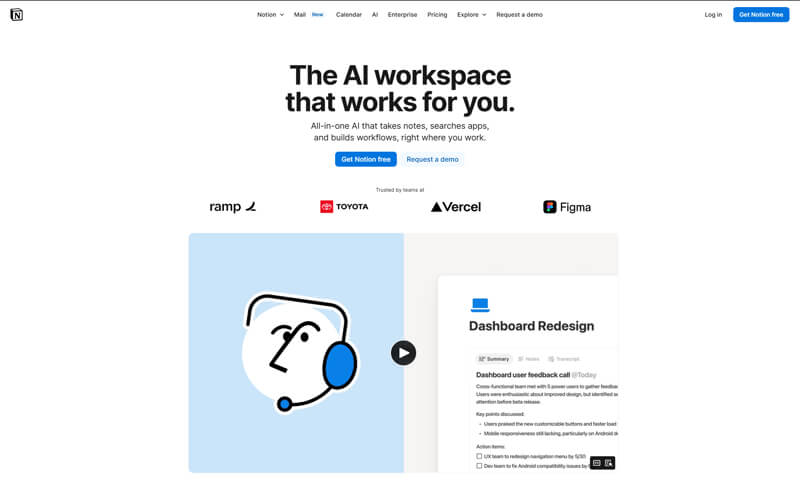
Notion is a flexible workspace that combines documentation, notes, lightweight task tracking, and knowledge management. Teams use it to create shared documents, internal wikis, and structured databases that evolve with their workflows.
Pros
- Highly customizable pages and databases.
- Strong real-time collaboration on documents.
- Combines documentation and planning in one space.
Cons
- Initial setup can feel complex.
- Limited native project automation.
Why we chose this tool
- Useful for centralized knowledge sharing.
- Supports collaborative documentation at scale.
- Fits well alongside other productivity apps.
Pricing
- Free plan available.
- Paid plans start at approximately $8/user/month.
17. ClickUp
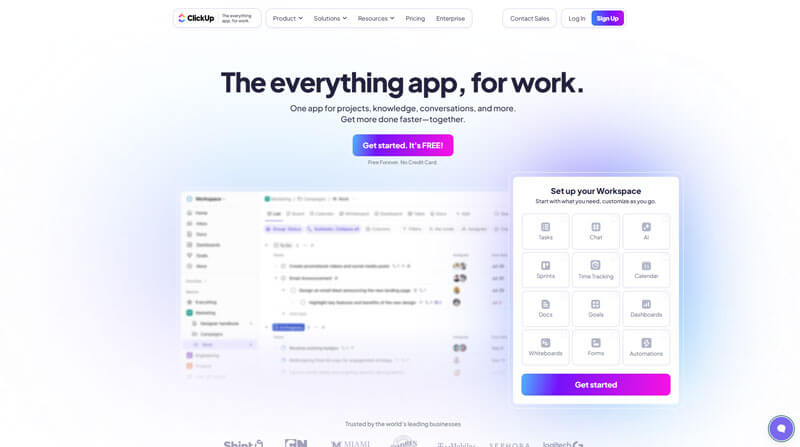
ClickUp is an all-in-one productivity and project management platform that brings tasks, documents, goals, timelines, and collaboration into a single system designed to replace multiple tools.
Pros
- Extensive feature set in the free plan.
- Highly customizable workflows.
- Supports real-time collaboration across teams.
Cons
- Interface can feel dense for new users.
- Advanced features require paid plans.
Why we chose this tool
- Strong balance between collaboration and execution.
- Scales well for growing teams.
- Reduces reliance on multiple productivity apps.
Pricing
- Free plan available.
- Paid plans start at approximately $7/user/month.
18. Basecamp

Basecamp is a straightforward team collaboration platform that focuses on clarity and simplicity. It combines messaging, to-do lists, schedules, and file sharing in a single, easy-to-navigate workspace.
Pros
- Simple and intuitive interface.
- Flat pricing suitable for larger teams.
- Low learning curve.
Cons
- Limited advanced project controls.
- Less customization compared to modern tools.
Why we chose this tool
- Ideal for teams seeking simplicity.
- Encourages focused, structured collaboration.
- Works well for client-facing projects.
Pricing
- No free plan.
- Flat pricing starts at approximately $15/per/month or a fixed unlimited-user plan.
19. Miro
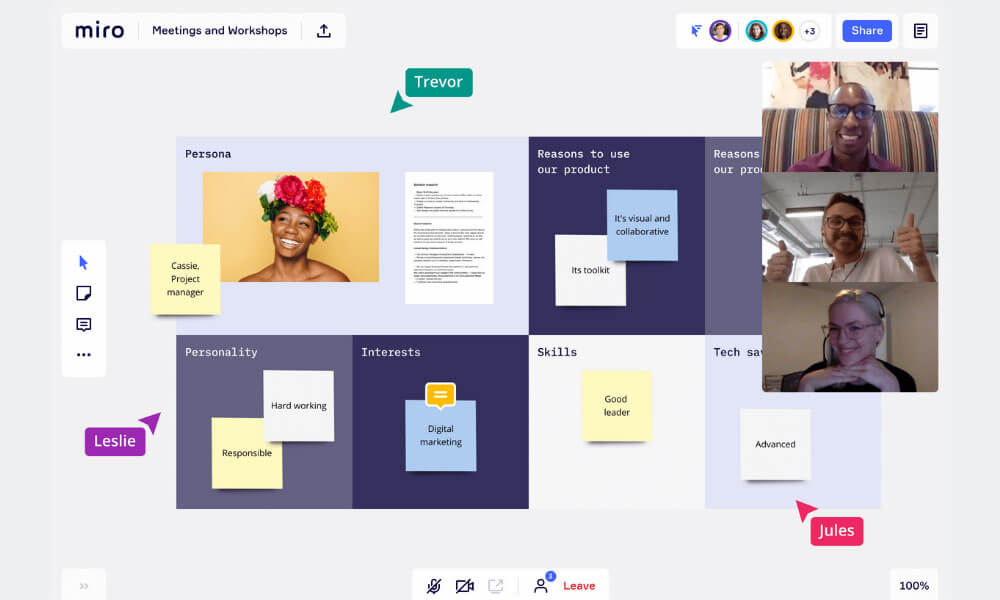
Miro is a visual collaboration platform that enables teams to brainstorm, map workflows, design processes, and collaborate visually using shared interactive whiteboards.
Pros
- Excellent for brainstorming and ideation.
- Real-time multi-user collaboration.
- Integrates with many productivity apps.
Cons
- Limited boards in the free plan.
- Not suitable for task-heavy workflows.
Why we chose this tool
- Supports creative and visual collaboration.
- Effective for remote and hybrid teams.
- Complements text-based collaboration tools.
Pricing
- Free plan available.
- Paid plans start at approximately $8/user/month.
20. Zoho Cliq

Zoho Cliq is a team messaging and collaboration tool focused on real-time communication, offering channels, direct chats, file sharing, and integrations within the Zoho ecosystem.
Pros
- Clean and lightweight messaging experience.
- Real-time communication focus.
- Integrates well with business productivity apps.
Cons
- Limited advanced project features.
- Best value when used with Zoho products.
Why we chose this tool
- Reliable real-time team communication.
- Suitable for operational and support teams.
- Simple alternative to heavier chat platforms.
Pricing
- Free plan available.
- Paid plans start at approximately $3/user/month.
How to choose the best collaboration tool to boost team productivity?
Selecting the optimal team productivity tools can significantly enhance collaboration, communication, and overall efficiency within an organization. When choosing the best solutions for your team, there are several key factors to consider:
- Functionality: Begin by assessing the core requirements of your team – do they need tools for project management, document collaboration, video conferencing, or a combination of features? Identify the specific capabilities that will drive the most value for your workflows.
- Ease of Use: The productivity tools you implement should have an intuitive user interface and a shallow learning curve. This ensures seamless adoption and minimizes disruption to your team’s existing processes.
- Integration Capabilities: Look for tools that can seamlessly integrate with your existing software ecosystem, whether it’s email clients, cloud storage platforms, or other commonly used applications. This level of connectivity promotes a cohesive work environment.
- Scalability: As your team and organization grow, the productivity tools should be able to scale accordingly. Evaluate solutions that offer flexible pricing, additional features, and the ability to accommodate more users without compromising performance.
- Security and Compliance: Ensure the tools you choose adhere to your organization’s data privacy and security standards, protecting sensitive information and maintaining regulatory compliance.
- Team Feedback: Engage your team members in the selection process, gathering their input on the features, user experience, and overall suitability of the tools. This collaborative approach can lead to better-informed decisions and higher user adoption.
By carefully considering these factors, you can identify the best team collaboration tools to enhance collaboration, streamline workflows, and ultimately boost your team’s efficiency and overall productivity.
Why do companies use online collaborative productivity software?
Companies use online collaborative productivity software for several key reasons. Improved efficiency is a primary driver, as these tools enable distributed teams to work together seamlessly, regardless of location. By centralizing communication, task management, and document sharing, they eliminate the need for disjointed workflows, boosting overall productivity.
Additionally, online collaborative platforms facilitate real-time cooperation, allowing team members to co-author documents, provide instant feedback, and align on project updates. This strengthens cross-functional collaboration and accelerates the decision-making process, particularly crucial for remote and hybrid work models. By centralizing data and offering robust reporting capabilities, these solutions also provide valuable insights to drive more informed business decisions.
Conclusion
There’s no denying that collaboration is essential for businesses to be successful. When a team is able to come together and share ideas, they can be more productive and come up with creative solutions that they may not have thought of on their own. We hope the team collaboration and productivity software solutions listed above will make it easier for teams to work from home or no matter where they are in the world.
With these remote team collaboration and productivity software solutions, teams can communicate and share ideas in real-time, which can help to make the collaboration process more efficient. In addition, these remote team collaboration and productivity software solutions for teams often come with a number of features that can further help to improve productivity, such as task management and file sharing.
Given that online collaborative productivity applications bridge the gap between dispersed team members, organizations should consider implementing such platforms to facilitate more efficient and successful teamwork. By allowing employees to communicate and collaborate without being in close physical proximity, these collaboration tools for remote teams can help boost productivity levels while also fostering a sense of connection among workers.
Do you use any of these team collaboration and productivity software listed above? If so, which ones have you found to be most helpful? Share with us your experience!
Frequently Asked Questions
What are the 4 types of productivity tools?
The four main types of productivity tools are communication and collaboration tools, task and time management tools, note-taking and document collaboration tools, and analytics and reporting tools. These enable teams to work together effectively, organize their workflow, share information, and gain data-driven insights to drive decision-making.
What is a teamwork collaboration tool?
A teamwork collaboration tool is software that enables multiple people to work together on projects, documents, and tasks in real-time. These tools often include features like file sharing, task management, communication channels, and progress tracking to facilitate efficient teamwork. Examples of popular teamwork collaboration tools include Clariti, Slack, Microsoft Teams, and Google Workspace.
What is collaboration and productivity?
Collaboration is the joint effort of individuals working together towards shared goals, fostering synergy and idea exchange. Productivity is the efficiency with which these collaborative efforts result in tangible and valuable outcomes, driving the accomplishment of objectives in a timely manner.
What collaboration tool do you use to be more productive and why?
I enhance productivity with AI-powered Clariti by seamlessly integrating email, chat, and documents into one platform, fostering efficient collaboration. Clariti’s unified approach streamlines communication, providing a centralized workspace for improved productivity and teamwork.
What is the most common collaborative tool?
The most common collaborative tool is email. AI-powered Clariti enhances traditional email collaboration by integrating it with chat, bringing seamless communication, and providing a unified platform.
What is collaborative productivity software?
Collaborative productivity software refers to tools like AI-powered Clariti that integrates emails, chats, and documents, creating a unified platform for seamless collaboration, ultimately enhancing team productivity and communication.




Start for FREE with Personal CRM
We too hate spam! Your email is secure with us.

Spot secured. You're in.
You’re officially on the list for early access to Clariti.


No more switching tools.

No more lost context.

Just Clarity.
You’ll be among the first to experience it when we launch. We’ll let you know the moment it’s ready.

Keep an eye out for emails from @clariti.app.
(and check your spam folder just in case—whitelisting us helps ensure you don’t miss a thing).

