


Blog, Team Communication
25 Best team communication tools for the modern workplace in 2026 and expert guide to choose the perfect fit
- By Vinod Kumar VR
- No Comments


- Published on
- 20 min read
As the business world continues to evolve, with hybrid and remote work models becoming increasingly prevalent, the need for robust team communication tools has never been more crucial. Effective team communication is the backbone of collaboration, productivity, and overall organizational success. In fact, a study by the International Federation of Accountants found that companies with strong internal communication enjoy 47% higher returns to shareholders.
Team communication software has emerged as a vital component of the modern workplace, enabling seamless collaboration, real-time information sharing, and enhanced productivity. Team communication software goes beyond basic messaging and video conferencing, offering a suite of features that can transform the way teams work together, from integrated project management tools and shared calendars to voice messaging and file sharing.
In this comprehensive guide, we will explore the 25 best team communication tools for businesses in 2026. From the robust project management features of Asana to the AI-powered contextual organization of communications in Clariti, we’ll help you navigate the ever-expanding landscape of team collaboration software, ensuring you find the perfect solution to elevate your organization’s productivity and success.
We’ll begin by highlighting the importance of team communication tools in the hybrid workplace, underscoring the role they play in fostering collaboration, improving information flow, and enhancing overall employee engagement. With 83% of employers believing that a mix of in-person and remote work is optimal for their business, according to a PricewaterhouseCoopers survey, the need for seamless team communication has never been more pressing.
Finally, we’ll explore the key factors to consider when selecting the best team communication software for your business, such as scalability, security, and user-friendliness. By the end of this guide, you’ll be equipped with the knowledge and tools to implement a team communication strategy that fosters a connected, collaborative, and high-performing workforce, setting the stage for your organization’s continued growth and success in the years to come.
25 best team communication tools for businesses
1. Clariti: Best team communication tool for seamless communication
AI-powered Clariti stands out as the best team communication tool due to its unique approach to fostering seamless communication. By integrating emails, chats, and documents into cohesive hybrid conversations based on context, Clariti ensures that team members can easily follow discussions and stay organized. This context-based communication eliminates the need to toggle between multiple apps and platforms, streamlining the communication process.
Additionally, Clariti’s AI-driven insights into diverse communication items provide valuable information that enhances productivity and decision-making. With Clariti, teams can collaborate more effectively, share ideas effortlessly, and maintain a clear understanding of project developments, regardless of their location or the complexity of the tasks at hand.
Pros
- Combines emails, chats, calls, and documents into hybrid Conversations.
- Reduces email overload with contextual communication.
- No need for multiple apps—everything stays in one place.
Cons
- No dedicated mobile app.
Why did we choose this tool
- Helps teams stay organized by keeping all related conversations together.
- Easy transition from email-based workflows.
- No message history loss—everything remains in context.
Pricing
- Free basic version.
- Premium starts from $9/per user/month.
2. ProofHub: All-in-one team collaboration and communication tool
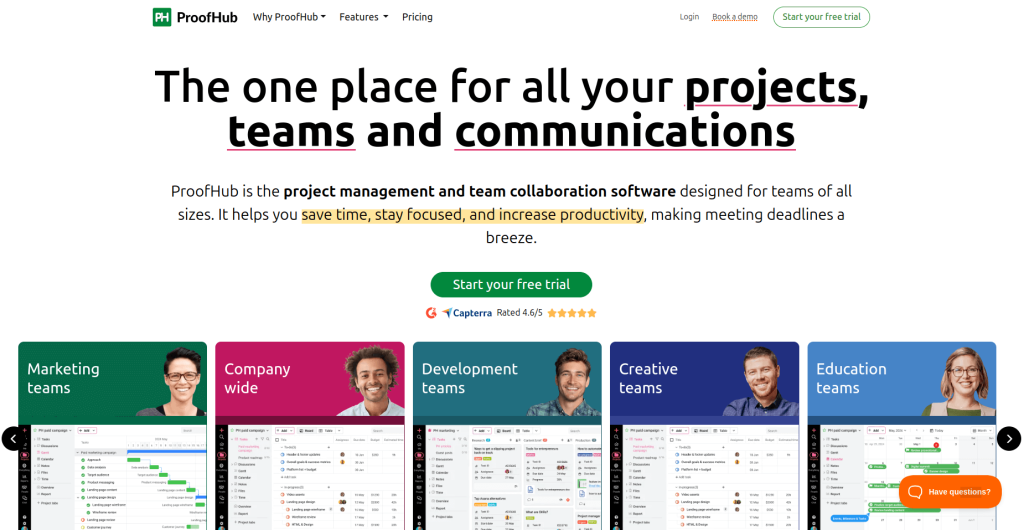
ProofHub is a centralized collaboration platform designed to streamline project management and team communication in one cohesive space. It eliminates the need for having multiple software programs to plan, organize, collaborate, and deliver projects efficiently in real-time.
With effective collaboration features like proofing, notes, announcements, chat, and a user-friendly interface, this becomes an essential tool for every business that wants to streamline communication. This all-in-one software enhances team collaboration and makes sure that everyone stays aligned with project goals and deadlines.
Pros
- All-in-one solution that combines communication and project management.
- Built-in proofing and feedback tools for collaboration.
- White-labeling and multilingual support for global teams.
- Flat pricing with no per-user fees.
Cons
- May have more features than small teams require.
- No free version available; however, you can request a 14-day free trial.
Why did we choose this tool
- Eliminates the need for multiple subscriptions by combining communication, file sharing, and project management.
- Simplifies team coordination with centralized discussions and task management.
- Offers exceptional value with unlimited users.
- Provides powerful visual collaboration tools for teams of every size.
Pricing
- Essential plan: $45/month billed annually (flat fee, unlimited users).
- Ultimate control plan: $89/month billed annually (flat fee, unlimited users).
3. BoldDesk: Best customer support tool for streamlined ticketing & service
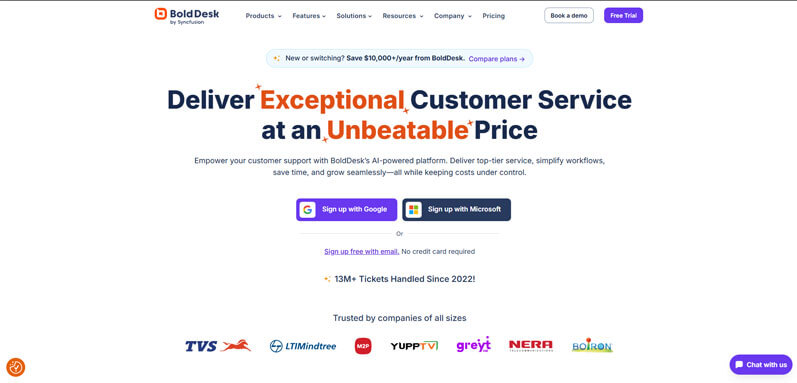
Bolddesk emerges as a top-tier customer support solution designed to simplify ticketing, automate workflows, and enhance customer satisfaction. Unlike generic collaboration tools, Bolddesk focuses exclusively on empowering support teams to resolve issues faster through its intuitive ticketing system, AI-powered automation, and unified multi-channel support. By consolidating emails, live chats, social media inquiries, and self-service portals into a single dashboard, Bolddesk ensures no customer request falls through the cracks.
Its robust automation capabilities reduce repetitive tasks, while advanced analytics provide actionable insights to optimize support operations. With features like SLA management, canned responses, and a built-in knowledge base, Bolddesk equips teams to deliver consistent, high-quality service at scale.
Pros
- Unified ticketing system for emails, chats, social media, and more.
- AI-driven automation (e.g., ticket routing, priority tagging) to save time.
- knowledge base for self-service support.
- SLA management to meet response and resolution deadlines.
- Real-time analytics for performance tracking.
Cons
- Learning curve for advanced automation setups.
- Limited third-party integrations compared to enterprise competitors.
Why did we choose this tool
- Tailored for customer support teams, not generic collaboration.
- Reduces ticket resolution time with smart automation.
- Centralizes multi-channel inquiries into one workspace.
- Scales seamlessly for small businesses to large enterprises.
Pricing
- Free plan for up to 3 agents.
- Premium plans start at **$15/user/month** (billed annually).
4. FrontApp: Best team communication tool for collaborative email management
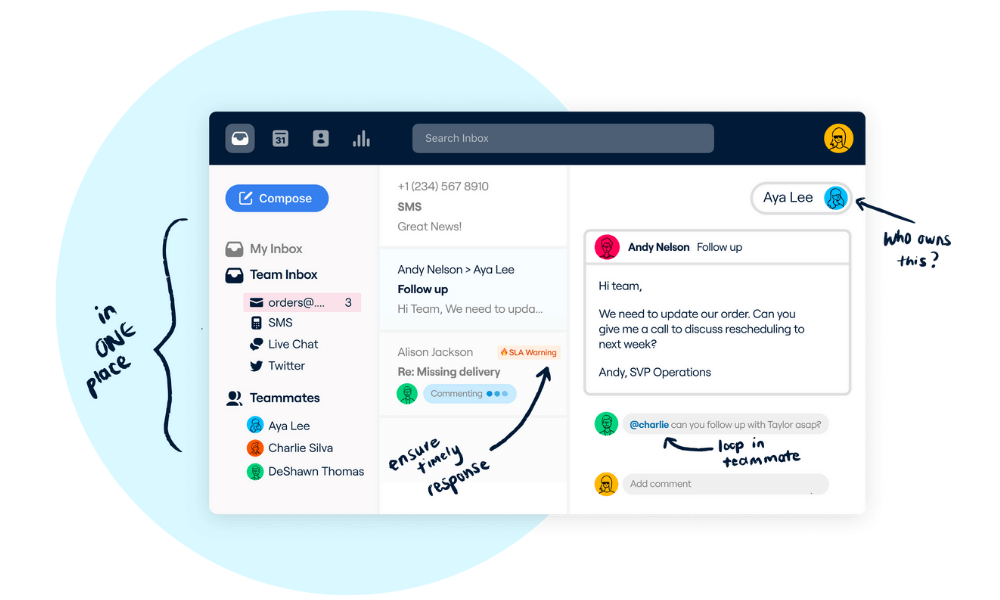
FrontApp stands out as one of the best team communication tools due to its innovative approach to collaborative email management. Offering a shared inbox and seamless integration of various communication channels, FrontApp centralizes team communication and facilitates real-time collaboration.
Its features, such as internal comments, assignment capabilities, and integrations with other productivity tools, enhance team efficiency and streamline workflows. The platform’s emphasis on transparency and accessibility makes it a valuable tool for teams seeking a unified and organized communication hub.
Pros
- Centralized inbox for email, SMS, and social messages.
- Collaboration tools for internal discussions.
- Workflow automation features.
Cons
- Expensive for small teams.
- Primarily focused on customer support rather than general communication.
Why did we choose this tool
- Great for managing customer inquiries as a team.
- Advanced automation for email workflows.
- Provides transparency in team communication.
Pricing
- Paid plan starts at $19/ per user/month.
5. Basecamp: Best team communication tool for project management

Basecamp is considered one of the best team communication tools due to its simplicity and effectiveness in project management and collaboration. The platform offers a centralized space for teams to communicate, share files, and manage tasks seamlessly.
With features like to-do lists, message boards, and scheduling, Basecamp promotes efficient collaboration while minimizing complexity. Its user-friendly interface, coupled with the ability to organize discussions and project-related information in one place, makes Basecamp an invaluable tool for teams looking to enhance communication, productivity, and project coordination.
Pros
- Combines messaging, to-dos, and project management.
- Simple and intuitive user interface.
- Flat pricing model instead of per-user pricing.
Cons
- No real-time chat; focuses more on async communication.
- Limited integrations compared to competitors.
Why did we choose this tool
- Ideal for teams needing both communication and task management.
- No per-user pricing makes it cost-effective for larger teams.
- Easy to use for non-technical users.
Pricing
- Paid plan starts at $15/ per user/month.
- $299/month for unlimited users.
6. Free Conference Call: Best team communication tools for virtual meetings
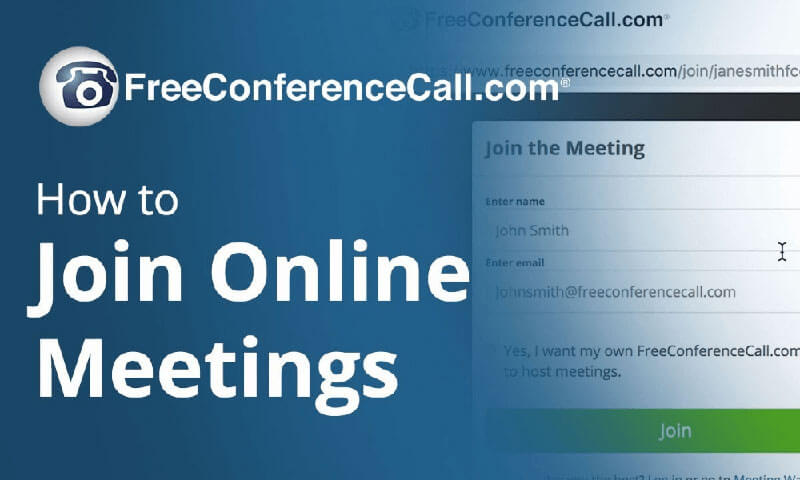
FreeConferenceCall stands out as one of the best team communication tools due to its simplicity and cost-effectiveness for virtual meetings and collaboration. Offering free audio and video conferencing with screen sharing capabilities, it facilitates seamless communication and collaboration among team members, irrespective of their locations.
The platform’s user-friendly interface, along with features like recording, chat, and document sharing, enhances remote collaboration. FreeConferenceCall’s accessibility and affordability make it a practical choice for teams seeking efficient communication solutions without compromising on essential features for virtual meetings and discussions.
Pros
- Free audio and video conferencing.
- No time limits on meetings.
- Supports international dial-in numbers.
Cons
- Basic interface compared to premium conferencing tools.
- Lacks advanced collaboration features.
Why did we choose this tool
- No-cost solution for teams needing frequent calls.
- Simple setup without complex installations.
- Reliable for large virtual meetings.
Pricing
- Free (donation-based model).
7. Zoom: Best team communication tool for video conferencing
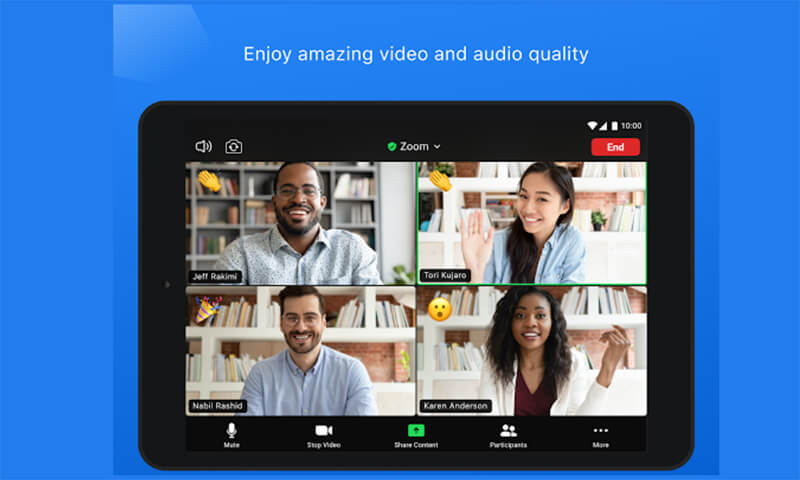
Zoom has established itself as one of the best team communication tools, primarily due to its reliable and user-friendly video conferencing features. Offering high-quality audio and video, screen sharing, and virtual meeting rooms, Zoom facilitates seamless communication and collaboration among remote teams.
Its scalability, ease of use, and integration with various platforms make it a go-to solution for virtual meetings, webinars, and team discussions. The platform’s widespread adoption is a testament to its effectiveness in connecting teams across different locations, fostering clear communication and enhancing overall collaboration.
Pros
- High-quality video and audio.
- Supports large webinars and meetings.
- Integrates with various productivity apps.
Cons
- 40-minute limit on free plan for group meetings.
- Security concerns (Zoombombing incidents in the past).
Why did we choose this tool
- Best for video-first communication.
- Reliable and widely adopted across industries.
- Feature-rich, including breakout rooms and webinar tools.
Pricing
- Free basic version.
- Paid plan starts at $14.99/ per user/month.
8. Cisco Webex: Best team communication tool for voice calling
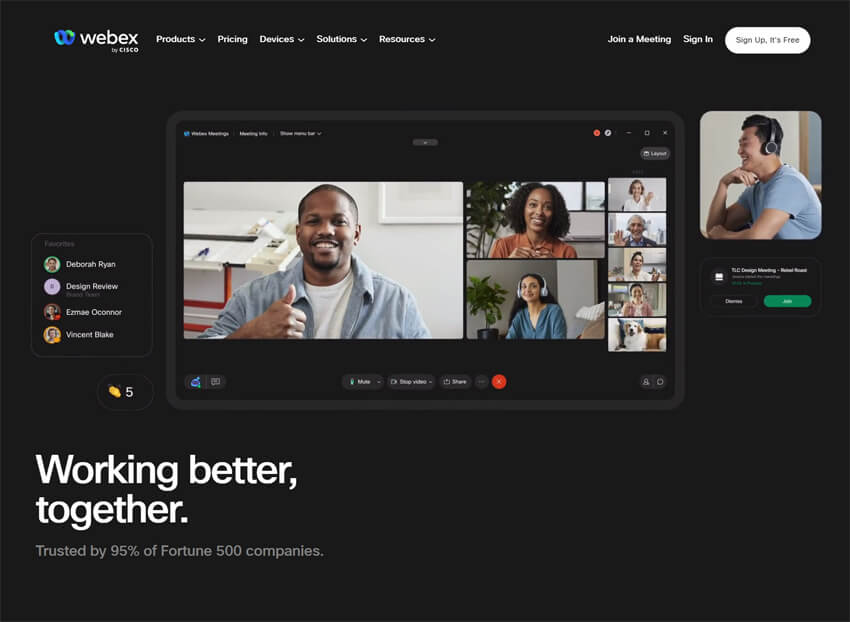
Cisco Webex, a team communication tool, allows teams to go beyond conventional instant messaging and provides added voice and video calling capabilities. Cisco Webex is an app for continuous teamwork. Move work forward in secure workspaces where everyone can contribute at any time with messaging, file sharing, white-boarding, video meetings, calling and more. It works on virtually any device.
Pros
- Enterprise-grade security.
- Strong video conferencing and team messaging.
- AI-powered meeting assistance features.
Cons
- Higher learning curve for new users.
- Expensive compared to competitors.
Why did we choose this tool
- Trusted by enterprises for secure collaboration.
- AI features help streamline meetings.
- Scales well for both small teams and large corporations.
Pricing
- Free basic plan.
- Paid plan starts at $14.50/ per user/month.
9. Fleep.io: Best team communication tool for group collaboration

Fleep.io earns its place as one of the best team communication tools through its unique combination of messaging and collaboration features. By seamlessly integrating chat, tasks, and file sharing, Fleep.io creates a centralized hub for team communication.
Its notable feature of enabling communication with external partners who might not be using Fleep directly adds to its versatility. The platform’s straightforward design and the ability to manage conversations and tasks in a single interface contribute to its effectiveness in fostering efficient team collaboration and communication.
Pros
- Combines email and chat messaging.
- Topic-based conversations keep discussions organized.
- Works across different organizations.
Cons
- Fewer integrations than major competitors.
- Limited advanced features for large teams.
Why did we choose this tool
- Great for cross-organization communication.
- Simple and efficient for project-based teams.
- Keeps messages structured with topic-based chats.
Pricing
- Free basic version.
- Paid plan starts at €5/ per user/month.
10. Freshdesk: Best team communication tool for customer support and engagement
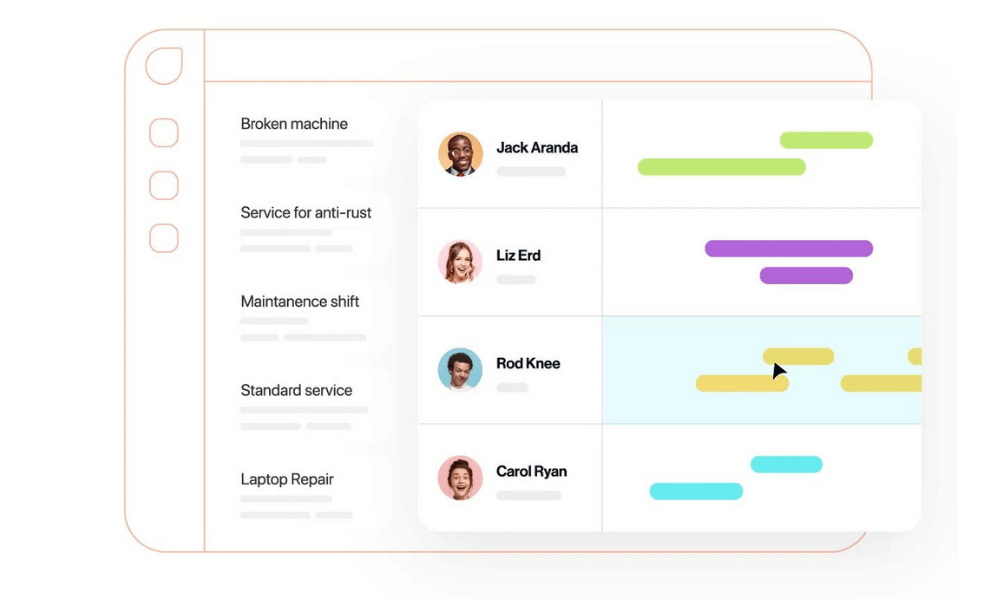
Freshdesk stands out as one of the best team communication tools due to its comprehensive customer support and engagement features. Beyond traditional team communication, Freshdesk offers a unified platform for managing customer interactions, inquiries, and tickets.
With its intuitive interface, collaborative ticketing system, and automation capabilities, Freshdesk enhances team coordination in addressing customer needs. The platform’s seamless integration of communication channels, such as email, chat, and social media, ensures a streamlined and efficient approach to customer support, making it an invaluable tool for teams focused on delivering exceptional customer service.
Pros
- Centralized customer support with ticketing.
- AI-powered automation for faster responses.
- Multi-channel support (email, chat, phone).
Cons
- Primarily built for customer service, not internal team chat.
- Can get expensive for advanced features.
Why did we choose this tool
- Ideal for teams managing customer queries.
- Helps streamline customer interactions across different channels.
- Offers strong automation for improved efficiency.
Pricing
- Free basic version.
- Paid plan starts at $15/ per user/month.
11. Hiverhq.com: Best team communication tool for Gmail integration

Hiverhq.com distinguishes itself as one of the best team communication tools by seamlessly integrating with Gmail, transforming email into a collaborative workspace. Its shared inbox and collaborative features streamline communication within teams directly through email.
With capabilities like shared notes, email assignment, and tracking, Hiverhq.com enhances team productivity by providing a centralized platform that aligns with existing email workflows, making it an efficient and accessible tool for teams relying on Gmail for communication and collaboration.
Pros
- Shared inbox solution for Gmail users.
- Allows teams to collaborate directly within Gmail.
- Easy-to-use interface with minimal learning curve.
Cons
- Works only with Gmail.
- Limited advanced automation features.
Why did we choose this tool
- Best for teams using Gmail for customer support.
- Keeps everything within the email environment.
- Helps manage shared inboxes efficiently.
Pricing
- Paid plan starts at $15/ per user/month.
12. Zoho Workplace: Best team communication tool for real-time collaboration
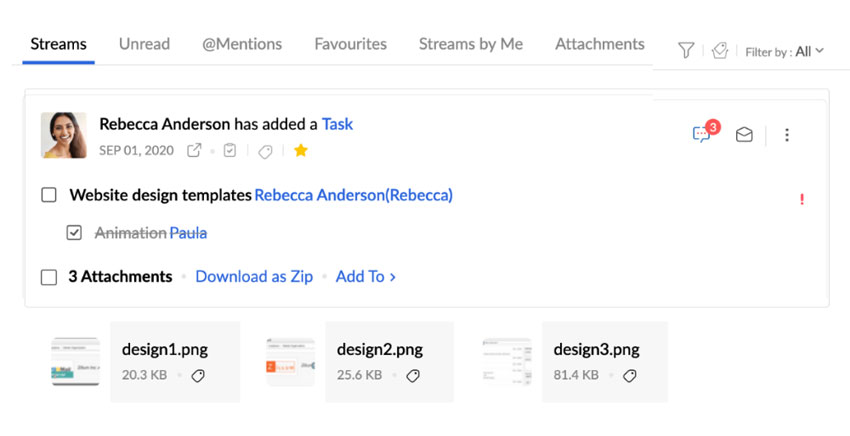
Zoho Workplace stands out as one of the best team communication tools due to its comprehensive suite of applications designed for seamless collaboration. Integrating email, chat, online document collaboration, and project management, Zoho Workplace provides a unified platform for team communication and productivity.
The platform’s user-friendly interface, real-time collaboration features, and strong security measures contribute to its effectiveness in enhancing team communication and coordination. Whether it’s exchanging emails, collaborating on documents, or engaging in team chats, Zoho Workplace offers a versatile solution for modern teams seeking integrated communication and collaboration experience.
Pros
- All-in-one suite for communication and collaboration.
- Includes email, chat, cloud storage, and office tools.
- Cost-effective alternative to Google Workspace.
Cons
- Interface can feel cluttered.
- Not as widely integrated as Microsoft or Google tools.
Why did we choose this tool
- Affordable solution for businesses needing a complete workspace.
- Combines email, chat, and document collaboration.
- Works well for teams looking for an alternative to G Suite.
Pricing
- Free basic version.
- Paid plan starts at $3/per user/month.
13. Chatwork: Best team communication tool for effective collaboration
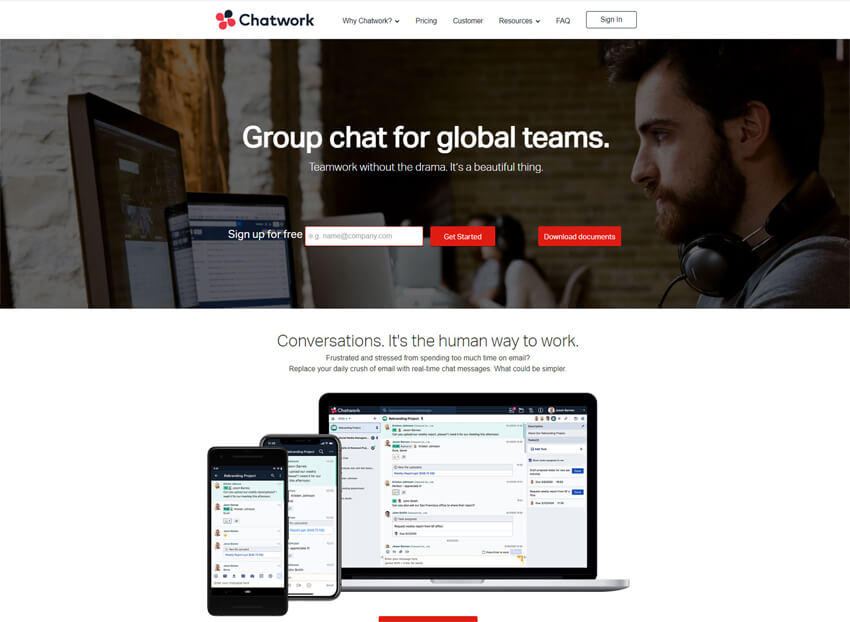
Chatwork is recognized as one of the best team communication tools for its simplicity and focus on efficient communication. With a user-friendly interface, real-time chat, task management, and file sharing, Chatwork consolidates key collaboration features into a single platform.
The platform’s emphasis on clarity and organization, along with integrations with popular productivity tools, makes it an effective choice for teams seeking streamlined communication and collaboration. Its straightforward approach to team messaging and task management distinguishes Chatwork as a valuable collaboration tool for enhancing overall team efficiency and coordination.
Pros
- Simple and intuitive chat tool.
- Focuses on business messaging.
- Task management integration for better workflow.
Cons
- Limited third-party integrations.
- Lacks video conferencing features.
Why did we choose this tool
- Great for small teams looking for an easy-to-use messaging app.
- Keeps work conversations organized with threaded chats.
- Helps teams manage tasks alongside chat discussions.
Pricing
- Free basic version.
- Paid plan starts at $5/ per user/month.
14. Slack: Best team communication tool for streamlined collaboration
Slack is considered one of the best team communication tools due to its intuitive design and robust features that streamline collaboration. With channels, direct messaging, file sharing, and integrations, Slack provides a centralized hub for team communication.
Its real-time nature facilitates quick decision-making, while search functionality ensures easy retrieval of information. Slack’s versatility and ability to integrate with various third-party apps make it an efficient and comprehensive solution, contributing to its reputation as a leading team collaboration tool in the business landscape.
Pros
- Highly flexible with integrations for over 2,000 apps.
- Organized channels for team discussions.
- Advanced search and file-sharing capabilities.
Cons
- Free version limits message history.
- Can be distracting with too many notifications.
Why did we choose this tool
- Best for fast-paced team communication.
- Strong third-party integrations with project management tools.
- Encourages open and transparent communication.
Pricing
- Free basic version.
- Paid plan starts at $7.25/ per user/month.
15. Google Workspace: Best team communication tool for seamless collaboration
Google Workspace stands out as one of the best team communication tools due to its seamless integration of collaboration and productivity features. With tools like Gmail, Google Drive, Docs, Sheets, and Meet, it provides a unified platform for communication, document sharing, and virtual meetings.
The real-time collaborative editing, file-sharing capabilities, and the ability to work on documents simultaneously contribute to efficient teamwork. Google Workspace’s cloud-based approach ensures accessibility from any device, fostering a dynamic and interconnected team environment, making it a top choice for organizations seeking a comprehensive and integrated team communication solution.
Pros
- Includes Gmail, Google Drive, Docs, Meet, and more.
- Real-time document collaboration.
- Strong security and cloud-based storage.
Cons
- Requires an internet connection for most features.
- Can be overwhelming for non-tech-savvy users.
Why did we choose this tool
- Ideal for teams needing seamless email and document collaboration.
- Integrated cloud storage ensures easy access to files.
- Google Meet provides a built-in video conferencing solution.
Pricing
- Paid plan starts at $6/ per user/month.
16. Spike: Best team communication tool for email collaboration
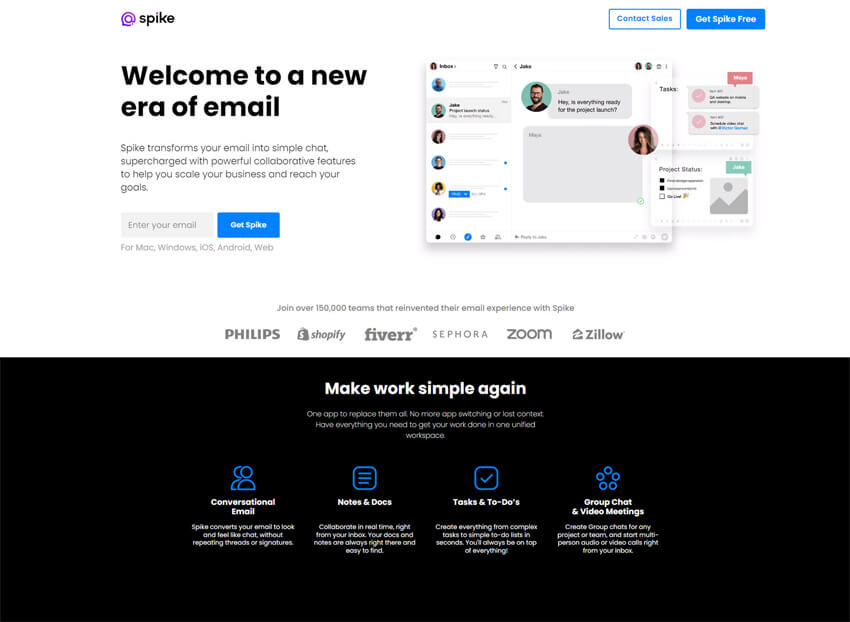
Spike stands out as one of the best team communication tools for its innovative approach to email communication. By combining email, chat, and collaborative features, Spike transforms traditional email into a modern and dynamic platform for team collaboration.
Its conversational style, simplified interface, and integration of productivity tools make communication more intuitive and efficient. Spike’s unique design, focusing on clear communication and reduced clutter, sets it apart as a compelling choice for teams looking to streamline email collaboration and enhance overall communication efficiency.
Pros
- Combines email and chat in a single interface.
- Conversational email makes communication feel like messaging.
- Supports real-time collaboration.
Cons
- Limited integrations compared to Slack or Microsoft Teams.
- Free version has limited storage.
Why did we choose this tool
- Great for teams looking to simplify email communication.
- Reduces the need for switching between chat and email apps.
- Provides a fresh approach to email-based teamwork.
Pricing
- Free basic version.
- Paid plan starts at $5/ per user/month.
17. Twist: Best team communication tool for structured conversations
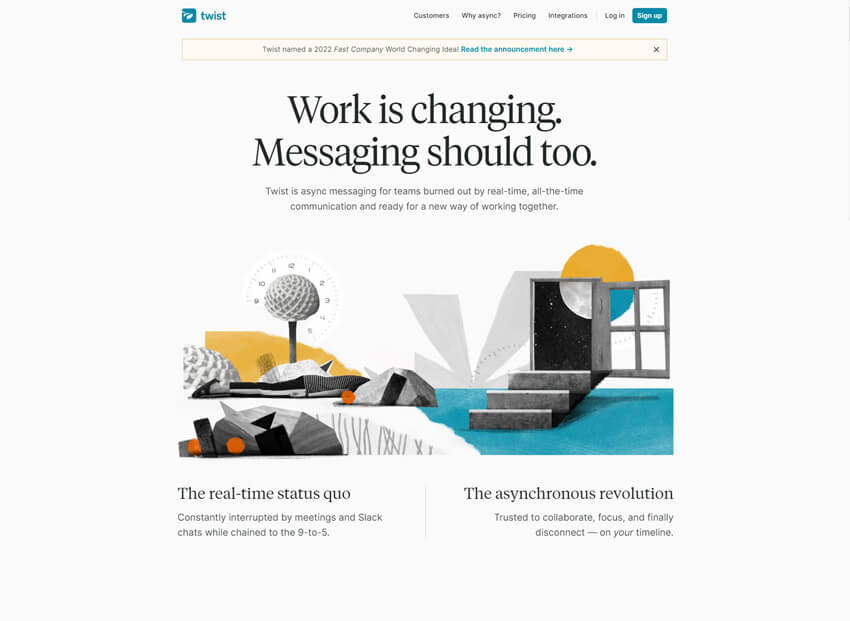
Twist is considered one of the best team communication tools due to its unique approach to asynchronous communication. Unlike real-time chat platforms, Twist organizes discussions into threads, fostering focused and structured conversations.
This eliminates the noise often associated with continuous messaging, providing a more thoughtful and organized communication experience. Twist’s emphasis on minimizing interruptions, enhancing collaboration through threaded conversations, and supporting effective team communication sets it apart as an ideal choice for teams looking to balance responsiveness with a more structured approach to messaging.
Pros
- Focuses on async communication to reduce distractions.
- Thread-based structure for organized discussions.
- Helps remote teams avoid notification overload.
Cons
- Lacks real-time messaging features.
- Not ideal for teams needing instant communication.
Why did we choose this tool
- Best for teams preferring structured, async communication.
- Encourages deep work without real-time distractions.
- Threads keep conversations easy to follow.
Pricing
- Free basic version.
- Paid plan starts at $5/ per user/month.
18. Flowdock: Best team communication tool for efficient collaboration
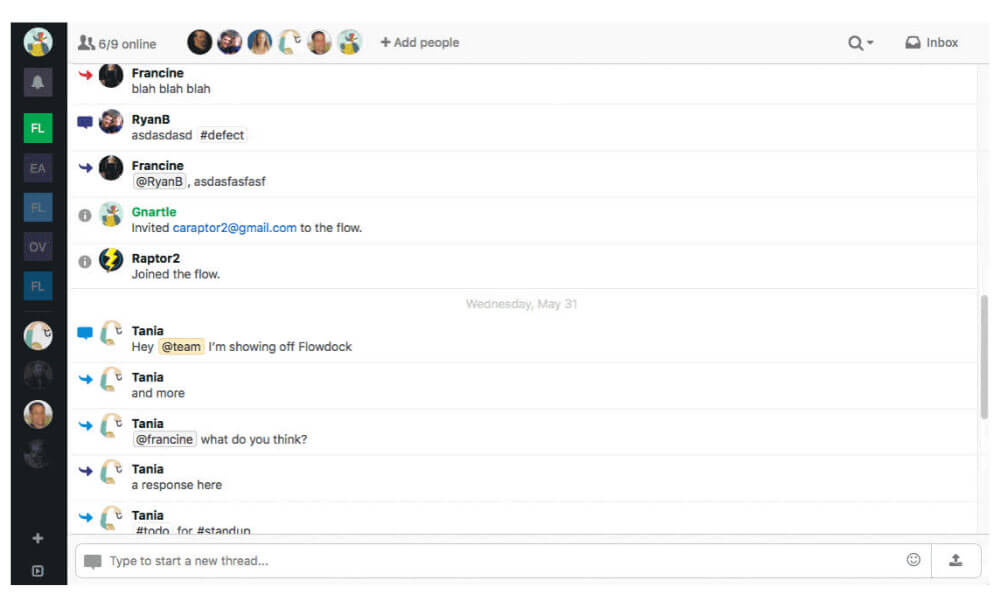
Flowdock is esteemed as one of the best team communication tools due to its emphasis on combining team chat and collaboration in one integrated platform. With real-time chat, team inbox, and file-sharing features, Flowdock consolidates communication channels, fostering efficient collaboration.
Its threaded conversations, integrations with various tools, and the ability to customize flows for different projects contribute to a streamlined and organized team communication experience. Flowdock’s commitment to providing a cohesive platform for both chat and collaboration sets it apart as a valuable tool for teams seeking a comprehensive solution for communication and project coordination.
Pros
- Combines chat and team collaboration.
- Threads keep discussions organized.
- Integrates well with DevOps tools.
Cons
- Can be overwhelming with too many channels.
- Not as widely adopted as Slack or Microsoft Teams.
Why did we choose this tool
- Best for development teams needing structured communication.
- Threaded discussions improve workflow organization.
- Integrates well with tools like GitHub and Jira.
Pricing
- Paid plan starts at $3/ per user/month.
19. Asana: Best team communication tool for streamlining teamwork

Asana is heralded as one of the best project management tools. By combining task management, project tracking, and team collaboration in one platform, Asana promotes clear communication within the context of work. Its user-friendly interface, real-time updates, and the ability to assign tasks and set deadlines streamline teamwork.
Asana’s comprehensive approach to project coordination and communication ensures that teams can collaborate efficiently, making it an indispensable tool for those seeking a unified platform for both task management and effective communication.
Pros
- Excellent task and project management features.
- Allows team collaboration within tasks.
- Integrates with popular tools like Slack and Google Drive.
Cons
- Lacks a dedicated chat feature for real-time discussions.
- Can be overwhelming for small teams with simple needs.
Why did we choose this tool
- Ideal for teams managing multiple projects.
- Keeps conversations organized within tasks.
- Helps teams stay on top of deadlines and priorities.
Pricing
- Free basic version.
- Paid plan starts at $10.99/ per user/month.
20. Trello: Best team communication tool for managing projects

Trello is acclaimed as one of the best team communication tools for its visual and intuitive approach to project management and collaboration. Utilizing boards, lists, and cards, Trello simplifies task tracking and enhances team communication. Its flexible structure allows teams to customize workflows, track progress, and assign tasks in a visually appealing manner.
Trello’s simplicity, coupled with powerful features, fosters transparency and collaboration, making it an ideal choice for teams seeking an accessible and effective tool for project coordination and communication.
Pros
- Simple, visual Kanban-style project management.
- Easy drag-and-drop interface.
- Great for tracking team progress.
Cons
- Limited built-in chat functionality.
- Can become cluttered with too many cards.
Why did we choose this tool
- Best for teams looking for an intuitive task management system.
- Helps track workflow with easy-to-use boards.
- Allows integration with communication tools like Slack.
Pricing
- Free basic version.
- Paid plan starts at $5/ per user/month.
21. Google Chat: Best team communication tool for effective collaboration

Google Chat stands out as one of the best team communication tools due to its seamless integration with the broader Google Workspace ecosystem. Offering real-time messaging, file sharing, and threaded conversations, Google Chat provides a cohesive platform for team communication.
Its direct integration with Google Drive allows for easy collaboration on documents and files within the chat interface. With features like rooms and the ability to integrate third-party apps, Google Chat enhances team collaboration within a familiar and user-friendly environment, making it an essential tool for organizations leveraging the Google Workspace suite.
Pros
- Seamlessly integrates with Google Workspace.
- Supports direct messages and group conversations.
- Easy file sharing through Google Drive.
Cons
- Lacks advanced team collaboration features.
- Limited third-party integrations compared to Slack.
Why did we choose this tool
- Ideal for teams already using Google Workspace.
- Provides a simple and effective communication channel.
- Keeps conversations connected to emails and files.
Pricing
- Free basic version.
- Paid plan starts at $6/ per user/month.
22. Flock: Best team communication tool for real-time collaboration

Flock is regarded as one of the best team communication tools due to its comprehensive and user-friendly platform. Combining messaging, collaboration, and productivity features, Flock provides a centralized hub for team communication. With channels, direct messages, file sharing, and integrations with popular apps, Flock streamlines communication and enhances collaboration.
Its intuitive design, real-time collaboration features, and the ability to create polls, to-do lists, and code snippets directly within the platform contribute to its effectiveness in fostering efficient teamwork and communication. Flock’s versatility and ease of use make it a valuable tool for teams seeking an all-in-one solution for streamlined communication and collaboration.
Pros
- Combines chat, video calls, and task management.
- Simple and lightweight interface.
- Allows sharing of to-do lists within the chat.
Cons
- Not as widely adopted as Slack or Teams.
- Free version has limited features.
Why did we choose this tool
- Great for teams looking for an all-in-one communication tool.
- Task management features reduce the need for extra apps.
- Affordable alternative to more expensive platforms.
Pricing
- Free basic version.
- Paid plan starts at $4.50/ per user/month.
23. Chanty: Best team communication tool for effective collaboration

Chanty is recognized as one of the best team communication tools for its simplicity and focus on fostering effective collaboration. With features like team chat, task management, and file sharing, Chanty offers a user-friendly platform that streamlines communication within teams.
Its threaded conversations, integrations with popular tools, and AI-driven features like smart search contribute to a more organized and efficient communication experience. Chanty’s commitment to providing a straightforward yet powerful solution makes it an ideal choice for teams seeking a reliable and intuitive tool for streamlined communication and project coordination.
Pros
- AI-powered search for easy information retrieval.
- Combines chat, video calls, and task management.
- Affordable pricing compared to competitors.
Cons
- Limited integrations with third-party apps.
- Free version has a cap on message history.
Why did we choose this tool
- Best for small teams needing an all-in-one collaboration tool.
- Helps keep communication and tasks in one place.
- Offers unlimited message history in the paid plan.
Pricing
- Free basic plan.
- Paid plan starts at $3/ per user/month.
24. Troop Messenger: Best team communication tool for team collaboration

Troop Messenger is considered one of the best team communication tools for its emphasis on secure and efficient communication. With features like instant messaging, group chats, file sharing, and audio/video calls, Troop Messenger provides a comprehensive platform for team collaboration. Its robust security measures, user-friendly interface, and customization options contribute to a seamless communication experience.
Troop Messenger’s commitment to providing a reliable and secure tool for team communication sets it apart as a valuable solution for organizations seeking a secure and feature-rich platform for streamlined collaboration.
Pros
- Secure messaging with self-hosting options.
- Includes video calls and screen sharing.
- Designed for both internal and external collaboration.
Cons
- Interface is not as modern as Slack or Teams.
- Free version has limited features.
Why did we choose this tool
- Best for organizations needing high-security messaging.
- Offers flexibility with cloud, on-premise, or hybrid deployment.
- Provides a feature-rich alternative to mainstream apps.
Pricing
- Paid plan starts at $2.50/ per user/month.
25. Discord: Best team communication tool for effective communication

Discord is recognized as one of the best team communication tools for its versatility and rich features that transcend traditional chat applications. Originally designed for gamers, Discord has evolved into a powerful platform for team communication. With features like voice and video calls, chat channels, and integrations, it caters to a wide range of collaborative needs.
Its intuitive design, real-time communication capabilities, and the ability to create dedicated servers for different topics or projects make Discord a dynamic and adaptable tool for teams seeking a flexible and engaging communication platform.
Pros
- Excellent voice chat and real-time collaboration.
- Free for most features.
- Works well for remote teams needing casual communication.
Cons
- Lacks structured task management.
- Not originally designed for business use.
Why did we choose this tool
- Great for teams that rely on voice and casual communication.
- Provides always-on voice channels for easy discussions.
- Supports integrations with bots and automation tools.
Pricing
- Free basic version.
- Paid plan starts at $9.99/ per user/ month.
How to select the best team communication tool for your needs
Choosing the right team communication tool can be a daunting task, but by focusing on the following key factors, you can ensure that your organization selects the optimal solution to meet its unique needs:
- Assess Your Communication Needs: Carefully evaluate your current communication challenges, workflows, and the specific features your team requires, such as real-time chat, voice calling, file sharing, or cloud files integration.
- Consider Scalability and Flexibility: Select a tool that can seamlessly scale to accommodate your growing workforce and evolving communication needs, with the ability to easily add or remove users as necessary.
- Prioritize User Experience: Ensure the tool you choose has an intuitive interface and seamless user experience, as this will encourage widespread adoption and optimal productivity among your team members.
- Evaluate Integration Capabilities: Look for a team communication tool that integrates seamlessly with your existing productivity apps, such as Office 365, Google Workspace, or project management software, to create a cohesive and streamlined workflow.
- Prioritize Security and Compliance: Given the sensitive nature of business communications, it’s crucial to select a tool that offers robust security features, data encryption, and compliance with industry regulations, such as HIPAA or GDPR.
- Analyze Pricing and Value: Consider the tool’s pricing structure, including any per-user or feature-based costs, and assess the overall value it provides in terms of improved productivity, collaboration, and cost savings.
By carefully evaluating these key factors, you can select the best team communication tool that aligns with your organization’s specific needs, ultimately driving enhanced collaboration, productivity, and success in the modern hybrid workplace.
Why you should consider a team communication tool
Team communication tools provide essential tools that improve productivity, increase collaboration, and simplify business communications. Standard features within these tools include team chats, emails, video/audio calls, and shared cloud-based documents. But the crucial aspect is seamless and uninterrupted communication between multiple users.
Team chat apps and team communication tools are powerful and robust resources that reduce the burden of waiting for an email response or phone call. They boost productivity and create a business ecosystem where employees can seamlessly move between various methods of communication and organization. These tools provide the capabilities and solutions your business needs to work together in an effective remote and hybrid work environment.
The landscape of today’s modern workplace
Pandemic has made long-lasting and influential changes to every facet of our lives, including the modern workplace. In today’s new normal, remote and hybrid work environments have exploded in popularity. Businesses now rely on team communication tools to maintain day-to-day operations, uphold productivity, and create an optimized experience for employees across the globe.
These apps are customary to present-day business practices and even implement effective and precise communication. As technology advances and such tools evolve, they have even improved productivity and profitability across companies of all sizes.
Importance of team communication tools in hybrid workplace
There are many benefits of today’s modern hybrid workplace. It can offer organizations and team members improved flexibility, a more vital work-life balance, and higher productivity and participation.
Research has found that employers and employees alike are in favor of this working model. However, it’s essential to implement best practices to ensure the structure is successful and the business maintains a seamless flow.
- Maintain constant communication and connection.
- Ensure consistency and streamlined organization.
- Create an infrastructure across employees in all locations and time zones.
It would not be possible to implement these best practices without the right team communication tool.
Conclusion
Modern workplaces in 2024 have a plethora of options when it comes to team communication tools. The 25 best team communication software presented here represent the tip of the iceberg, giving organizations the ability to avoid communication silos and ensure effective context-based messaging.
With this team communication software in their arsenal, teams can be confident in their ability to boost productivity and significantly reduce the time spent on unnecessary communication. These tools are quickly becoming an essential part of any modern workplace and will undoubtedly help pave the way for continued success and collaboration opportunities in the future.
Frequently Asked Questions
What is a team communication tool?
A team communication tool is a software application that helps a group of people interact via a virtual medium to achieve organizational tasks and goals. A good team communication tool streamlines group conversations and makes them easier.
What are the 5 different types of communication tools?
The five different types of communication tools are Email, Chat, Online meeting, Screen sharing and To-dos. Clariti is one of the best communication tools that combines all these in one app and links all related discussions based on context.
What are communication tools in the workplace?
Communication tools in the workplace let employees communicate with one another using emails, instant messaging, voice calling, and files sharing. Clariti is one of the best communication tools for the workplace.
What tools are best for team interaction?
Some of the best tools for team interaction are Emails, Chats, Online meetings, Screen sharing and To-dos. Clariti is one of the best communication tools that combines all these in one app and links all related discussions based on context.
What communication tools are most effective?
Emails, chats, voice calling, screen sharing are some of the communication tools that are needed for effective communication. Clariti is one of the most effective communication tools that combines all these in one app and links all related discussions based on context.




Start for FREE with Personal CRM
We too hate spam! Your email is secure with us.

Spot secured. You're in.
You’re officially on the list for early access to Clariti.


No more switching tools.

No more lost context.

Just Clarity.
You’ll be among the first to experience it when we launch. We’ll let you know the moment it’s ready.

Keep an eye out for emails from @clariti.app.
(and check your spam folder just in case—whitelisting us helps ensure you don’t miss a thing).

