

Others
Top 10 Slack Alternatives and expert tips to choose the best tool for businesses in 2026
- By Vinod Kumar VR
- No Comments


- Published on
- 15 min read
The way we work is changing fast. Teams now work from home, the office, or both. To stay connected, they need simple and reliable tools. Slack was one of the first popular team chat tools. But many businesses now look for other options because of limits and pricing. A survey by Clutch shows that over 45% of companies plan to switch to a new team collaboration tool soon.
As 2026 gets closer, many new and better tools are entering the market. Some offer more features. Some are easier to use. Many have free plans. In this blog, we share the top 10 Slack alternatives. We also give clear tips to help you pick the right one for your business.
Choosing the right team communication tool is very important. The right tool can help your team work faster and stay engaged. McKinsey & Company reports that good collaboration tools can raise productivity by 20–25%. Gallup also found that highly engaged teams can be 21% more profitable.
There are many tools to choose from, and that can feel confusing. Each one has different features, prices, and integrations. You should think about your team size, your industry, your work style, and the tools you already use. These factors will help you make a smart choice.
In this guide, we explain the top 10 free Slack alternatives in simple terms. We cover their main features, strengths, and limits. We also share expert advice on how to compare and select the best tool. Whether you run a startup, a growing company, or a large business, this guide will help you choose with confidence. The right tool can improve communication, increase productivity, and support business growth.
Now is the time to explore better options. Learn about the best Slack alternatives and find the tool that will help your team work better in 2026 and beyond.
Please note: Most tools listed below offer a free basic plan. However, advanced or premium features usually require a paid plan.
The best 10 free Slack Alternatives for Businesses in 2026
1. Clariti

Clariti, one of the best slack alternatives for small teams, is an AI-powered group chat app that revolutionizes team collaboration. It combines emails, chats, documents, calendar events, voice, video calls and feeds into rich, context-based hybrid Conversations. Clariti’s AI automatically adds context, organizes information by topic, and surfaces relevant details. This eliminates the need to switch between apps or search for scattered information. Teams can share files, schedule meetings, and have contextual discussions within one unified space.
Clariti’s machine learning algorithm identifies connections across all communication channels. The platform empowers teams to stay focused, organized, and make informed decisions effortlessly. Clariti enhances productivity by automating information organization and retrieval. It streamlines workflows and fosters seamless collaboration, regardless of team size or industry. Clariti is a game-changer for teams seeking to work smarter, not harder.
Pros
- AI automatically adds context and organizes conversations based on topic.
- Consolidates multiple communication channels into one unified space.
- Eliminates need to switch between apps and search for information.
Cons
- Learning curve for users who are new to hybrid conversations.
Why we chose this tool
- Combines email, chat, and file sharing in one platform.
- Automatically links related communications for better context.
- Easy-to-use interface with seamless team collaboration.
Pricing Info
- Premium pricing is available on request.
2. Confluence
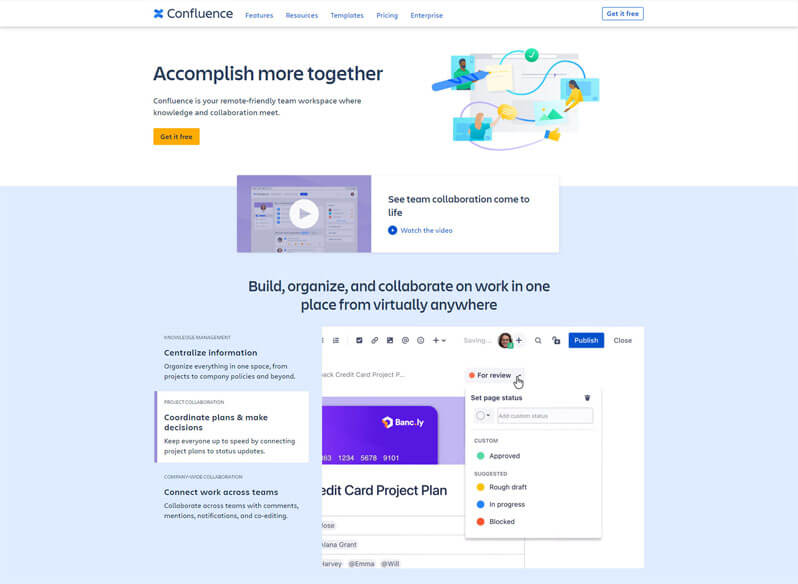
Confluence is a knowledge management and team documentation platform that helps teams create, organize, and share information in one place. It allows users to write pages for project plans, meeting notes, best practices, and internal guides. Confluence supports rich text editing, searchable content, and structured organization so teams can find what they need quickly. Many teams use Confluence to keep documentation up to date and to centralize company knowledge for easy reference.
Pros
- Central place for team documentation.
- Easy to organize notes, plans, guides.
- Integrates well with other Atlassian tools.
Cons
- Not primarily a real-time chat tool.
- Can feel complex for new users.
Why we chose this tool
- Great for long-term knowledge sharing.
- Helps teams keep documentation accessible.
Pricing Info
- Free plan available.
- Pro plan starts at ~ $5/user/month.
3. Discord

Discord, initially designed for gamers, now offers free voice, video, and text chat capabilities along with robust community-building and moderation tools. However, it has gained widespread adoption for team collaboration in various industries. The platform allows users to create servers (workspaces) and channels for organized communication.
This team chat app offers robust permissions and moderation tools for server administrators. Users can engage in voice and video calls with high-quality audio and screen sharing. The app supports file sharing, direct messaging, and threaded conversations. Discord is highly customizable with various themes, emojis, and bot integrations. The platform provides a free tier with affordable paid plans for larger organizations. Discord prioritizes reliability and low-latency communication for real-time collaboration. It has evolved into a versatile team communication tool beyond its gaming roots.
Pros
- Highly customizable with robust permissions and moderation tools.
- Reliable voice and video communication capabilities.
- Free for small teams with affordable paid plans for larger organizations.
Cons
- Limited native integration with productivity and business apps.
- Designed primarily for casual communication, lacking advanced workflow features.
- Security and compliance concerns for regulated industries.
Why we chose this tool
- Easy voice and text communication with high-quality audio.
- Great for creating communities with organized channels.
- Free version offers extensive features.
Pricing Info
- Basic version starts from: $2.99.
- Premium pricing starts from: $9.99.
4. Twist
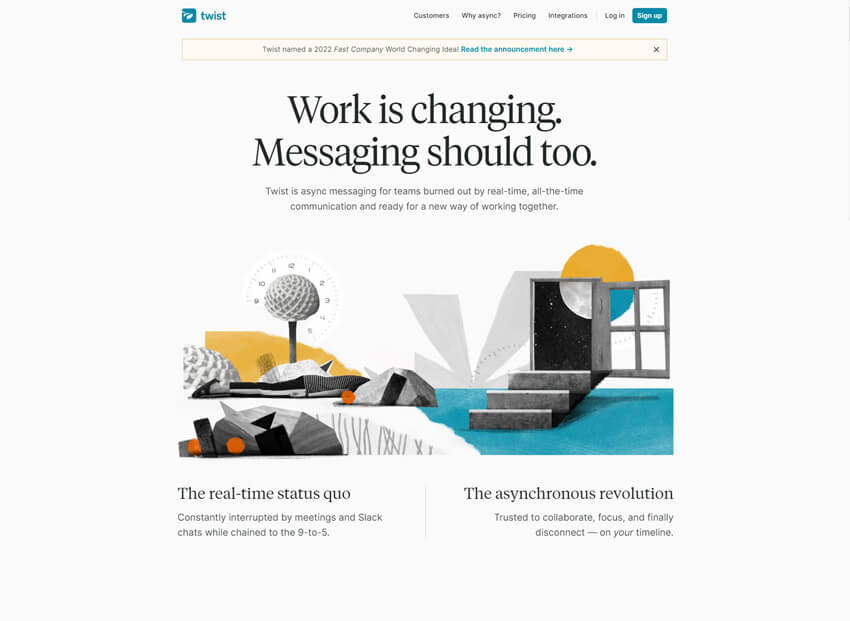
Twist is a promising free slack alternative for small teams that combines threaded conversations, messaging, and task management in a minimalist, distraction-free interface. Twist’s threaded conversations make it easy to follow and reference discussions. The app’s design aims to reduce distractions and information overload. Users can create channels for different projects, topics, or teams.
This team chat app integrates with popular productivity tools like Asana, Trello, and Jira. The platform offers robust search capabilities to find conversations and files quickly. Users can share files, code snippets, and create to-do lists within conversations. Twist prioritizes asynchronous communication to promote deep work and reduce interruptions. The app is suitable for teams seeking a calm and organized collaborative environment.
Pros
- Threaded conversations make it easy to follow and reference discussions.
- Minimalist design reduces distractions and information overload.
- Integrates with popular productivity tools like Asana, Trello, and Jira.
Cons
- Limited video conferencing capabilities compared to other apps
- Smaller user base and ecosystem compared to more established platforms.
- May lack some advanced features required by larger organizations.
Why we chose this tool
- Focused on asynchronous communication to reduce distractions.
- Threaded conversations keep topics organized.
- Clean interface for streamlined team discussions.
Pricing Info
- Basic version is free.
- Pro plan pricing starts from: $5.
5. Chanty

Chanty provides messaging, audio/video calls, file sharing, and task management capabilities with an intuitive user interface.
This chat app supports public and private channels for organized communication. Users can share screens, co-edit documents, and assign tasks within conversations. Chanty integrates with popular productivity and project management tools like Trello and Asana.
This group chat app offers affordable pricing plans suitable for smaller teams and startups. Chanty prioritizes security with features like two-factor authentication and data encryption. The platform provides mobile apps for iOS and Android devices. Chanty aims to streamline team communication and collaboration for small businesses.
Pros
- Simple and intuitive user interface with easy onboarding.
- Affordable pricing plans suitable for smaller teams and startups.
- Integrates with popular productivity and project management tools.
Cons
- Limited advanced features compared to more robust platforms.
- Smaller user base and ecosystem compared to industry leaders.
- Potential scalability concerns for larger organizations.
Why we chose this tool
- Simple and user-friendly chat tool for teams.
- Built-in task management for team accountability.
- Affordable pricing with free tier available.
Pricing Info
- Basic version is free.
- Premium pricing starts from: $3.
6. Element (Matrix)
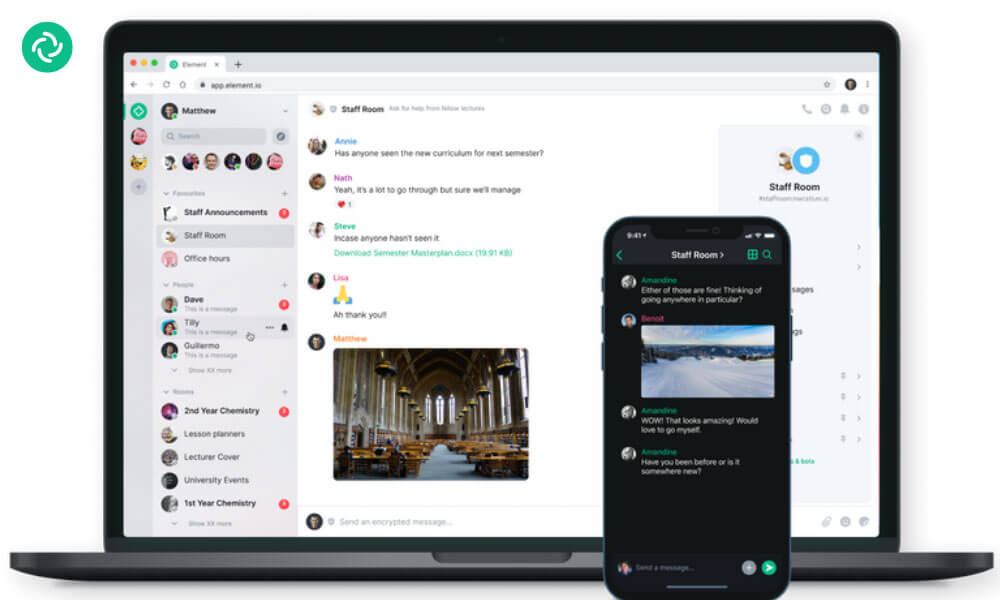
Element is an open-source team communication platform built on the Matrix protocol. It supports secure messaging, group chats, voice and video calls, and file sharing. Because it is decentralized, organizations can host it on their own servers for better control over data. Element also supports integrations and APIs, making it suitable for technical teams that need customization and flexibility.
Pros
- Open-source and highly customizable.
- Supports secure messaging, group chat, voice/video calls.
- Can be self-hosted for full data control.
Cons
- Setup may require technical support.
- Interface can feel complex for first-time users.
Why we chose this tool
- Great choice for teams needing flexibility and customization.
- Suited for secure and decentralized communication needs.
Pricing Info
- Free: Yes (public/Matrix network).
- Premium: Hosted plans start at ~$4–$6/user/month (varies by hosting provider).
7. Basecamp

Basecamp is a team collaboration platform that brings messaging, file sharing, schedules, and to-dos into a single workspace. It helps teams replace scattered email threads with organized discussions and clear task lists. Basecamp also includes group chat features, project boards, and document storage. The tool is designed to reduce the number of separate apps teams need, making it simple to keep work in one place. Basecamp works well for small and mid-sized teams that want straightforward, all-in-one collaboration.
Pros
- Combines messaging, files, and to-dos in one place.
- Simple, intuitive interface.
- Flat pricing for large teams.
Cons
- Less advanced task features than some tools.
- Limited real-time communication focus.
Why we chose this tool
- Strong for centralized team collaboration.
- Helps teams avoid too many separate apps.
Pricing Info
- Trial available.
- Premium ~ $15/user/month.
8. Zoho Cliq

Zoho Cliq offers messaging, audio/video calls, file sharing, and task management capabilities.
This group chat app provides seamless integration with other Zoho apps like CRM, Projects, and Desk. Users can create channels, share screens, and collaborate on documents within the app. The platform offers advanced security and compliance features for businesses.
This team chat app provides affordable pricing plans suitable for small and medium-sized businesses. Users can leverage Zoho’s AI assistant, Zia, for smart recommendations and automations. The app offers mobile apps for iOS and Android devices. Zoho Cliq aims to centralize team communication and collaboration within the Zoho ecosystem. It caters to businesses seeking a comprehensive productivity suite with tight integration.
Pros
- Seamless integration with other Zoho apps like CRM, Projects, and Desk.
- Advanced security and compliance features for businesses.
- Affordable pricing plans suitable for small and medium-sized businesses.
Cons
- Limited third-party integrations outside the Zoho ecosystem.
- Potential vendor lock-in with the Zoho suite of applications.
- User interface may feel cluttered or overwhelming for some users.
Why we chose this tool
- Integrates seamlessly with the Zoho suite of products.
- Advanced search capabilities for finding past chats quickly.
- Video and voice calls included in its offerings.
Pricing Info
- Basic version is free.
- Premium pricing starts from: $1
9. Pumble

Pumble is a team messaging platform designed for businesses that need simple and organized communication. It supports direct messages, group chats, channels, and file sharing. Teams can manage projects through structured conversations and searchable message history. Pumble also offers integrations and supports real-time collaboration. It is suitable for startups and growing businesses looking for a cost-effective communication solution.
Pros
- Simple, organized team chat with channels and direct messages.
- Searchable message history for easy context.
- Affordable with unlimited users on basic plans.
Cons
- Limited advanced integrations compared to larger platforms.
- Not as feature-rich for large enterprise workflows.
Why we chose this tool
- Great cost-effective alternative to Google Chat.
- Easy to adopt for both small and growing teams.
Pricing Info
- Free: Yes (basic team messaging).
- Premium: Starts at ~$3.60/user/month.
10. Mattermost

Mattermost, another open-source free Slack alternative for small teams, provides a secure and customizable team collaboration solution with messaging, audio/video calls, project management tools, and self-hosting capabilities. This chat app supports public and private channels, direct messaging, and file sharing. Users can create and assign tasks, set due dates, and track progress. The platform offers advanced security and compliance features for regulated industries.
Mattermost’s open-source nature allows for community-driven development and integrations. Users can leverage various third-party integrations and bots for automation. The platform provides mobile apps for iOS and Android devices. Mattermost aims to provide a secure and customizable team collaboration solution. It caters to organizations seeking an open-source tool with self-hosting capabilities.
Pros
- Highly customizable and can be self-hosted for maximum control.
- Advanced security and compliance features for regulated industries.
- Open-source nature allows for community-driven development and integrations.
Cons
- Steeper learning curve compared to more user-friendly team chat apps
- Limited out-of-the-box integrations and features compared to proprietary solutions.
- Requires technical expertise for self-hosting and customization.
Why we chose this tool
- Open-source solution tailored for enterprise use.
- Secure and self-hosted for full data control.
- Excellent for integrating with developer tools like GitLab.
Pricing Info
- Basic version is free.
- Pro plan pricing starts from: $10.
Experts guide to choose the best Slack Alternatives for businesses
Selecting the optimal tool requires careful consideration of various factors. Here’s a comprehensive guide to help you make the right choice:
- Identify Needs: Assess your team’s communication requirements, such as real-time messaging, video conferencing, task management, and integrations.
- Ease of Use: Opt for an intuitive interface that your team can adopt seamlessly, reducing the learning curve and maximizing productivity.
- Feature Set: Prioritize tools offering essential features like chat, file sharing, and collaboration, while considering unique offerings like threaded conversations.
- Scalability: Choose a platform that can accommodate your team’s growth without compromising performance or incurring substantial costs.
- Integration Compatibility: Ensure the tool integrates with your existing tools and software, streamlining workflows and enhancing efficiency.
- Customization: Consider platforms that allow customization to align with your team’s preferences and unique workflows.
- Security: Prioritize data privacy and security features, such as end-to-end encryption and compliance with industry standards.
- Cost-Effectiveness: Evaluate pricing plans, considering both initial costs and potential future expenses as your team expands.
- User Support: Opt for tools with reliable customer support, including documentation, tutorials, and responsive assistance.
- Trial Period: Take advantage of free trials to test the platform’s functionality, interface, and overall suitability for your team’s needs.
- User Feedback: Research user reviews and testimonials to gain insights into real-world experiences with the tool.
- Long-Term Viability: Choose a solution from established providers or those showing promising growth to ensure continued support and updates.
- Migration Ease: Consider how seamless it is to migrate your data and workflows from Slack to the chosen team chat tool.
- Team Consensus: Involve team members in the decision-making process, ensuring the chosen group chat tool aligns with their preferences and needs.
By meticulously evaluating these factors, you can confidently choose the best Slack alternative that enhances your team’s communication, collaboration, and overall effectiveness.
Why should you look for a Slack alternative?
Slack has its own limitations and some of them are listed below.
- Distractions: Frequent notifications prompt immediate response, disrupting concentration and causing a 25-minute recovery time after interruptions. Over 45 messages daily, as per studies, further contribute to this distraction.
- Messy Conversations: Despite designated channels, an overflow of messages leads to overlooked vital information. The average of over 200 Slack messages sent weekly per employee contributes to this information loss.
- Stress and Time-Consuming: Excessive ease-of-use prompts unnecessary messages, pressuring colleagues to review them to avoid missing crucial data. This reduces work efficiency and impacts work-life balance.
- Restrictions: While Slack’s free version exists, its limitations in history, calls, storage, and integrations make premium plans necessary, with advanced setup knowledge often required.
- Integration Complexities: Slack offers 800+ third-party integrations, demanding technical expertise to configure. Lack of resources or tech-savviness restricts usage to mere messaging, hindering full potential.
- Expensive: Commencing at $8/user/month, Slack’s costs add up swiftly, with additional expenses for third-party tools like Zoom. This cost-effectiveness needs consideration.
- Complex Usage: Integrating Slack often requires dedicated resources, training, and expertise. This complexity might be overwhelming for smaller organizations, favoring larger counterparts.
In a rapidly evolving industry, exploring tools that align better with your organization’s needs and objectives could lead to more efficient communication solutions.
10 reasons why Clariti's context-based communication better than channel-based Slack?
- Complete Context: Clariti provides a complete context within Conversations, offering a more comprehensive understanding of discussions. Slack does not offer the same level of context.
- Unified Workspace: Clariti offers a unified platform that integrates emails, chats, files, and feeds, ensuring all work-related content is in one place. Slack lacks this level of integration.
- Eliminates Email Forwards: Clariti eliminates the need for email forwards by allowing email sharing within chat messages, while Slack may still require email forwards for context.
- Simplified Shared Inboxes: Clariti simplifies shared inbox management by allowing team members to share emails in chat messages. Slack may not have this feature.
- Flexible Conversations: Clariti permits adding or removing participants in discussions, a feature that Slack may not offer.
- Seamless File and Feed Sharing: Clariti allows for effortless sharing of files and external feeds within Conversations, promoting a more streamlined exchange of information. Slack may not provide the same level of integration for files and feeds.
- Integrated Meetings and Screen Sharing: Clariti offers in-platform meetings and screen sharing and reducing the reliance on external tools for virtual meetings. Slack may require third-party integrations for this functionality.
- Efficient Email Management: Clariti combines all emails related to a specific topic or project in one place, reducing email clutter and streamlining communication. Slack primarily focuses on chat-based communication and may not provide the same level of email organization.
- Budget-Friendly: Clariti offers a cost-effective Slack alternative, including a free version, making it more accessible for businesses looking to maximize their communication tools without breaking the bank. Slack’s pricing is huge.
- Enhanced Work Clarity: Clariti’s context-based communication fosters work clarity, ensuring that all team members have a complete understanding of their tasks and projects. Slack may require additional efforts to achieve the same level of clarity and context in conversations.
These reasons underline how Clariti’s context-based communication provides a more comprehensive and cost-effective communication solution compared to Slack.
Conclusion
In the ever-evolving landscape of team communication and collaboration, exploring Slack alternatives has become a necessity for businesses seeking to stay ahead of the curve. As we approach 2026, the market is brimming with innovative solutions, each offering unique features and capabilities tailored to diverse organizational needs.
When evaluating free group chat tools, it’s crucial to consider factors such as team size, industry-specific requirements, existing tech stack, security and compliance standards, and budgetary constraints. Assessing a platform’s integration capabilities, scalability, and ease of use should be prioritized to ensure a seamless transition and long-term viability.
Embracing cutting-edge technologies like artificial intelligence and machine learning can provide a competitive edge. Platforms like Clariti, which leverage AI to automatically organize conversations and surface relevant information, exemplify how these team chat can streamline workflows and eliminate the need for manual searches and context-switching.
Ultimately, the choice of a team chat tool should be a strategic decision aligned with the organization’s goals and roadmap. Involving key stakeholders, conducting thorough evaluations, and seeking expert guidance can help businesses navigate the myriad of options and make an informed decision.
As businesses continue to navigate the complexities of remote and hybrid work environments, the importance of selecting the right group chat app cannot be overstated. The right platform can foster seamless collaboration, enhance productivity, and drive success.
In the years to come, the ability to adapt and leverage cutting-edge communication tools will be a defining factor in staying ahead of the curve. By exploring the top free team chat tools and implementing expert tips, businesses can position themselves for success, fostering collaboration, enhancing productivity, and driving innovation in 2026 and beyond.
X


Frequently Asked Questions
What are good alternatives to Slack?
Clariti and Microsoft Teams are excellent alternatives to Slack, offering robust team communication features and diverse collaboration options.
Which is better than Slack?
Clariti stands out as a superior alternative to Slack, offering context-based communication that seamlessly integrates emails, chats, and documents, providing a unified and efficient collaboration experience.
Is Slack alternative free?
Yes, Clariti offers a free version with essential features, making it an excellent cost-effective alternative to Slack for effective team communication and collaboration.
What is the biggest problem with Slack?
Slack’s channel-based communication can lead to information silos, making it challenging to maintain context and track discussions effectively.


Start for FREE with Personal CRM
We too hate spam! Your email is secure with us.

Spot secured. You're in.


No more switching tools.

No more lost context.

Just Clarity.

Keep an eye out for emails from @clariti.app.
(and check your spam folder just in case—whitelisting us helps ensure you don’t miss a thing).

