


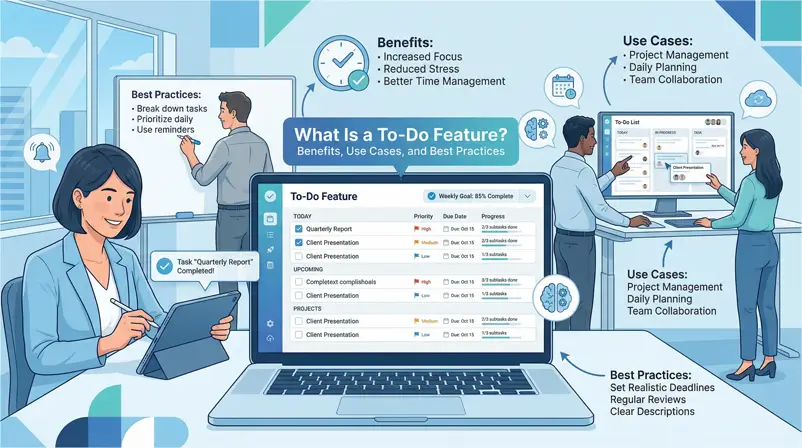

Blog Summary
A to-do feature is a task management function that captures, organizes, and tracks tasks acting as external memory, so your brain can focus on execution rather than remembering.
The Research:
- 41% higher goal achievement when tasks are written down (Dominican University).
- 25% productivity boost from using task management tools (McKinsey).
- Reduced cognitive load by offloading mental tracking.
Success requires more than a checklist. Tasks must be specific, actionable, and time-bound. However, the most overlooked factor is context understanding why a task exists.
Traditional lists often isolate tasks from the work itself. To solve this, context-aware tools like Clariti are shifting the standard by linking to-dos directly to their original conversations, ensuring the background history is always attached to the task.
View more
Your brain wasn’t designed to be a task manager.
It’s designed to solve problems, generate ideas, and make decisions-not to remember that you need to follow up with Sarah about the Q3 report while also scheduling the vendor’s call and finishing the budget review by Friday.
Yet most professionals treat their memory like a filing cabinet, stuffing tasks into mental folders and hoping nothing falls out. The result? Missed deadlines. Forgotten commitments. That 3 AM panic when you suddenly remember what you were supposed to do yesterday.
A to-do feature exists to solve this. Not as a fancy productivity hack, but as external memory-a reliable system that captures, organizes, and reminds you what needs doing so your brain can focus on actually doing it.
In this article, we break down what a to-do feature really is, the research-backed benefits of using one, common use cases across work and life, and best practices that separate effective task management from digital clutter.
What Is a To-Do Feature in Task Management Software
A to-do feature is a built-in task management function in apps or software that lets users create, organize, schedule, and track tasks they need to complete. It typically includes adding tasks, setting up due dates and reminders, marking tasks to complete, and sometimes categorizing or assigning them to others in shared environments.
At its core, a to-do feature transforms a mental checklist into an organized, trackable workflow.
Instead of juggling tasks in your head-where they compete for attention and inevitably slip through cracks-a to-do feature provides a structured system for capturing what needs doing, when it’s due, and how important it is.
Core Components of a To-Do Feature
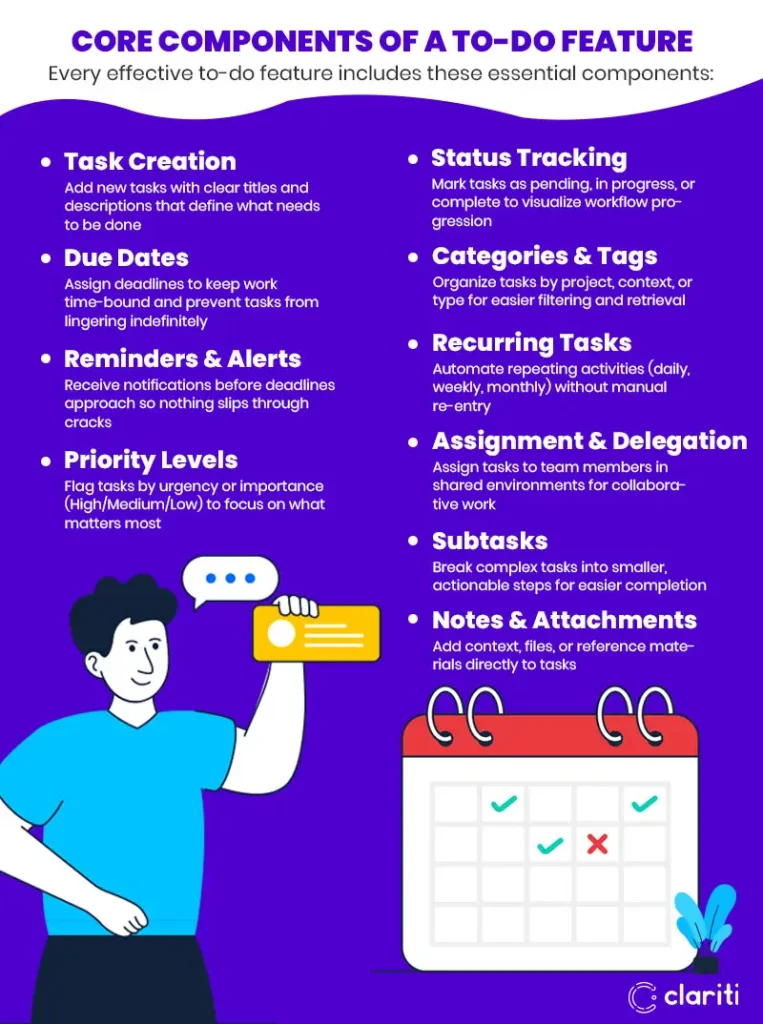
Every effective to-do feature includes these essential components:
- Task Creation: Add new tasks with clear titles and descriptions that define what needs to be done
- Due Dates: Assign deadlines to keep work time-bound and prevent tasks from lingering indefinitely
- Reminders & Alerts: Receive notifications before deadlines approach so nothing slips through cracks
- Priority Levels: Flag tasks by urgency or importance (High/Medium/Low) to focus on what matters most
- Status Tracking: Mark tasks as pending, in progress, or complete to visualize workflow progression
- Categories & Tags: Organize tasks by project, context, or type for easier filtering and retrieval
- Recurring Tasks: Automate repeating activities (daily, weekly, monthly) without manual re-entry
- Assignment & Delegation: Assign tasks to team members in shared environments for collaborative work
- Subtasks: Break complex tasks into smaller, actionable steps for easier completion
- Notes & Attachments: Add context, files, or reference materials directly to tasks
These components appear across productivity tools, project management platforms, and personal planning apps-from simple checklist apps like Todoist to comprehensive platforms like Asana or Trello; as we’ll see in the next section, they actively change your brain chemistry by reducing the ‘cognitive tax’ of remembering.
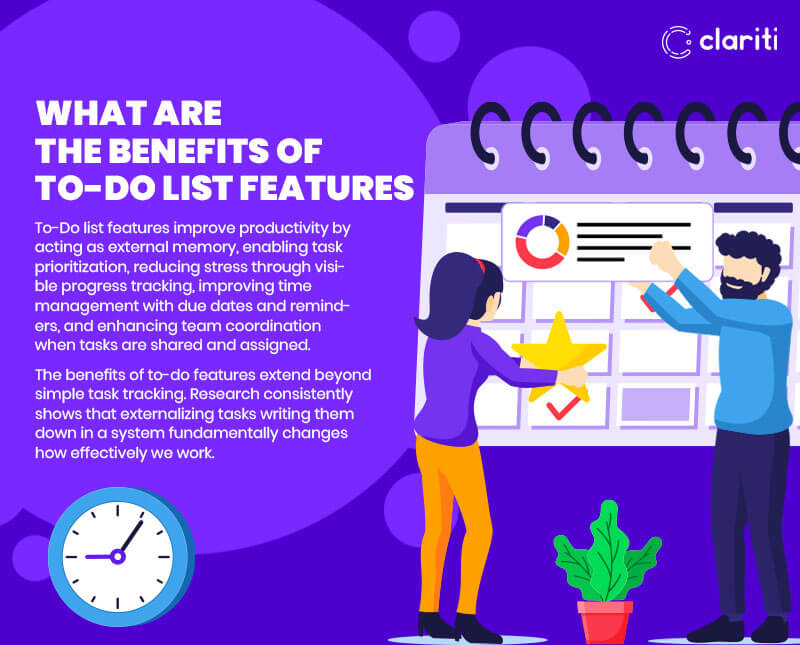
What Are the Benefits of To-Do List Features
To-Do list features improve productivity by acting as external memory, enabling task prioritization, reducing stress through visible progress tracking, improving time management with due dates and reminders, and enhancing team coordination when tasks are shared and assigned.
The benefits of to-do features extend beyond simple task tracking. Research consistently shows that externalizing tasks writing them down in a system fundamentally changes how effectively we work.
1. Memory Support and Organization
Your working memory acts like a computer’s RAM it holds approximately 4-7 items at once. Beyond that, tasks start falling out. A to-do feature acts as external memory, capturing everything, so you don’t rely on recall alone.
This concept is supported by the American Psychological Association, which notes that writing tasks down frees mental bandwidth for deeper work. It also combats the Zeigarnik Effect, a psychological phenomenon where uncompleted tasks occupy mental space until they are finished or recorded. Writing tasks down releases this mental tension and, according to the Journal of Personality and Social Psychology, significantly reduces anxiety about forgetting.
2. Productivity and Focus
Prioritizing and scheduling tasks help you focus on what matters now, not just what’s shouting the loudest. This structure is critical for performance; the McKinsey Global Institute found that effective task management tools can improve individual productivity by up to 25%.
Furthermore, a study by Dominican University revealed that people who write down their goals and tasks are 41% more likely to achieve them. This structure helps professionals avoid the “busy trap” an issue highlighted by Atlassian research, which shows the average employee spends 31 hours per month in unproductive meetings and task-switching.
3. Time Management
Due dates and reminders reduce last-minute rushes. When deadlines are visible and alerts arrive before they pass, work gets distributed more evenly across available time. This prevents the “crunch” that leads to burnout and errors.
4. Progress Tracking
Seeing tasks checked off improves motivation and shows tangible progress. This visual feedback creates a “completion momentum” for each checked box to reinforce productive behavior. It transforms a vague sense of “working hard” into a visible record of accomplishment.
5. Team Coordination
Task management is now the professional standard, with the 2023 Asana Anatomy of Work Index reporting that 91% of professionals use some form of task list.
When these lists are shared, teams gain visibility into who’s doing what, what’s blocked, and what’s complete. This transparency reduces the need for status meetings, eliminates duplicate work, and keeps projects moving without constant email check-ins. However, knowing the benefits is different from applying them. To get that 25% productivity boost, you need to apply these features to the right workflows.
What Are Common To-Do List Use Cases Personal Planning to Project Management
Common to-do list use cases range from daily personal planning and habit tracking to complex team project management. They are essential for breaking large goals into steps, automating recurring workflows, and assigning accountability in shared environments.
To-do features apply across virtually every context where tasks exist. While the core mechanic checking a box remains the same, the application differs based on the goal.
1. Daily Planning (Personal & Work)
This is the most fundamental use case. Whether it is a CEO managing a crisis or a student planning study hour, the goal is to list activities for the day, prioritize them, and track completion.
- Work Example: Reviewing Q3 budget, preparing presentation slides, or sending a client proposal.
- Personal Example: Grocery shopping, picking up dry cleaning, or following a morning routine.
2. Project Task Management
Large projects are often overwhelming because they are too abstract. A to-do feature solves this by breaking big goals into concrete, trackable steps. By assigning a deadline and status to every small piece, progress becomes visible, and blockers surface early.
- Example: A “Website Redesign” project isn’t a single task. It is broken down into: Create wireframes, Draft homepage copy, Approve color palette, and Run QA tests.
3. Team Collaboration and Meeting Follow-ups
In a team setting, a to-do list transforms a personal planner into a coordination engine. It answers the question: “Who is doing what?”
- Assignments: Managers can assign tasks to specific owners with deadlines, eliminating the “I thought you were doing that” confusion.
- Meeting Actions: Instead of leaving action items buried in meeting notes, teams extract them into shared to-do lists to ensure accountability after the call ends.
4. Recurring Activities and Habit Tracking
Some tasks aren’t one-off; they happen on a schedule. Relying on memory for repeating tasks is a recipe for error. Recurring task features automate this, regenerating the task automatically, so nothing falls through the cracks.
- Professional: Submitting weekly status reports, reviewing monthly invoices, or quarterly planning.
- Personal: Tracking daily habits like reading, meditation, or workout schedules.
What Are Best Practices for Using To-Do Features in Productivity Tools
Best practices include making tasks specific and actionable, using due dates and reminders consistently, prioritizing by importance and urgency, breaking large work into subtasks, reviewing and updating lists regularly, and choosing tools that connect tasks to their original context.
A to-do feature is only as effective as how you use it. These best practices separate productive task management from digital clutter.
To-Do List Best Practices for Maximum Efficiency
|
Practice
|
Why It Matters
|
How to Apply
|
|---|---|---|
|
Make tasks specific
|
Vague tasks get procrastinated
|
"Review Q3 budget spreadsheet" instead of "Work on budget"
|
|
Use due dates
|
Deadlines create accountability
|
Assign realistic dates to every task
|
|
Set reminders
|
Prevents forgetting before deadlines
|
Configure alerts 1 day or 1 hour before due
|
|
Prioritize clearly
|
Focus on what matters most
|
Use priority flags or labels (High/Medium/Low)
|
|
Break down large work
|
Complex items feel overwhelming
|
Create subtasks for multi-step activities
|
|
Review regularly
|
Lists become stale without maintenance
|
Daily review to update, complete, or reschedule
|
|
One action per task
|
Multi-action tasks stay incomplete
|
Split "Research and write report" into separate tasks
|
|
Connect to context
|
Understand why tasks exist
|
Link tasks to originating conversations or projects
|
Note: “Connect to context” is often the hardest step in traditional tools, a problem we address specifically in the Clariti vs. Competitors section below.
Context-Aware Task Management: The Problem with Traditional To-Dos
Most to-do features answer one question: “What do I need to do?” But they fail to answer the more important question: “Why do I need to do it?”
Traditional task lists exist as standalone items-disconnected from the conversations, emails, and decisions that created them. You see “Follow up with vendor” but can’t remember which vendor, about what issue, or what was already discussed.
This context gap creates problems:
- Wasted time searching for background information
- Incomplete work because critical details are missing
- Duplicate effort when context isn’t shared across teams
- Abandoned tasks that seem meaningless without their origin story
The most effective to-do implementations solve this by connecting tasks directly to their source context.
How Does Clariti's To-Do Feature Differ from Competitors
Clariti creates context-preserved tasks tied directly to chats, emails, and conversations-automatically linking each to-do to its original discussion. Unlike standalone task lists in Slack, Teams, Asana, or Trello; Clariti tasks include full conversation history, shared files, and decisions, answering both “what to do” and “why.”
Traditional productivity tools treat tasks as isolated checkboxes. Clariti treats tasks as outcomes of conversations.
Clariti vs. Traditional To-Do Features
|
Traditional Tools (Slack, Teams, Asana, Trello)
|
Clariti's Context-Linked To-Dos
|
|---|---|
|
Create standalone tasks disconnected from origin
|
Context-linked To-Dos tied directly to chats, emails, and messages
|
|
Require manual links or copying context
|
Automatic reference back to the original conversation
|
|
Switch between apps to create tasks
|
Create To-Dos from inside conversations without app-switching
|
|
Basic reminders and due dates
|
Alerts, reminders, snooze, and recurring tasks built-in
|
|
Calendar views show task lists only
|
Calendar view showing Scheduled, Completed, Daily, Weekly, Quarterly
|
|
Click a task, see only the task
|
Click a task → instantly see full discussion, files, and decisions
|
|
Separate chat, email, and task tools
|
Unified flow connecting all communication to tasks
|
|
Answer "what to do"
|
Answer "what to do and why"
|
Practice Clariti: Connecting Tasks to Conversations
- Context-Linked To-Dos
Every Clariti to-do connects directly to the conversation that created it. When you create a task from a chat discussion, that task permanently links back to the full thread-including every message, shared file, and decision that led to it. - No App-Switching Required
Create to-dos from inside conversations without jumping to a separate task management tool. The task inherits its context automatically. No copying. No manual linking. No lost information. - Full History on Click
When you click a Clariti task, you don’t just see a task title and due date. You see the complete discussion that prompted it-the original request, the clarifications, the attached documents, and the decisions made. Context is never more than one click away. - Unified Communication Flow
Most tools separate chat, email, and tasks into disconnected systems. Clariti unifies them. A task that originated from an email thread maintains that connection. A follow-up that started in chat links back to the chat. Everything stays connected. - Calendar Integration
View tasks by Scheduled, Completed, Daily, Weekly, or Quarterly. See what’s due when, what’s been finished, and what’s coming up-all from a single calendar interface. - Alerts, Reminders, and Recurring Tasks
Set reminders that notify you before deadlines. Snooze tasks that need to wait. Configure recurring tasks that auto-generate on schedules. All standard task management capabilities but with full context attached.
Conclusion: Choosing the Right To-Do Feature
Research from Asana’s Anatomy of Work Index found that workers spend 60% of their time on “work about work”-searching for information, chasing status updates, and switching between apps.
When tasks disconnect from their context, this problem compounds. Every to-do becomes a research project: What was this about? Where’s the original request? What was already decided?
Clariti eliminates this overhead by preserving context automatically. The task knows where it came from. The worker doesn’t need to reconstruct history.
Never Ask “What Was This Task About?” Again.
Keep your to-dos connected to your conversations. Experience the difference between context-based task management with Clariti.
[Book your demo today]
Frequently Asked Questions
What is a to-do feature in software?
A: A to-do feature is a built-in task management function that lets you create, organize, schedule, and track tasks. It typically includes task creation, due dates, reminders, priority levels, and status tracking. These features appear in productivity apps, project management platforms, and personal planning tools to transform mental checklists into organized, trackable workflows.
What are the main benefits of using to-do list features?
A: Research shows to-do features improve goal achievement by 41% (Dominican University), boost productivity by 25% (McKinsey), reduce cognitive load by externalizing tasks, decrease anxiety about forgetting commitments, and improve team coordination when lists are shared. They act as external memory, freeing mental bandwidth for deeper work.
What are the best practices for effective to-do list management?
A: Make tasks specific and actionable (one action per task), use due dates and reminders consistently, prioritize importance and urgency, break large work into subtasks, and review lists daily to update or reschedule. Most importantly, choose tools that connect tasks to their original context so you understand not just what to do, but why.
How does Clariti's to-do feature differ from tools like Asana or Trello?
A: While Asana and Trello create standalone tasks, Clariti creates context-preserved tasks tied directly to conversations. Every Clariti to-do links back to the original chat, email, or discussion that created it. Click on a task and see the full history of messages, files, and decisions answering both “what to do” and “why.”
Why does context matter for to-do list effectiveness?
A: Workers spend 60% of their time on “work about work” searching for information and context (Asana). When tasks disconnect from their origin, every to-do becomes a research project. Context-linked tasks like Clariti’s eliminate this overhead by preserving the full conversation history, shared files, and decisions that prompted each task.




Start for FREE with Personal CRM
We too hate spam! Your email is secure with us.

Spot secured. You're in.
You’re officially on the list for early access to Clariti.


No more switching tools.

No more lost context.

Just Clarity.
You’ll be among the first to experience it when we launch. We’ll let you know the moment it’s ready.

Keep an eye out for emails from @clariti.app.
(and check your spam folder just in case—whitelisting us helps ensure you don’t miss a thing).

