
Share Chats

Share Anything, With Anyone — Right in the Flow of Work!

share chats BI

Share Messages — Keep Everyone in the Loop!

Email to Conversations

Share emails with chats or conversations to add context.

Open button Close button

Chat to Conversations

Share chat messages across multiple group chats.

Open button Close button

Cross-Team Sharing

Share messages with different teams or departments in real time.

Open button Close button

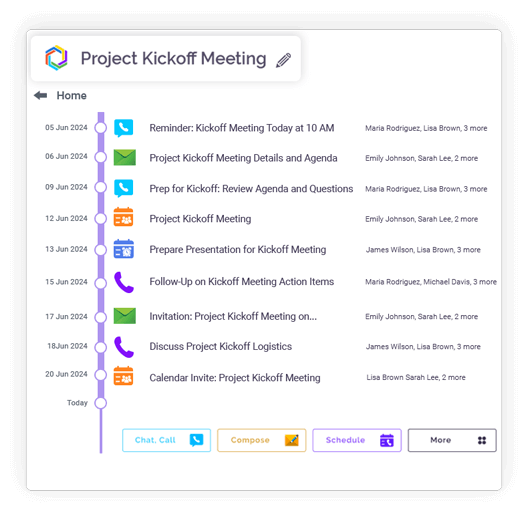
Context Retention

Shared content keeps its original context for clarity.
Open button Close button
Feature slide img

Send It Forward — No Copy-Paste, No Confusion!

Easy Chat Forwarding

Forward single chats or messages without copy-paste.

Open button Close button

Forward to Chats or Groups

Send content to active discussions quickly.

Open button Close button

Multi-Source Forwarding

Forward content from emails or chats to any destination.

Open button Close button

Message Order Preserved

Forwarded content maintains chronology and relevance.

Open button Close button

Reduced Repetition

Forwarding helps streamline collaboration and alignment

Open button Close button
Feature slide img

Turn Shared Content into Fresh Discussions Instantly!

Instant Share & Chat

Share content and start a new chat immediately.

Open button Close button

Context Creation

Shared items form the base of a new hybrid conversation.

Open button Close button

Source Preservation

Original source (email, chat, or feed) remains visible.

Open button Close button

Redundancy Reduction

Build new discussions from existing messages.

Open button Close button

Clear Collaboration

Promote topic-based, context-driven discussions.

Open button Close button
Feature slide img

Share Anything Without Leaving Clariti!

Share Anything

Share chats, emails, files, or feeds from anywhere in Clariti.

Open button Close button

Single-Click Access

Share content without leaving the workspace.

Open button Close button
Feature slide img

Know What Was Shared, When, and With Whom

Sharing History

Track who shared what, when, and where.

Open button Close button

Collaboration Transparency

Maintain visibility across shared content.

Open button Close button
Feature slide img

Integration

Connect your apps. Get more done.

Microsoft 365

Microsoft 365

Office productivity suite

Google Workplace

Google Workspace

Cloud-based productivity suite

Onedrive

OneDrive

Cloud file storage

Google Drive

Google Drive

Cloud file storage and sharing

Dropbox

Cloud file storage and sharing

PCloude

pCloud

Secure cloud file storage

Github

GitHub

Source code hosting

Hot Spot

HubSpot

Marketing automation platform

Team

Microsoft Teams

Team collaboration platform

More Useful Features

Share Across Topics 

Cross-link chats and emails.

Forward Instantly

Skip copy-pasting.

Smart Context Links

Preserve discussion flow.

Share Chat to Other Conversations

Bring related discussions together.

Streamline Collaboration 

Forwarding eliminates repetitive communication.

Maintain Full Context 

Shared chats retain their original context.

What Is Clariti’s Share Conversation Feature?

Clariti’s powerful capability allows you to share anything —all its linked emails, chat messages, and files—seamlessly. You can either share isolated snippets or the complete story, preserving the chronological flow and relationships between every piece of communication.

share chats blog_img

Share Chats in Clariti Without Losing Context

Traditional chat sharing often means copying a single message, which strips away the preceding questions and subsequent answers that give it meaning. With Clariti, you can share a particular interaction within a topic or all the interactions in that topic. This means the recipient sees the evolution of the idea, from the initial query to the final decision, ensuring everyone is on the same page.

How to Share Clariti Conversations With Teams or Clients

The process is elegantly simple. Within any topic or conversation, you click the ‘Share and chat’ button. From there, you can share it to other conversations, chats or active chats. This is perfect for quickly looping in a manager on a project’s progress or providing a client with a full update without compiling a separate report.

Share Messages, Files, and Threads Easily in Clariti

This feature consolidates what would normally be a multi-app, multi-step process into a single action. Whether the conversation started from an email, a direct chat, or a file upload, everything is bundled together. The shared thread remains interactive, allowing new participants to view files and follow the message history seamlessly.

Share Email-Based or Chat-Based Conversations in One Click

The beauty of Clariti’s ‘Hybrid Conversations’ is that it doesn’t matter where the discussion originated. A conversation that began with a client email and continued with internal team chats can be shared to a different group (other chats or conversations). This one-click sharing eradicates the tedious forward-and-explain cycle for which email is notorious.

How Sharing Conversations Boosts Team Productivity

The productivity gains are immense. It eliminates the “context deficit” that slows teams down. New members can get up to speed autonomously, managers can make informed decisions without scheduling briefings, and cross-functional collaboration becomes frictionless. This reduces repetitive questions and misalignment, allowing teams to focus on execution rather than clarification.

Clariti Conversation Sharing for Remote and Hybrid Teams

For distributed teams, this feature is a lifeline. It acts as a universal context-passing tool, ensuring that geographical distance does not lead to information asymmetry. It fosters inclusivity, making every team member, regardless of location, feel equally informed and empowered to contribute meaningfully to any discussion.

Blog Links

Frequently Asked Questions?

How do I share a conversation in Clariti?

To share a conversation, open the desired conversation and click the “Share & Chat” button. You can then either share the text to other conversations or chat/active chat or start a new conversation. The recipient can view the conversation history with all its context. This allows them to view the full narrative without needing to be added to the original chat.

Yes, Clariti allows you to share chats, emails and feeds. This preserves the message sequence, attached files, and related emails in their original context. It’s a much cleaner and more comprehensive way to share communication history.

No, in Clariti, you can only share only individual chats item from a grop chat or select multiple chat items from direct messages. You can share files, and any emails connected to the thread. The recipient sees the conversation exactly as it unfolded, maintaining full context and clarity.

No, due to security reasons, you can only share with your existing contacts that you have already added.

Go to any conversation or chat and choose the individual chat item and click on the dropdown arrow at the right side top and choose “Share & Chat” option or simple choose “share” in the case of emails and feeds.

No, in Clariti, you cannot share the entire chat but you can share the individual chat items that may contain links or attachments to other chat groups or conversations.