




- Published on
- 10 min read
In the dynamic world of small business, where agility and efficiency are paramount, the choice of a collaboration tool isn’t just an IT decision—it’s a strategic one. Many small teams, seeking to move beyond chaotic email threads and disconnected messaging, initially gravitate towards affordable and simple-looking platforms like Chanty. Its promise of streamlined team chat and task management is undoubtedly appealing. However, as these teams grow and workflows become more complex, they often hit a ceiling—realizing that the core issue isn’t just communication, but context-switching.
According to Harvard Business Review, employees can lose up to 40% of their productive time due to constant task switching. This challenge becomes even more critical when teams juggle emails, chats, documents, and meetings across multiple tools. Similarly, Statista reports that over 347 billion emails are sent daily, reinforcing how essential it is to integrate—not isolate—communication channels.
This realization is often the catalyst for a search for more capable Chanty alternatives that offer not just another communication tool, but a unified productivity platform. It is in this evaluation that Clariti emerges not merely as an option, but as a transformative solution—designed to eliminate fragmentation and enable context-rich collaboration for modern teams.
Why Teams Switch from Chanty
Many teams start with simple chat tools like Chanty. At first, it feels easy and fast. But as work grows, problems start to show.
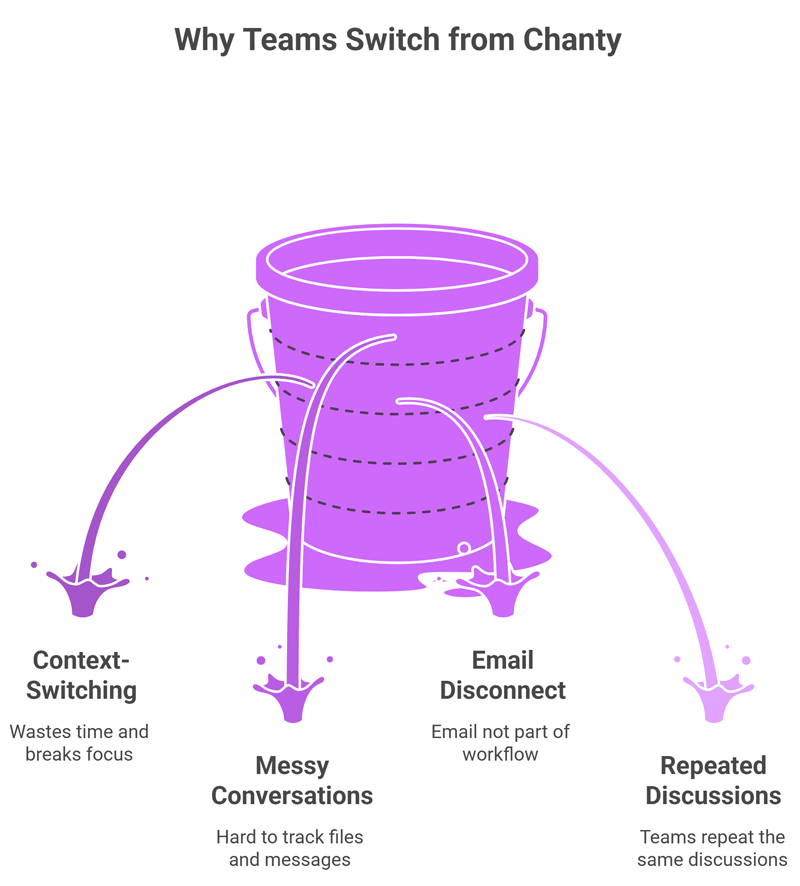
The biggest issue is context-switching. Teams move between email, chat, files, and meetings. This wastes time and breaks focus. Important details get lost across tools.
Chat-only tools also have limits:
- Conversations get messy over time.
- Files and messages are hard to track.
- Email is not part of the workflow.
- Teams repeat the same discussions.
Because of this, teams look for tools that bring everything into one place. They want clear context, less switching, and better productivity.
Top 5 Chanty Alternatives
1. Clariti (Best Overall)
Clariti is built for contextual collaboration. It connects emails, chats, files, and meetings in one place.
- Keeps all work in one conversation thread.
- Reduces app switching.
- Helps teams stay focused.
- Great for small teams and growing startups.
Pros
- Combines email, chat, and files.
- Contextual conversations.
- Reduces app switching.
Cons
- Learning curve for users who are new to hybrid conversations.
Why we chose this tool
- Keeps all communication in one place.
- Improves focus and clarity.
- Reduces tool overload.
Pricing Info
- Free: Not available.
- Premium: Premium pricing is available on request.
2. Slack (Enterprise Chat)
Slack is a popular team chat tool. It works well for large teams.
- Strong integrations.
- Organized channels.
- Good for fast communication.
- Can become cluttered over time.
Pros
- Easy to use.
- Strong integrations.
- Popular and scalable.
Cons
- Can get cluttered.
- Expensive at scale.
Why we chose this tool
- Great for team communication.
- Works with many apps.
- Fast setup and adoption.
Pricing
- Free: Available.
- Premium: Starts ~$7+/user/month.
3. Microsoft Teams (Office Integration)
Microsoft Teams is best for companies using Microsoft 365.
- Deep Office integration.
- Video meetings and file sharing.
- Good for enterprise use.
- Can feel complex for small teams.
Pros
- Deep Office integration.
- Built-in video meetings.
- Good for enterprises.
Cons
- Complex interface.
- Heavy for small teams.
Why we chose this tool
- Best for Microsoft users.
- Combines chat and meetings.
- Strong security features.
Pricing
- Free: Available.
- Premium: Starts ~$4/user/month.
4. Flock (Cross-Functional)
Flock is a simple team chat tool with basic features.
- Easy to use.
- Built-in productivity tools.
- Good for small teams.
- Limited advanced features.
Pros
- Simple interface.
- Built-in productivity tools.
- Quick setup.
Cons
- Limited advanced features.
- Smaller ecosystem.
Why we chose this tool
- Easy for small teams.
- Lightweight and fast.
- Good basic collaboration.
Pricing
- Free: Available.
- Premium: Starts ~$4.50/user/month.
5. Rocket.Chat (Open-Source)
Rocket.Chat is an open-source platform.
- Full control over data.
- Customizable.
- Good for tech teams.
- Needs setup and maintenance.
Pros
- Open-source.
- Self-hosting option.
- Strong security control.
Cons
- Setup can be complex.
- Needs maintenance.
Why we chose this tool
- Full data control.
- Customizable platform.
- Good for secure environments.
Pricing
- Free: Available (self-hosted).
- Premium: Custom pricing for cloud plans.
Chanty Vs Others: Head-to-Head Comparison
|
Feature
|
Chanty
|
Clariti
|
Slack
|
Microsoft Teams
|
Flock
|
|---|---|---|---|---|---|
|
Email Integration
|
Basic notifications
|
Native, Conversations
|
Add-ons
|
Outlook sync
|
Limited
|
|
AI Assistance
|
Command bot
|
Contextual scanning
|
Basic
|
Copilot
|
Bots
|
|
Pricing (per user/mo)
|
Free tier
|
Tiered, no per-user fees
|
$8.75
|
$4
|
$4.50
|
|
Search
|
Message-based
|
Unified contextual
|
Keyword
|
Advanced
|
Basic
|
Clariti vs Chanty: Head-to-Head Comparison
|
Feature
|
Clariti
|
Chanty
|
|---|---|---|
|
Core Approach
|
Context-based collaboration
|
Chat-based communication
|
|
Email Integration
|
Built-in email support
|
Limited/external
|
|
Conversations
|
Unified (email + chat + files)
|
Separate chat threads
|
|
Context Switching
|
Very low
|
High
|
|
Task Management
|
Contextual to-dos
|
Basic tasks
|
|
File Sharing
|
Linked to conversations
|
Shared in chats
|
|
Search
|
Contextual search
|
Basic search
|
|
AI Features
|
Context-aware suggestions
|
Basic bot
|
|
Best For
|
Startups, remote teams
|
Small teams with simple needs
|
2026 Pricing Guide: Chanty vs Alternatives
|
Tool
|
Free Plan
|
Paid Plan (Starting)
|
Best For
|
|---|---|---|---|
|
Clariti
|
Yes
|
Custom pricing
|
Context-driven teams
|
|
Chanty
|
Yes
|
$4/user/month
|
Small teams
|
|
Slack
|
Yes
|
$7.25/user/month
|
Large teams
|
|
Microsoft Teams
|
Yes
|
$4/user/month
|
Office users
|
|
Flock
|
Yes
|
$4.50/user/month
|
Small teams
|
|
Rocket.Chat
|
Yes (self-hosted)
|
Custom
|
Tech teams
|
Clariti for Startups & Remote Teams
Clariti is a strong choice for startups and remote teams. It keeps all communication in one place.
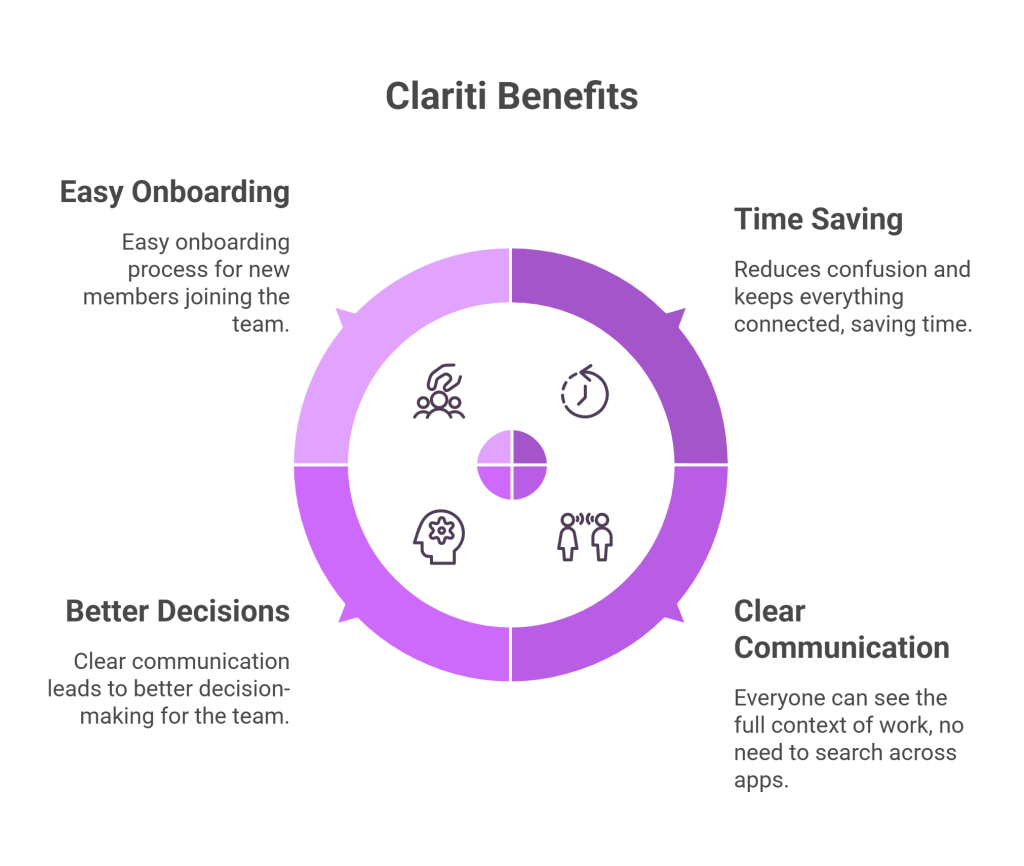
Startups move fast. They need tools that save time. Clariti helps by reducing confusion and keeping everything connected.
Remote teams also benefit a lot. Everyone can see the full context of work. No need to search across apps or ask for updates again.
Key benefits:
- Less time wasted on searching.
- Clear communication across teams.
- Better decision-making.
- Easy onboarding for new members.
Clariti helps teams stay simple, focused, and productive as they grow.
How Clariti’s Conversations Eliminate Context Switching
Clariti was built on a radical premise: that the future of work collaboration isn’t about adding more apps, but about connecting the tools we already use. Instead of forcing teams to adapt to a rigid channel-based structure, Clariti introduces “Conversations”—a dynamic, context-preserving way of organizing work.
Imagine a scenario: A customer’s query lands in your team’s shared email inbox. Instead of forwarding this email to Chanty and starting a new chat thread, in Clariti, you start chatting from the email. The team can then chat about it right there, attached to the original email. This chat can then seamlessly evolve into a to-do list, a voice call, or a screen-sharing session, with all related files stored chronologically in the same thread. The entire history—the original “what,” the discussion of “why,” and the decision on “how”—is preserved in one self-organizing stream.
This approach directly attacks the productivity tax of app-switching. A University of California Irvine study found that it takes an average of 23 minutes to refocus after a single interruption. By eliminating the need to constantly jump between a chat app, an email client, and a cloud drive, Clariti gives small teams their most valuable asset back: uninterrupted focus time. This foundational philosophy of unity over silos is what truly distinguishes it from other Chanty alternatives and establishes a new paradigm for what small teams should expect from their collaboration tools.
Should You Switch from Chanty to Clariti?
For small teams standing at a crossroads, the decision between Chanty and Clariti is a choice between maintaining the status quo of fragmented digital work and embracing a unified future of contextual collaboration. While Chanty offers a familiar path of simple team chat, it ultimately leaves the deeper problems of email overload and information silos unresolved. The search for effective Chanty alternatives is, therefore, a strategic move toward achieving not just communication, but cohesion.
Clariti stands as the pinnacle of this category, offering a sophisticated yet beautifully simple solution that elegantly weaves together every thread of communication into a coherent narrative. It is more than a tool; it is a productivity ecosystem that empowers small teams to punch far above their weight, ensuring that as they scale, their efficiency and clarity scale with them.
In the final analysis, for any small team serious about maximizing their potential, minimizing friction, and building a foundation for sustainable growth, Clariti isn’t just the best Chanty alternative—it is the only logical choice.
Frequently Asked Questions
Why Switch from Chanty to Another Tool?
Many teams switch when their needs grow. Chat-only tools can feel limited over time.
- Too much context switching between apps
- Messages and files get hard to track
- Limited email and workflow integration
Is Clariti Better Than Chanty?
Yes, for teams that need more than chat. Clariti connects emails, chats, files, and meetings in one place. This reduces confusion and helps teams stay focused with full context.
How Much Does Chanty Cost vs Alternatives?
- Chanty: Free plan + paid from ~$4/user/month
- Slack: Starts around $7+/user/month
- Microsoft Teams: Starts around $4/user/month
- Clariti: Custom pricing based on needs
Chanty is cheaper, but advanced tools offer more value.
Does Clariti Integrate Email Like Chanty?
No—Clariti goes further. It has built-in email, not just integration. Emails are part of the same conversation as chats and files, so everything stays connected.
Can I Self-Host Chanty Alternatives?
Yes, some tools support self-hosting.
- Rocket.Chat
- Mattermost
These are good for teams that need full data control.
What's the Best Free Chanty Alternative?
Slack and Microsoft Teams offer strong free plans. They provide better integrations and features, though they may still lack full context like Clariti.
How Does Slack Compare to Chanty?
Slack is more advanced. It offers better integrations and scalability. However, it can become cluttered with too many channels, similar to Chanty at scale.
Is Microsoft Teams a Good Chanty Replacement?
Yes, especially for companies using Microsoft 365. It combines chat, meetings, and file sharing, but may feel complex for small teams.
Chanty vs Pumble: Key Differences?
- Chanty: Simple chat with basic tasks
- Pumble: Clean interface with unlimited message history
Pumble is better for messaging, but both lack deep context integration.
How to Migrate from Chanty to Clariti?
Start simple and move step by step:
- Export important chats and files
- Set up teams and conversations in Clariti
- Connect email accounts
- Train your team on contextual communication
This ensures a smooth transition with minimal disruption.




Start for FREE with Personal CRM
We too hate spam! Your email is secure with us.

Spot secured. You're in.
You’re officially on the list for early access to Clariti.


No more switching tools.

No more lost context.

Just Clarity.
You’ll be among the first to experience it when we launch. We’ll let you know the moment it’s ready.

Keep an eye out for emails from @clariti.app.
(and check your spam folder just in case—whitelisting us helps ensure you don’t miss a thing).

