


Blog
Beyond the Call: The Ultimate Guide to Integrated Video Conferencing for Teams (Meet Clariti)
- By Clariti Team
- No Comments

Blog Summary
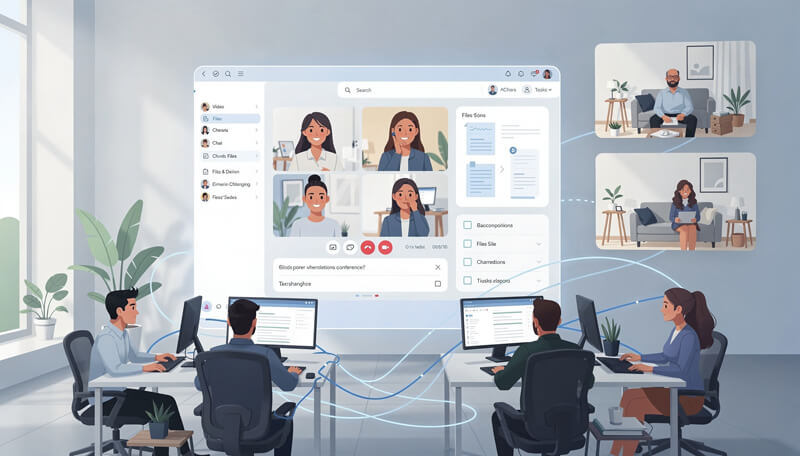
Is "app fatigue" killing your team's productivity? The days of isolated video calls are ending. Modern work demands integrated video conferencing tools for teams that embed video directly into your existing workflow to stop the chaos of context switching.
In this guide, we break down why integration is critical for efficiency and compare the best team video conferencing software on the market. You will learn:
- Essential Features: Why context-aware meeting starts, embedded screen sharing, and AI history are non-negotiable for modern collaboration.
- The Clariti Advantage: How merging emails, chats, and calls into unified "Hybrid Conversations" creates a seamless, searchable history.
Discover how to bridge the gap between your frontline and backend teams, reduce software bloat, and turn every call into an actionable part of your project. Stop switching apps and start connecting.
View more
Remember the early days of the remote work boom? It was a chaotic symphony of notifications. You’d get a Slack message, jump to Zoom, check an email, toggle to Google Docs, and pray you didn’t mute yourself when you finally found the meeting link.
We called it “App Fatigue.” And it was killing our productivity.
The modern workforce has evolved. We don’t just want video conferencing; we want integrated video conferencing for teams. We want tools that live inside our workflows, not alongside them. The future isn’t about finding the best video app; it’s about finding the best ecosystem where video is just another feature as natural as typing a message.
In this guide, we’re diving deep into why integration matters, the specific video conferencing features for team collaboration you should look for, and which enterprise video conferencing tools are actually worth your budget including the platform that is redefining the game: Clariti.
Why "App Fatigue" is Killing Productivity and How Integration Saves It
For years, video conferencing was an event. You “went to a meeting.” You opened a specific app, dialed in, and lived in a silo for 30 minutes.
But work isn’t siloed. Work happens in chats, on whiteboards, inside project management tickets, and over email. When your video tool is separate from all that, you suffer from “context switching.” You spend the first five minutes of every call asking, “Can everyone see my screen?” or “Where did I put that link?”
Integrated video conferencing solutions solve this by embedding the meeting directly into the flow of work. If you are discussing a bug in Jira, you shouldn’t have to leave Jira to talk about it. You should click “Call” right there in the ticket.
That is the difference between a video call and a collaborative experience.
Top Video Conferencing Features for Team Collaboration You Can't Ignore
Not all integrations are created equal. Some are just “Zoom buttons” slapped onto a chat app. True collaboration requires deep functionality. Here are the non-negotiable features you need:
1. Context-Aware Meeting Starts
This is the gold standard. Imagine you are chatting with a colleague about Q3 reports. In a truly integrated environment, you don’t generate a link. You just hit the “Video” icon in the chat thread. The system automatically pulls up the Q3 report document you were just discussing. No links, no passwords, no friction.
2. Asynchronous Video Messaging
Sometimes, a meeting is overkill. Team collaboration video conferencing solutions are now incorporating async video think Loom, but native. You can record a quick walkthrough of a design or a code snippet and drop it into the chat. The team watches it when they are ready and comments with timestamps. It respects everyone’s deep work time.
3. AI-Powered Sorting and Search
Nobody wants to take notes during a video call. The best team video conferencing software now uses AI to transcribe the call in real-time. Better yet, it auto-sorts conversations by topic. If you search “Budget,” you get the chat, the file, and the video call where the budget was discussed.
4. Shared Whiteboards and Interactive Annotation
Talking about a strategy is hard; showing it is easy. Look for tools that allow real-time whiteboarding where participants can draw, sticky-note, and edit simultaneously without lag.
Real-World Use Cases: Who Needs Team Collaboration Video Conferencing Solutions
The Sales Team: Closing Deals in the "War Room"
Sales cycles move fast. Instead of emailing a proposal and hoping they read it, sales reps use integrated video to do a live screen share of the proposal inside the CRM.
- Key Feature: CRM Integration + Screen Sharing.
The HR Department: Seamless Onboarding
Onboarding remotely is brutal. With integrated tools, HR can set up an “Onboarding Channel.” The first video call happens right in that channel. It feels like walking into an office, not logging into a portal.
- Key Feature: Automated Workflows + Bots.
The Dev Team: Instant Pair Programming
Developers hate context switching. With integrated tools, they can jump on a huddle instantly to look at code. No scheduling. No calendar invites. Just “Hey, bug in line 40,” followed immediately by a video call sharing the IDE.
- Key Feature: Code Snippet Sharing + “Huddle” Modes.

A Comparison of the Best Team Video Conferencing Software in 2026
The market is crowded. How do you choose? It comes down to your existing tech stack. Here are the top contenders:
1. Clariti: The Integrated Native Solution
Most tools organize work by tool type. Clariti built the workspace around the conversation. It’s the only tool that merges email, chat, tasks, and calls into “Hybrid Conversations” natively.
- Pros: True “All-in-One”: Actually replaces standalone email and video apps like Gmail and Zoom. No more tab switching. Contextual Calls: Start a video call directly from direct or group chat.
- Cons: Learning curve for users who are new to hybrid conversations.
- Verdict: Best for teams tired of app-switching and looking for total context.

2. Microsoft Teams: The Ecosystem Choice
If you live in Outlook and Excel, there is no beating Teams. It isn’t just video; it’s an operating system for work.
- Pros: Unbeatable integration with Office 365.
- Cons: Can be clunky and resource-heavy.
- Verdict: The default choice for 90% of enterprises.
3. Slack + Zoom: The Agile Choice
Slack redefined how we chat. Their native Huddles feature is audio-first and lightweight. For video, they partner with Zoom and Google Meet.
- Pros: Best user experience (UX), feels like hanging out, not working.
- Cons: Video features are sometimes less robust than standalone Zoom.
- Verdict: Best for tech startups and creative agencies.
4. Google Meet: The Speed Demon
If your company runs on Google Workspace (Docs, Sheets, Drive), Meet is invisible. It’s just there.
- Pros: Zero friction. Joining a meeting is one click.
- Cons: Lacks the “power user” features of Teams or Zoom.
- Verdict: Best for small-to-medium businesses (SMBs) and education.
5. Zoom: The Quality King
Zoom fixed the “lag” problem. While they started as a standalone app, they are aggressively pivoting to be a platform (Zoom Mail, Zoom Calendar, Zoom Whiteboard).
- Pros: Best video/audio quality, best breakout rooms.
- Cons: Can get expensive as you add to their “platform” features.
- Verdict: Best, if video quality is your #1 priority.
Enterprise Video Conferencing Tools: Security and Scalability
When you scale up, “free” isn’t free anymore. Enterprise video conferencing tools must prioritize security above all else. When evaluating software for a large organization, look for:
- SSO (Single Sign-On): Log in with one password.
- E2EE (End-to-End Encryption): Ensure no one, not even the vendor, can snoop on your board meetings.
- Watermarking: Prevents people from taking screenshots of sensitive financial data.
- Admin Controls: The ability to revoke access instantly if an employee leaves.
Clariti: The Best Team Video Conferencing Software for Context-Based Work
If you’re reading this, you’re probably tired of the “Frankenstein” stack. Zoom for video, Gmail for email, and Asana for tasks. You’re switching tabs 50 times a day.
Clariti is different. We didn’t build a video app; we built a context engine.
1. The "Hybrid Conversation": Merging Email, Chat, and Voice
In Clariti, a conversation isn’t just a chat thread. It’s a living container (Context-based hybrid conversation). You can embed a full external client email directly into an internal chat. You can jump on a voice/video call without leaving the conversation.
The result? A 60% drop in communication gaps.
2. Calls That Function as Extensions of Work
In Clariti, calls are extensions of the work.
- Start Instantly: Debating a design? Hit the Call icon. No links. No passwords.
- Schedule in Context: Click “Schedule” right in the chat. Participants auto-fill. Files attach automatically.
- The Killer Feature: When the call ends, the recording, the chat, and the files stay in one place. You never have to ask, “Where did we save that recording?”
3. Bridging the Gap Between Frontline and Backend Teams
This is Clariti’s superpower. Sales live in Email; Ops live in Chat. Usually, they never talk. With Clariti, Sales drags the client’s email into the Ops chat. Ops sees the request, hops on a video call to fix it, and assigns a task all in one window.
The ROI of Adopting Integrated Video Solutions
Why go through the hassle of switching? Money.
A study by McKinsey found that effective social technology can raise productivity by 20-25%. If you save 10 minutes of “setup time” per employee, per day, that’s nearly an hour a week. For a team of 50, that’s 50 hours of reclaimed productivity every single week.
The Future of Work is Contextual
The era of the standalone video app is over. We don’t want “Zoom calls” anymore; we want “Hybrid Conversations.”
If your video calls are still siloed in a separate app, you’re losing data, you’re losing time, and you’re losing your mind. It’s time to audit your stack.
Your team’s focus and your sanity will thank you.
[Book your Clariti Free Demo Today] Experience the first workspace where the call is just another message.
Frequently Asked Questions
What are the benefits of integrated video conferencing for teams?
Integrated video conferencing for teams significantly improves productivity by reducing “app fatigue.” Instead of switching between separate applications for chat, email, and video, employees can launch calls directly within their existing workflow. This ensures that context such as shared files and chat history remains accessible during and after the meeting, streamlining collaboration and decision-making.
What are the essential video conferencing features for team collaboration?
When selecting software, look for video conferencing features for team collaboration that go beyond basic audio and video. Essential features include context-aware meeting starts (launching calls from specific tasks), screen sharing with remote control, interactive virtual whiteboards, and AI-powered transcription. These tools turn a standard call into an active working session.
How do I choose the best team video conferencing software?
To choose the best team video conferencing software, assess your current tech stack and team needs. For teams deep in the Microsoft ecosystem, MS Teams is a strong choice. For those prioritizing video quality, Zoom is top-tier. However, for teams wanting to merge email, chat, and voice into one unified workspace to prevent data silos, Clariti is the ideal solution.
What should enterprises look for in video conferencing tools?
Enterprise video conferencing tools must prioritize security and scalability. Key requirements include Single Sign-On (SSO), End-to-End Encryption (E2EE), and compliance certifications (like SOC2 or HIPAA). Additionally, enterprise tools should offer robust admin controls to manage user access and the bandwidth to support large-scale broadcasts without latency.
How do team collaboration video conferencing solutions reduce communication gaps?
Team collaboration video conferencing solutions bridge the gap between different departments (like frontline sales and backend operations) by centralizing communication. By keeping video recordings, transcripts, and related chats in one searchable timeline—as seen in Clariti’s “Hybrid Conversations” teams eliminate information silos and ensure everyone stays aligned on project goals.




Start for FREE with Personal CRM
We too hate spam! Your email is secure with us.

Spot secured. You're in.
You’re officially on the list for early access to Clariti.


No more switching tools.

No more lost context.

Just Clarity.
You’ll be among the first to experience it when we launch. We’ll let you know the moment it’s ready.

Keep an eye out for emails from @clariti.app.
(and check your spam folder just in case—whitelisting us helps ensure you don’t miss a thing).

