
Contact Management

Every Connection, One Click Away!

contact BI

See Who’s Active — Spot Unread Chats and Stay Connected!

Quick Profile Access

Open a contact profile by clicking a participant’s name in any conversation.

Open button Close button

Availability Status

View online, busy, or offline indicators.

Open button Close button

Unified Contact Search

Search all contacts from a single interface.

Open button Close button

Instant Add

Add existing Clariti users with one click.

Open button Close button

Centralized Contacts

Manage internal and external contacts in one place.

Open button Close button

Grouping & Tags

Categorize contacts by department, project, or purpose.

Open button Close button

Profile Cards

View contact details, profile photos, and communication history.

Open button Close button

Unread Indicators

Green indicators highlight unread Direct Chat messages.
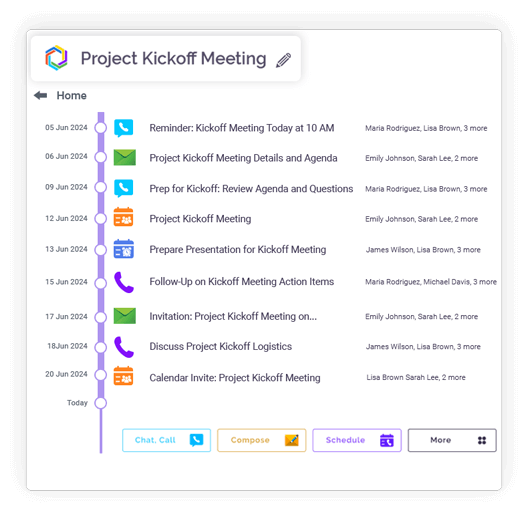
Open button Close button
Feature slide img

Every Topic in Its Place — Keep Conversations Organized!

Show Subject Chats

View all subject-specific chats with a contact from Direct Chat.

Open button Close button

New Subject Prompt

Automatically prompted to create a subject chat when none exists.

Open button Close button

Topic Organization

Subject chats are grouped by topic for easy reference.

Open button Close button

Context Continuity

Messages, files, and emails stay linked within each subject.

Open button Close button

Easy Switching

Move between multiple topics with the same contact seamlessly.

Open button Close button
Feature slide img

Integration

Connect your apps. Get more done.

Microsoft 365

Microsoft 365

Office productivity suite

Google Workplace

Google Workspace

Cloud-based productivity suite

Onedrive

OneDrive

Cloud file storage

Google Drive

Google Drive

Cloud file storage and sharing

Dropbox

Cloud file storage and sharing

PCloude

pCloud

Secure cloud file storage

Github

GitHub

Source code hosting

Hot Spot

HubSpot

Marketing automation platform

Team

Microsoft Teams

Team collaboration platform

More Useful Features

Unified Contact List 

Centralized access.

Unread Highlights 

Bold unread contacts.

Quick Actions 

Start chat or email instantly.

Bulk Selection 

Manage multiple contacts.

Easy Invitations 

Add users via email.

Centralized Contact List for Easy Access

Clariti provides a unified contact list that consolidates all your connections in one place. You can access colleagues, team members, and external contacts through a single interface. The contact manager automatically organizes and categorizes your professional network. This eliminates the need to search through multiple apps or email lists for contact information.

contact blog_img

Instantly Spot Unread Chats and Active Contacts

The platform visually highlights contacts with unread messages and shows real-time availability status. You can quickly identify who’s online and see pending conversations at a glance. Color-coded indicators and badges make it easy to prioritize responses. This visual system ensures you never miss important messages from key contacts.

Quick Access from Direct Chats and Conversations

You can instantly access contact profiles and information from any ongoing conversation. Just clicking on any participant’s name reveals contact details. The feature maintains conversation flow while providing full context about participants.

Unified Contact Search for Personal Contacts

Clariti’s powerful search function both your personal contacts and organization’s shared directory. All the contacts that belongs to the domain name with which you have sign appears. You can choose any contact and choose to send a direct message or start a group chat by adding other contacts.

Add and Invite Users Instantly

Adding new contacts or inviting team members takes just seconds in Clariti. You can import contacts from connected email accounts. The platform also allows instant invitation of users through through direct or group message. This streamlined process makes onboarding new collaborators effortless and immediate.

Organize Subject Chats for Every Contact

Clariti enables you to create multiple topic-based conversations with the same contact. Instead of one long chat thread, you can organize discussions by project or subject. This keeps conversations focused and makes historical information easier to locate. Each subject chat maintains its own context and file history.

Seamless Navigation Between Multiple Topics

The platform allows smooth switching between different conversation topics with the same contact. You can easily jump between project discussions without losing context or search history. Each topic maintains its separate thread while remaining accessible from the main contact view. This organization system enhances focus and keeps related information properly grouped.

Blog Links

Frequently Asked Questions?

Can I access and manage all my contacts from one place?

Yes, Clariti provides a centralized contact manager where all your connections are unified.

Absolutely. Clariti uses visual indicators like badges and color highlights to show unread messages. Active conversations and new direct messages are prominently displayed in your chat list. The system also shows real-time online status for immediate awareness. This ensures you never miss important communications from your contacts.

Yes, Clariti’s unified search function scans both personal and business contacts simultaneously. This eliminates the need to search through multiple separate contact lists.

Absolutely. When you sign up using your company email address, Clariti automatically populates your contact list with colleagues who have already joined from the same domain, making team connections instant. To add external contacts—such as clients or partners—you can simply send them an invitation link.The entire process is intuitive, taking just a few clicks. New collaborators can be onboarded and ready to communicate in seconds, ensuring seamless and immediate connectivity.

Yes, Clariti allows you to create multiple topic-based conversations with the same contact. Instead of one long thread, you can organize discussions by project or subject matter. Each topic maintains its own conversation history and shared files. Navigation between these subject chats is seamless and intuitive. This keeps all your communications organized and contextually separate.