A unified communication system brings chat, email, calls, files, and calendar events into one connected workspace, eliminating constant app switching and helping teams stay focused, aligned, and productive while managing all business conversations from a single interface.
A browser-based communication platform allows teams to access chats, emails, calls, files, and calendar events from any location without installing additional software, enabling seamless collaboration for remote and hybrid teams while ensuring continuity, flexibility, and consistent access to business conversations.
A built-in chat application enables instant messaging between individuals and teams, supporting quick questions, updates, and discussions while keeping conversations organized, searchable, and connected to related emails, files, and calendar events for complete context.
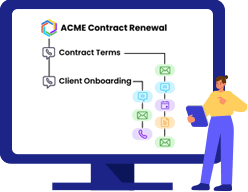
Hybrid conversations intelligently connect chats, emails, documents, calls, and events under a shared context, allowing teams to follow discussions in one continuous flow, understand background information easily, and avoid fragmented communication across multiple disconnected tools.
File sharing allows users to securely upload, share, and access documents, images, and files directly within conversations, ensuring that important resources remain linked to discussions and are easy to find, reference, and collaborate on at any time.
Screen sharing software enables users to share their screens during calls or meetings, making it easier to explain ideas, review documents, demonstrate workflows, and collaborate visually in real time without relying on separate presentation tools.
Voice calling allows teams to initiate high-quality audio calls directly from conversations, enabling faster decision-making, clearer discussions, and more personal communication without switching to external calling applications or traditional phone systems.
Video conference software supports face-to-face virtual meetings with team members, helping improve collaboration, engagement, and clarity by combining video, audio, and shared context within the same workspace used for daily communication.
Mail integration brings emails into the same workspace as chats and conversations, allowing users to read, send, and link emails directly to ongoing discussions so important communication never gets lost in long or disconnected email chains.
The calendar feature helps teams schedule meetings, calls, and events within conversations, ensuring everyone understands the timing, purpose, and context of discussions while keeping schedules aligned without relying on separate calendar applications.
Sharing chats and conversations allows users to easily include colleagues in ongoing discussions, giving them full visibility into past context, decisions, and shared files, so collaboration continues smoothly without repeated explanations.
This feature allows users to add emails from any external email service into conversations, ensuring all relevant communication is captured, organized by context, and accessible alongside related chats, files, and meeting details.
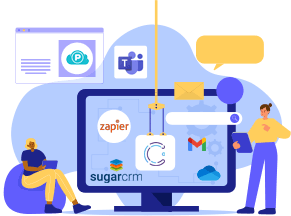
Integrations connect the platform with popular business applications, enabling teams to sync data, receive updates, and work seamlessly across tools while keeping all relevant information organized within a single communication environment.
Inline image and document preview lets users view files directly within conversations, reducing the need to download or open external apps while enabling faster reviews and smoother collaboration during discussions.
Notification management gives users control over alerts and updates, helping reduce distractions by prioritizing important conversations while ensuring critical messages, mentions, and events are not missed during busy workdays.
Contact management organizes team members and external contacts in one place, making it easy to start conversations, schedule calls, and maintain consistent communication across departments and projects.
A customizable workspace theme allows users to personalize the look and feel of their interface, improving comfort, usability, and visual clarity while working long hours within the communication platform.
Encrypted communication ensures that messages, calls, files, and shared data are protected using strong security protocols, helping organizations maintain confidentiality, prevent unauthorized access, and comply with data protection standards.