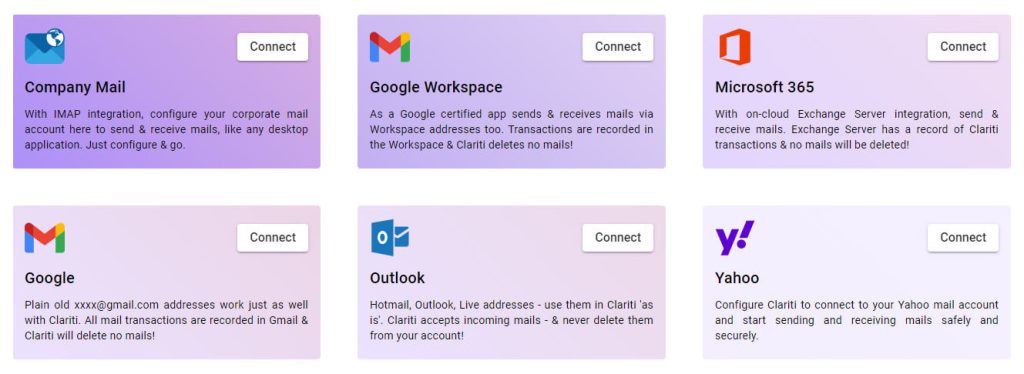
With Premium subscription, you can connect existing email accounts to Clariti using mail Integrations.
Gateway
Clariti acts as a gateway to send and receive emails from your account. You can continue to use your accounts outside of Clariti also.
Wide Support
Email accounts from Google, Microsoft, Yahoo are supported. Company email accounts are supported using IMAP & SMTP.
For a full list of mail systems supported, go to your Profile page in Clariti & select Integrations > Add > Mail Then connect to your email system.
Access Permissions
Access permissions are required for Clariti to connect to your email account.
With Google, Microsoft, & Yahoo, Clariti uses OAUTH2, and therefore has no access to your login information.
Secure storage
For company email accounts, Clariti requires IMAP & SMTP server address and login information to connect. Such information is stored securely in encrypted form on our server and is protected by our Privacy Policy.
Automatic Sync
Connecting your account is done just once. Thereafter, Clariti Mail continually synchronizes with the Inbox & Sent folders in your email account.
Full mail editor
You can compose mails using Clariti’s full function editor. Emails are sent via your email account, and you can find them in the Sent folder in your email system.
With Free subscription, there is no permanent connection to your email account.
Bring mails into Clariti
You can selectively bring received & sent mails from any source into Clariti. Such emails can be added to conversation or start a conversation.
Wide Support
Email accounts from Google, Microsoft, Yahoo are supported. Company email accounts are supported using IMAP & SMTP.
Temporary Access
Access permissions to your mail systems are not remembered across Clariti sessions. You must connect to your account every time you bring emails. Consequently, there is NO automatic sync between Clariti and the mail system Inbox and sent folders.
No Send
You can compose mails using Clariti’s full function editor but cannot send.
Mail in Clariti
With Free subscription, there is no permanent connection to your email account.
Bring mails into Clariti
You can selectively bring received & sent mails from any source into Clariti. Such emails can be added to conversation or start a conversation.
Wide Support
Email accounts from Google, Microsoft, Yahoo are supported.
Temporary Access
Access permissions to your mail systems are not remembered across Clariti sessions. You have to connect to your account every time you bring emails. Consequently, there is NO automatic sync between Clariti and the mail system Inbox and sent folders.
No Send
You can compose mails using Clariti’s full function editor but cannot send.
With Premium subscription, you can connect existing email accounts to Clariti using mail Integrations.
Gateway
Clariti acts as a gateway to send and receive emails from your account. You can continue to use your accounts outside of Clariti also.
Wide Support
Email accounts from Google, Microsoft, Yahoo are supported. Company email accounts are supported using IMAP & SMTP.
For a full list of mail systems supported, go to your Profile page in Clariti & select Integrations > Add > Mail Then connect to your email system.
Access Permissions
Access permissions are required for Clariti to connect to your email account.
With Google, Microsoft, & Yahoo, Clariti uses OAUTH2, and therefore has no access to your login information.
Full mail editor
You can compose mails using Clariti’s full function editor. Emails are sent via your email account, and you can find them in the Sent folder in your email system.
Secure storage
For company email accounts, Clariti requires IMAP & SMTP server address and login information to connect. Such information is stored securely in encrypted form on our server and is protected by our Privacy Policy.
Automatic Sync
Connecting your account is done just once. Thereafter, Clariti Mail continually synchronizes with the Inbox & Sent folders in your email account.